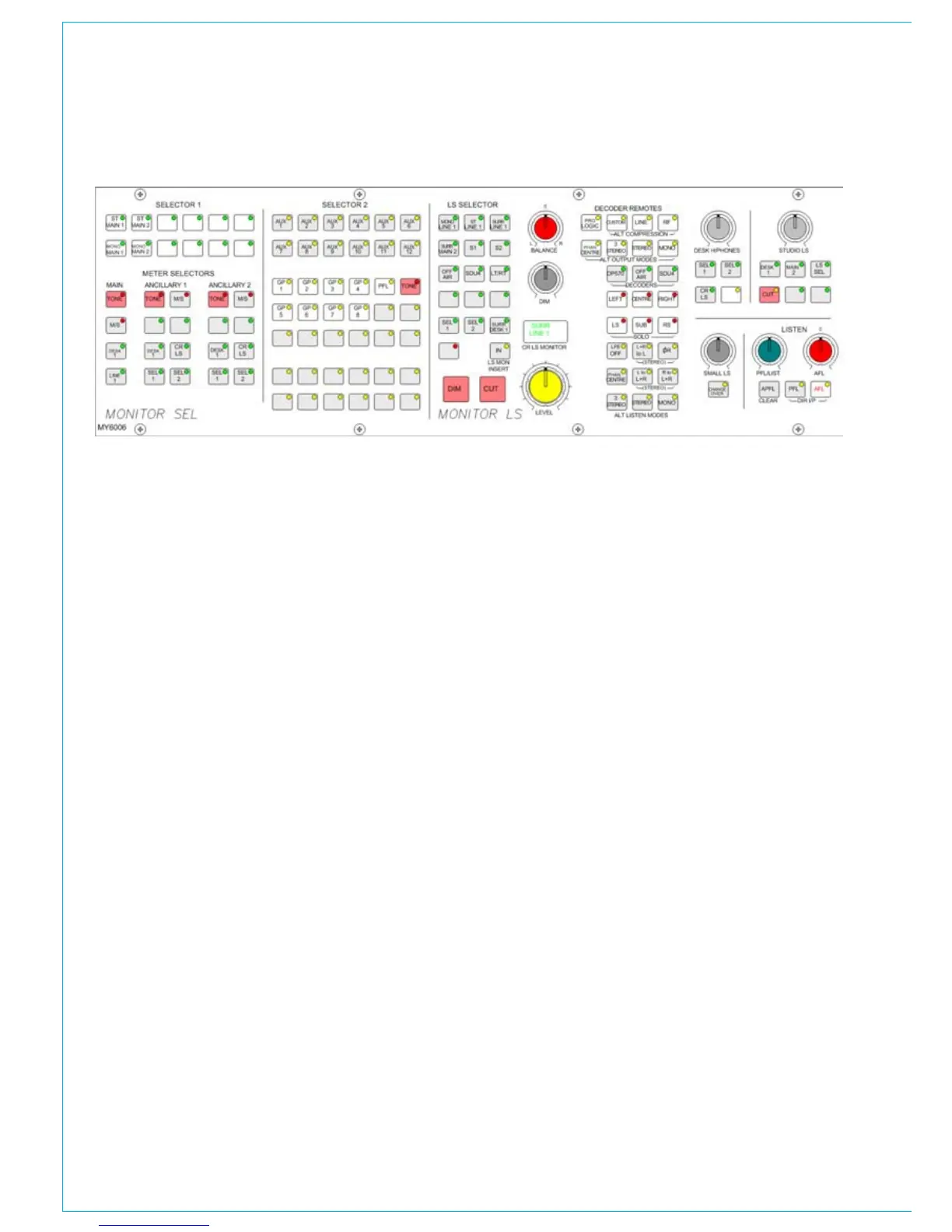
Selectors
The Monitor and Meter Selectors are used
to select the source to monitor, and what
to display on the meters. Selectors 1 and
2 are sub-selectors which feed the other
selectors. All Selector external inputs can
be mono, stereo, or 5.1. Mono inputs are
fed to the left and right.
User-Definable Buttons
The Options-Mon I/P & TB screen is used
to allocate monitor sources to the user-
definable selection buttons on each panel.
Buttons can only be assigned when in
Technician or Supervisor mode. This allows
the system to be set up prior to operation,
and protects against accidental changes
once the console is in use.
Monitor LS
The SMALL LS level control is in series
with the main LS level control. The
“change over” button diverts the monitor
output to the Small LS for near field, or
domestic check monitoring. Both main and
Small LS can be stereo, 3 stereo, or 5.1
independently.
TRAdITIONAL STyLE MONITOR PANEL
DIM, CUT and SOLO operate on both sets
of loudspeakers. DIM and CUT can be
externally operated and controlled from
the TB using condition switching, set up on
the TX-REH Screen.
If a surround signal is monitored on a
stereo loudspeaker or meter, a stereo
downmix will be created and monitored.
If the LS system is surround, stereo and
mono sources will still be heard in stereo
and mono, with no signals on the other
speakers.
If a main output is surround, the stereo
monitor buttons for that main output will
monitor the stereo (downmix) output of
that main output. If a main output is stereo,
the surround monitor buttons for that main
output will be disabled.
For STUDIO LS, two parallel LS outputs
are provided, post the level control, with
separate MIC OPEN cuts. Studio LS 1 can
be independently either stereo, 3 stereo or
5.1, Studio LS2 is stereo only.
The LS monitor insert is switched in and
out using the button. The LS monitor
insert send ports are patched on the I/O
- Outputs - Mon TB & Osc Screen. The
return ports are patched on the Options -
Mon I/P & TB - Mon Sel (EXT I/P) screen.
Alternative Listening Modes
All off indicates NORMAL (mono, stereo
or surround depending on the source
selected and the LS arrangement). ØR,
L+R to L, L to L+R, and R to L+R will work
in any mode, but are really designed for
use in STEREO mode or when monitoring
stereo sources. MONO feeds L, C, R, LS
and RS to L + R.
AFL and PFL
AFL (post the surround panning controls)
feeds the Control Room LS outputs ,
overriding the LS SEL. PFL is available
on Selector 2, or alternatively, there can
be a separate stereo PFL LS output. An
external RTB input can mix with PFL to
the PFL LS output. APFL CLEAR, clears
any latched buttons.
PFL from surround mains is a stereo
downmix of the surround signal.



 To Next Page