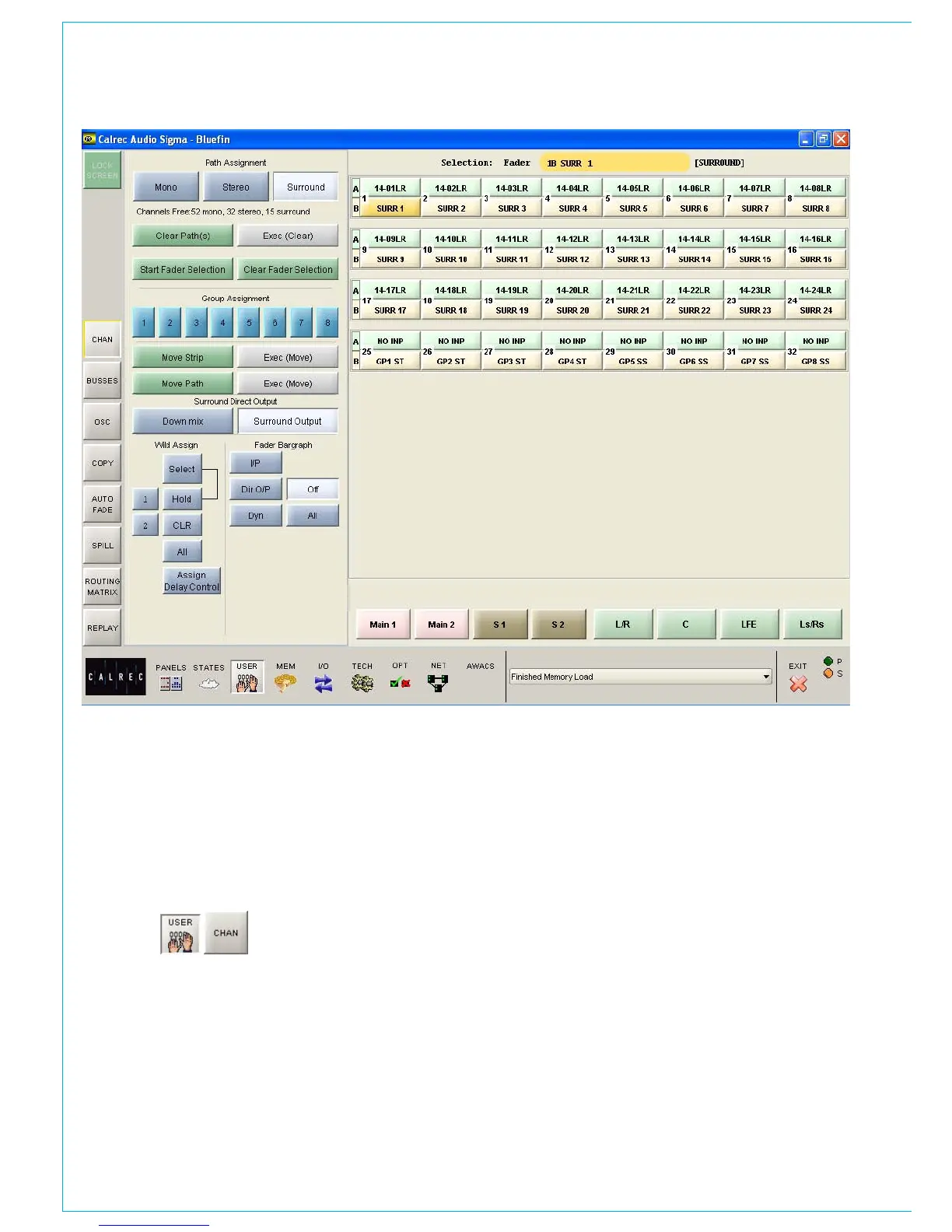
Path Type Selection
The MONO, STEREO and SURROUND
buttons here select the path type for the
currently assigned fader. If the path is to be a
group, its number is selected using buttons
1-8. Groups are defined as surround, stereo
or mono on the USER-BUSSES screen.
USER-CHAN SCREEN
Clearing Paths
To clear a path, select the assign button
of the path you wish to clear, and select
CLEAR PATH and then EXEC. “Start Fader
Selection” allows a number of fader paths
to be selected, either from the screen, or
by selecting their fader assign buttons. In
this way, a number of fader paths can be
cleared in one operation. Multiple fader
selection can also be used to allocate a
path type to several paths at once. The
multiple fader selection can be cleared
using “Clear Selection”.
Move Path and Move Strip
Paths can be moved or swapped from one
fader to another, using the MOVE PATH
buttons. Select the required path, and
select MOVE PATH (the assign button will
flash). Then select the destination fader
path, and select EXEC (Move). The two
paths will swap over, and any Wild control
assignments will move with them.
MOVE STRIP moves the whole fader
strip to a different fader. This means that
the A and B paths including any Wild
Assignments will move to the selected
destination fader strip.
Surround Direct Output Downmix
All surround channels and groups have
surround direct outputs. The buttons on
this screen allow the user to choose the
full surround direct output, or to downmix
the output to stereo. When the down-
mix button on the surround spill panel is
selected the spill faders will switch to allow
adjustment of each individual spill paths
contribution to the downmix.
Fader Bargraph Assignment
Buttons I/P, DIR O/P, DYN and OFF on
this screen will set the function of the fader
bargraph on the currently assigned fader.
If ALL is pressed first (flashes) all fader
bargraphs will be set to the selected function.



 To Next Page