Assigning Auto-Faders to Opto
Inputs
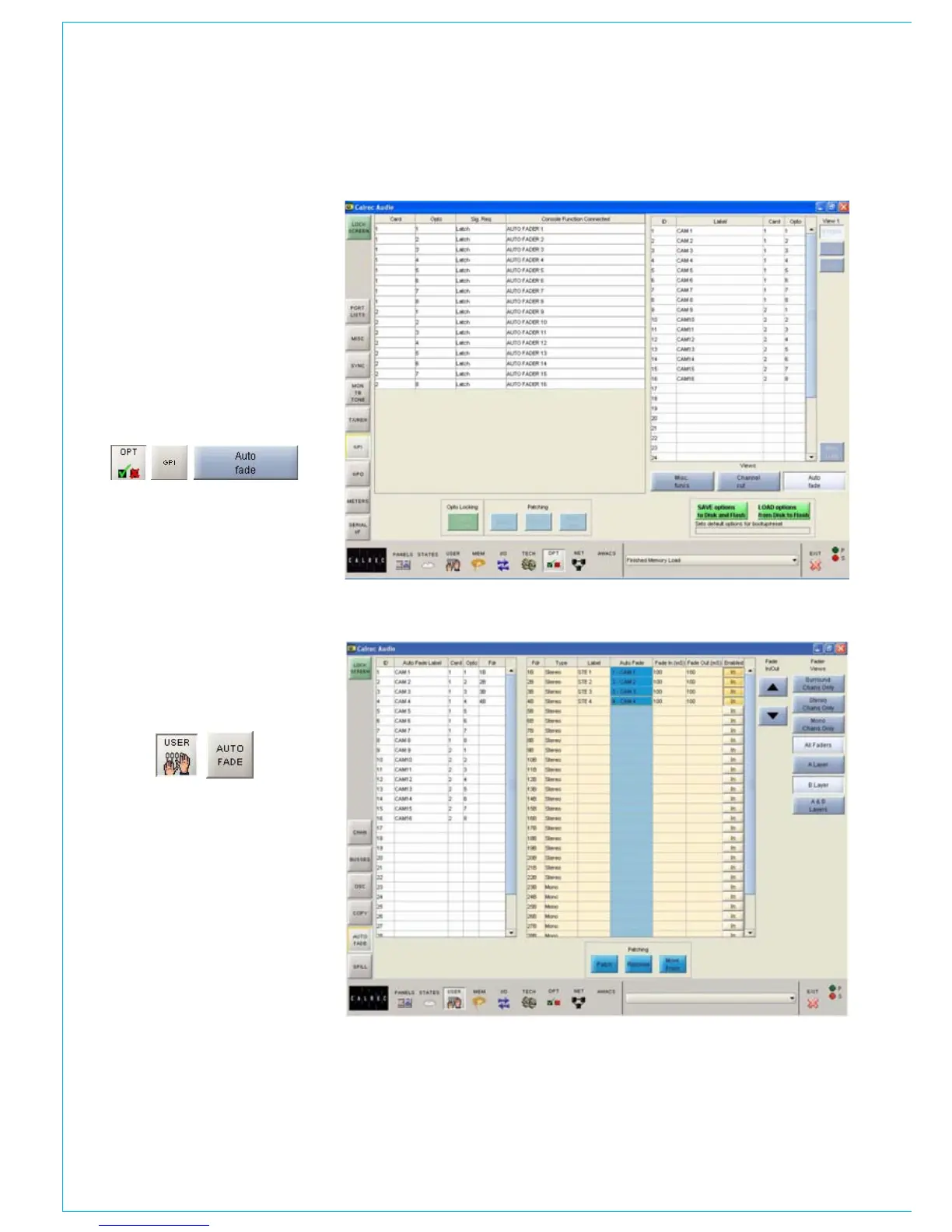
Each auto-fader can be assigned to any
one opto input using the Options-GPI
screen.
Select an Opto from the available list
on the left, and an auto-fader from the
auto-fader list on the right, and then select
“Patch”. Each autofader has a 6 character
user editable label.
Auto-Fade Screen
The User-Auto Fade screen is used to
allow assignment of each auto-fader to a
channel or group fader.
A list of auto-faders is on the left hand
side of the screen, and shows auto-fader
number, auto-fader label, assigned Opto
card and circuit, and assigned fader
number. Only faders with valid channel or
group paths will be available for assignment
although other faders may be displayed.
Auto-faders are assigned to channel and
group paths by selecting an auto-fader and
a channel or group from the available lists,
and selecting “Patch”.
AUTOMATIC CROSS-fAdING



 To Next Page