INPUTS ANd OUTPUTS
Inputs
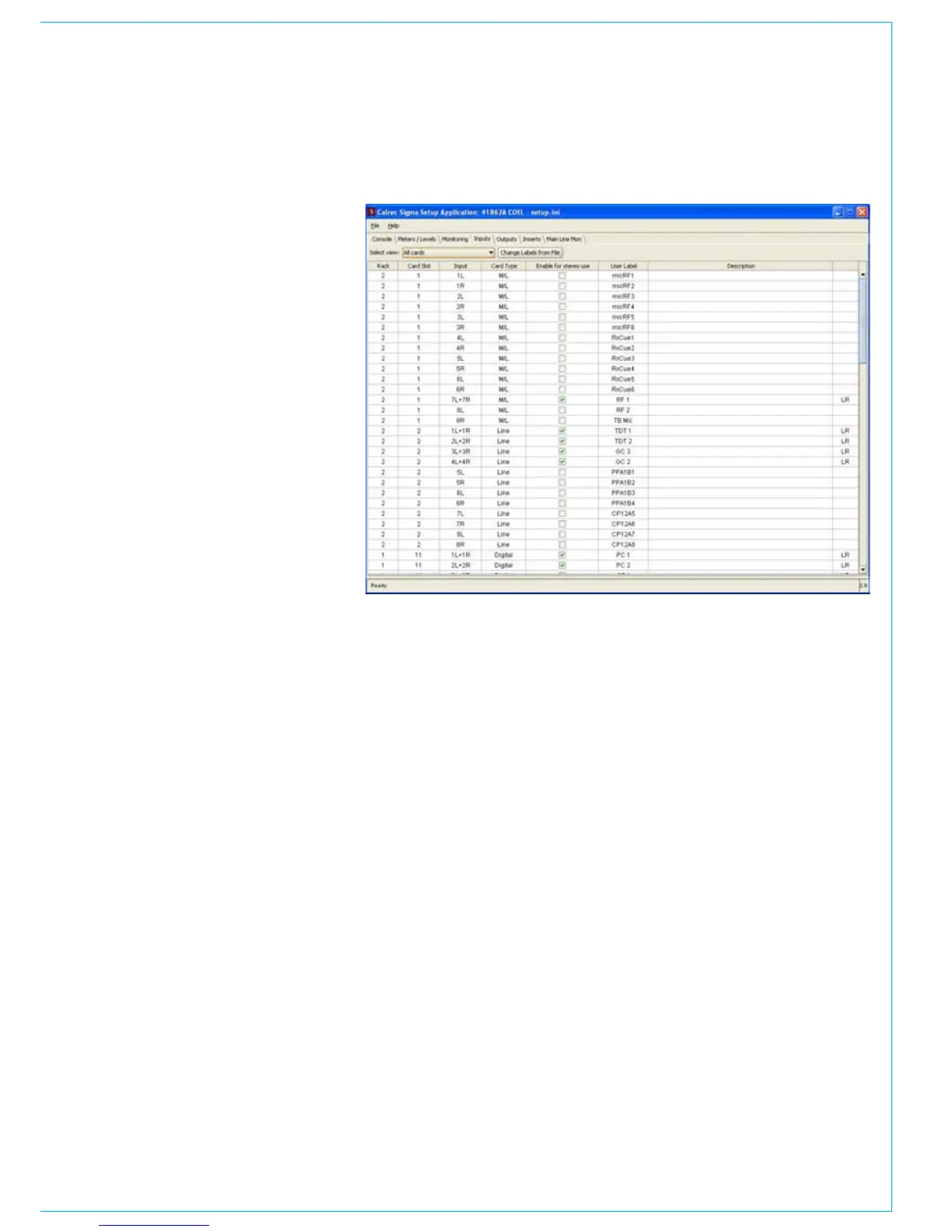
The Inputs page allows the user to label
each input port, simply by click on the
‘user label’ column for each input port.
Each label can be no longer than six
characters and no labels can be repeated.
A full description for each port can be
added and although the description will
not appear on the mixer control surface, it
is available in the PC’s main application.
The inputs can be configured as stereo
pairs or individual mono ports, by checking
or unchecking the box in the ‘enable for
stereo use’ column. If there is any doubt as
to whether an input port should be mono
or stereo then it should be set for stereo,
which gives maximum flexibility. Stereo
ports can be patched to stereo channels,
or either half of a stereo pair can be
assigned to a mono channel. However,
two mono ports cannot be patched to a
stereo channel.
When the setup is saved, the old setup
file is saved as a backup. It is possible to
retrieve the port labels from the backup
file using ‘change labels from file’.
Outputs
Output ports can be adjusted in the same
way as the input ports.



 To Next Page