PC INfORMATION
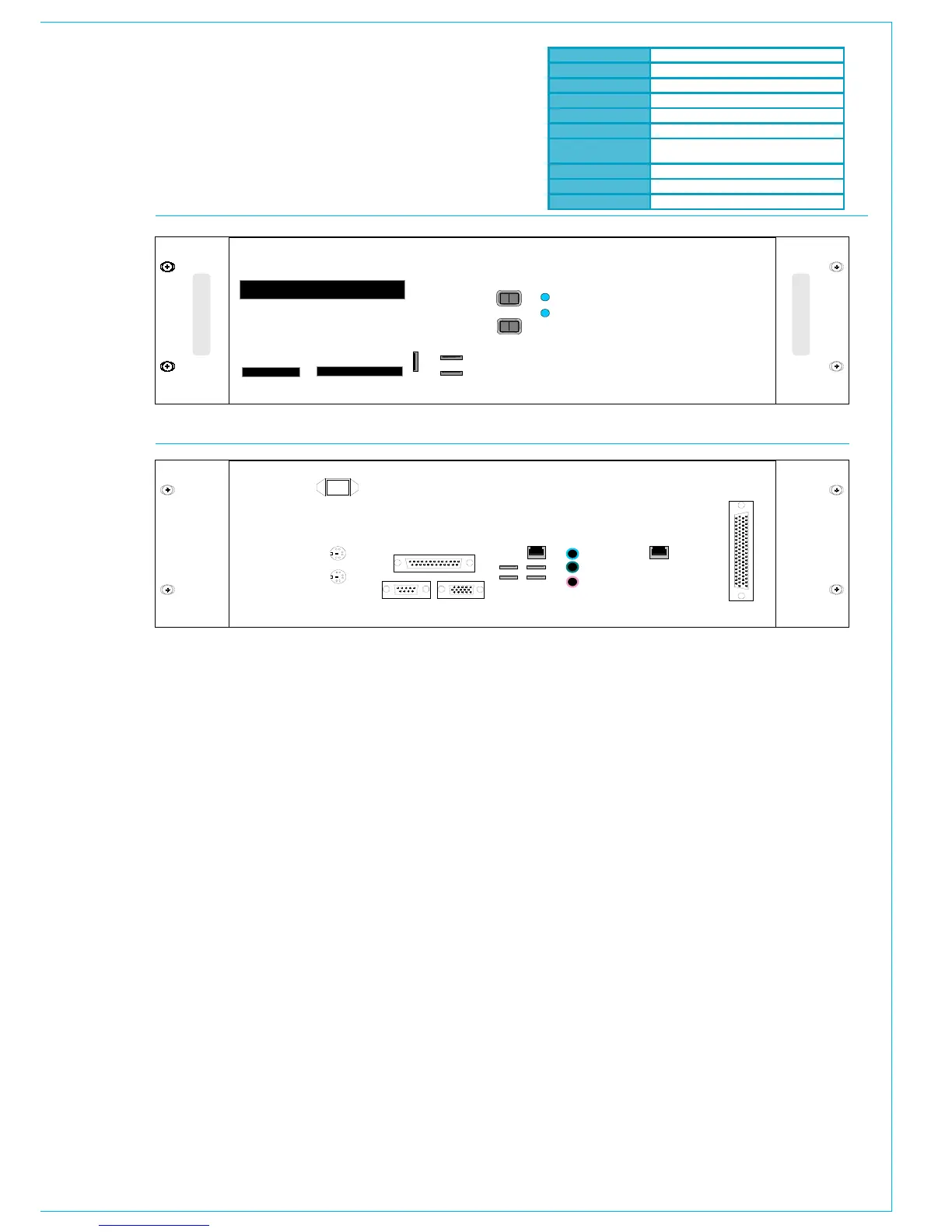
Remote Access
USB connectors are provided on both
the front and rear of the PC for the
option to add an external modem of
your choice. If a modem is added, and
a suitable telephone line installed, the
console can be remotely accessed
by Calrec Support Engineers to aid
software upgrades and diagnostic work.
This can greatly enhance the level of
service and support we can provide. A
dial-up facility must first be activated
at the PC before this is possible, to
ensure that connections are not made at
inappropriate times or without the user’s
knowledge and consent.
Local Network
A network port is provided to enable
the user to connect to their own LAN.
Calrec will not be responsible for the
configuration of this port or for any
performance issues arising from its use.
Windows XP
Intel Celeron Processor (2GHz+)
256 MB DDR RAM
40GB
52x
2 x 10/100
Compact Flash/Microdrive, SmartMedia,
Memory Stick, Secure Digital/Multimedia Card
4 (Rear of Unit), 1 (Front of Unit)
1 (Front of Unit)
8 Port Serial Card
Hydra Network Connection
A Gigabit Ethernet port is provided to
enable the PC to be connected to a Calrec
Hydra Audio Network, which is an option
which can either be purchased with the
console or in the future.
Software Supplied
An OEM PC Operating System license
is supplied with each console, and the
operating system software is pre-installed.
The console software is also pre-installed,
and supplied on a CD-ROM.
3
rd
Party Software
Calrec recommends that the PC is
regarded as an integral control device for
the console, and not as a general purpose
PC. If 3
rd
party software is installed on the
PC, care must always be taken to ensure
that it does not interfere with the normal
performance of the PC. The installation
of inappropriate software on the PC may
invalidate the console warranty.
Usernames and Passwords
The PC will initially be set up with two
sets of usernames and passwords:
Username: CalrecAudio
Password: (none)
This user can install and run programs,
but cannot change PC hardware settings
(i.e. set up network, install drivers. It is
recommended that this user is used
during normal operation.
Username: CalrecAudioAdmin
Password: calrec
This user has full rights to the PC and
can install and change PC hardware
settings. It is recommended that this
user is used during configuration of
the PC and the setup of Hydra Audio
Networking.



 To Next Page