Creating a Surround Channel
The surround button on the I/O Matrix is
used to create a surround channel on the
currently assigned fader.
When this happens, the currently assigned
fader becomes a surround master, and the
assign panels show and allow adjustment
of the surround master settings. The
surround master holds the master control
settings which affect the operation of the
surround channel.
Each 5.1 surround channel uses the
resources of 2 mono channels for Centre
and LFE; and 2 stereo channels for L/R
and Ls/Rs. These resources are allocated
as the surround channel is assigned, from
the available mono and stereo channels.
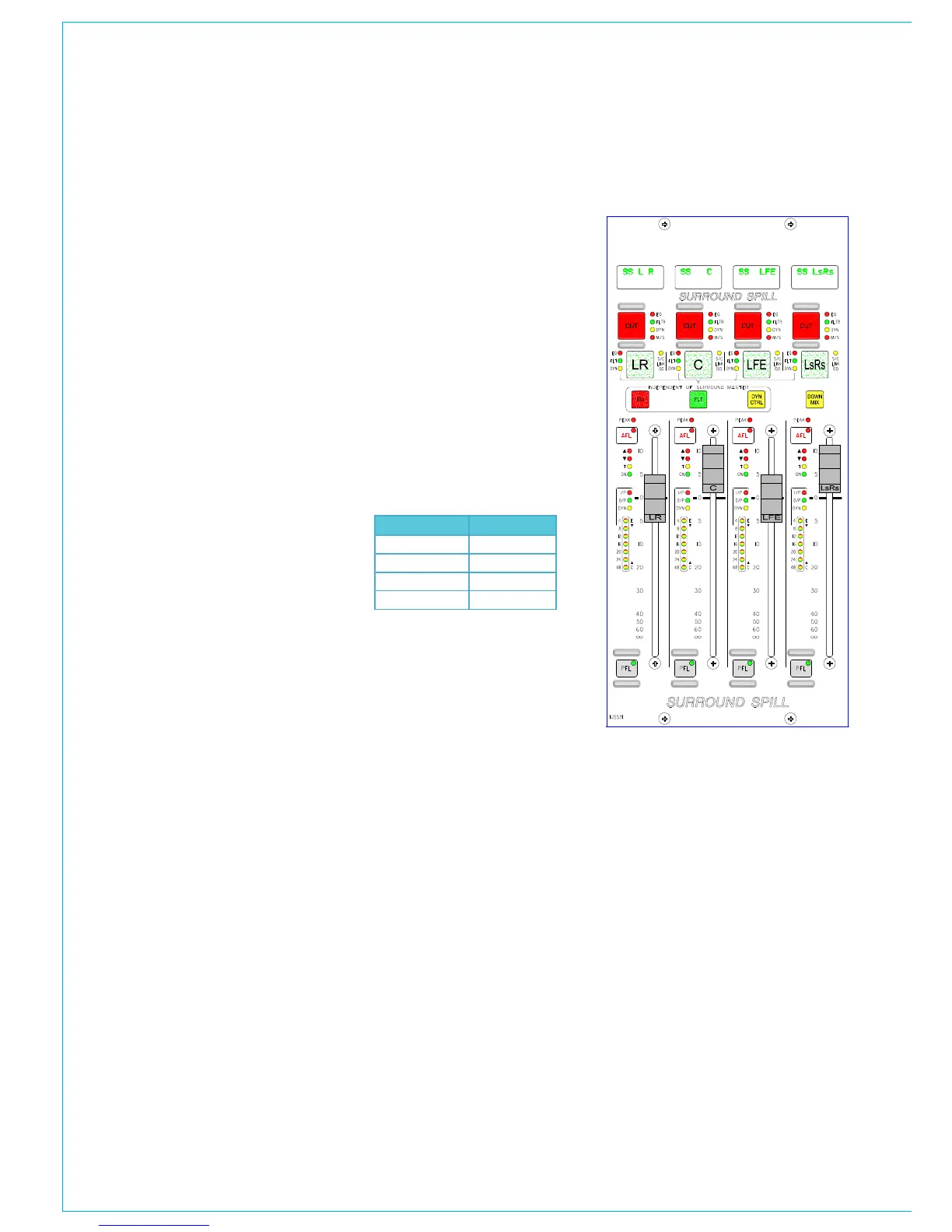
Surround Spill
A set of screens are provided, to control
the individual legs of surround channel,
group or main paths. In addition, an
optional surround spill panel is available
so that adjustment can be made from the
control surface.
When a surround path is selected as
the currently assigned fader, the spill
panel becomes active and displays the
information for each of its spill legs, and the
spill faders allow their level to be adjusted.
Each spill fader has its own assign button,
which is used to select the spill leg as the
currently assigned path when the spill
panel is active. The spill’s assign button
lights when selected, and its surround
5.1 SURROUNd CHANNELS
master’s assign button will flash. When
a spill leg is selected as the currently
assigned path, the assignable panels
show and allow adjustment of its settings.
If a surround path is routed to a stereo bus
or meter, a stereo down mix is created.
When the down mix button on the spill
panel is selected and the destination is
a stereo group or main output, the spill
faders will switch to allow adjustment of
each individual spill paths contribution
to the down mix. Other fold-downs, for
example a stereo mix minus are not
affected by the spill faders and are pre set
with the following parameters.
Spill Path Level (dB)
L/R -4.5
C -7.5
Ls/Rs -10. 5
LFE Off
The surround master level controls for
input gain, fader position, direct output,
aux send and track send, act like VCA
masters of the spill leg controls. With a
surround master selected, the balance
control on the Input/Output panel acts as
an input gain trim control.
The assignable fader can follow the spill
fader, but cannot be locked to it. It can
however be locked to a surround master.
Input Patching
For channels, inputs are patched to the
spill legs and not to the surround master
channel. When an input is patched to a
spill leg its input settings (SRC, Phantom
Power) are selected individually for each
spill leg.
If a stereo or mono channel uses the same
input port as a spill leg, and phantom
power or SRC is selected or de-selected
on that path, this would then change the
status of the surround channel and all its
spills.
Each spill follows the Input 1,2 setting
of the surround master. They cannot be
switched individually.



 To Next Page