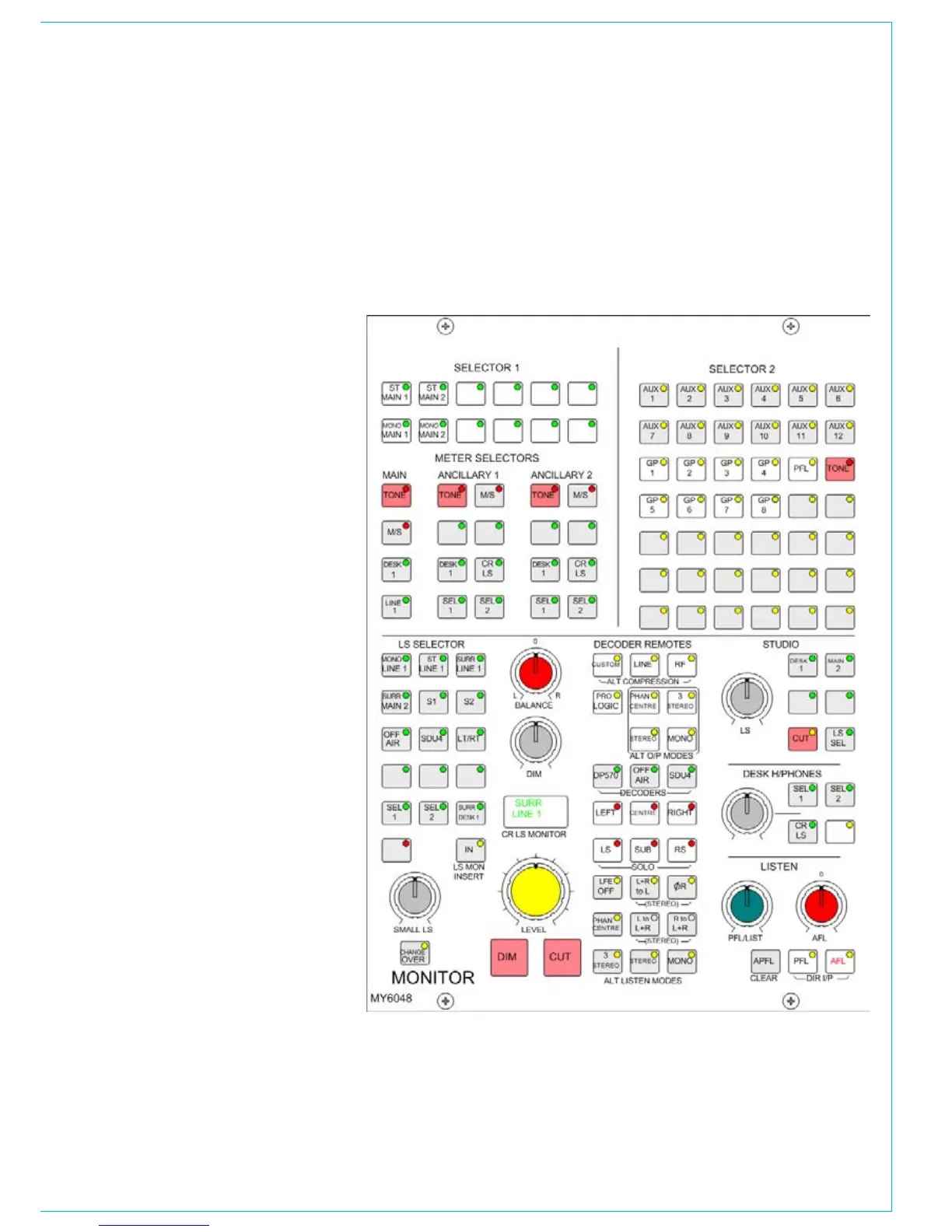
Decoder Remotes
The DECODER REMOTE buttons control
whichever Decoder is currently selected.
(Other Decoders remain in their previously
set state). The buttons are shown
engraved for a Dolby DP570.
4 buttons for Alternate Output Modes
•
(all off indicates full surround).
3 buttons for Alternate Compression
•
Modes (all off = no compression and
no dialogue normalization).
1 button for Pro Logic mode. It is
•
assumed that the DP570 will be set
on the unit, to Dolby Digital mode
either in manual or auto detect mode.
When controlling a Dolby SDU4, LT/RT
decoder, only the stereo and mono, output
mode buttons will function.
Meter Selectors
The main meter is in addition to the four
stereo main output meters, which display
the stereo downmix of the main output, if
the main is surround.
The Ancillary 1 meter would normally
be used to meter the Control Room
LS monitor selection, but can also be
selected to Main 1 Desk, Sel 1 or 2, or 2
external inputs.
The Ancillary 2 meter can be selected
to meter the Control Room LS monitor
selection, Main 1 Desk, Sel 1 or 2, or 2
external inputs.
The main and ancillary meters can be
stereo only, surround only, or surround
plus stereo, with an optional separate M/S
(L-R sum/difference) meter.
Tone switches allow tone to be sent to
each meter.
Portrait Monitor Panel
The Monitor Selector and LS panel is
also available in portrait style. This allows
channel faders to be placed in the centre
section of the console.



 To Next Page