3-28
Loading Paper in the Paper Cassette
Paper Loading and Output Tray
3
7
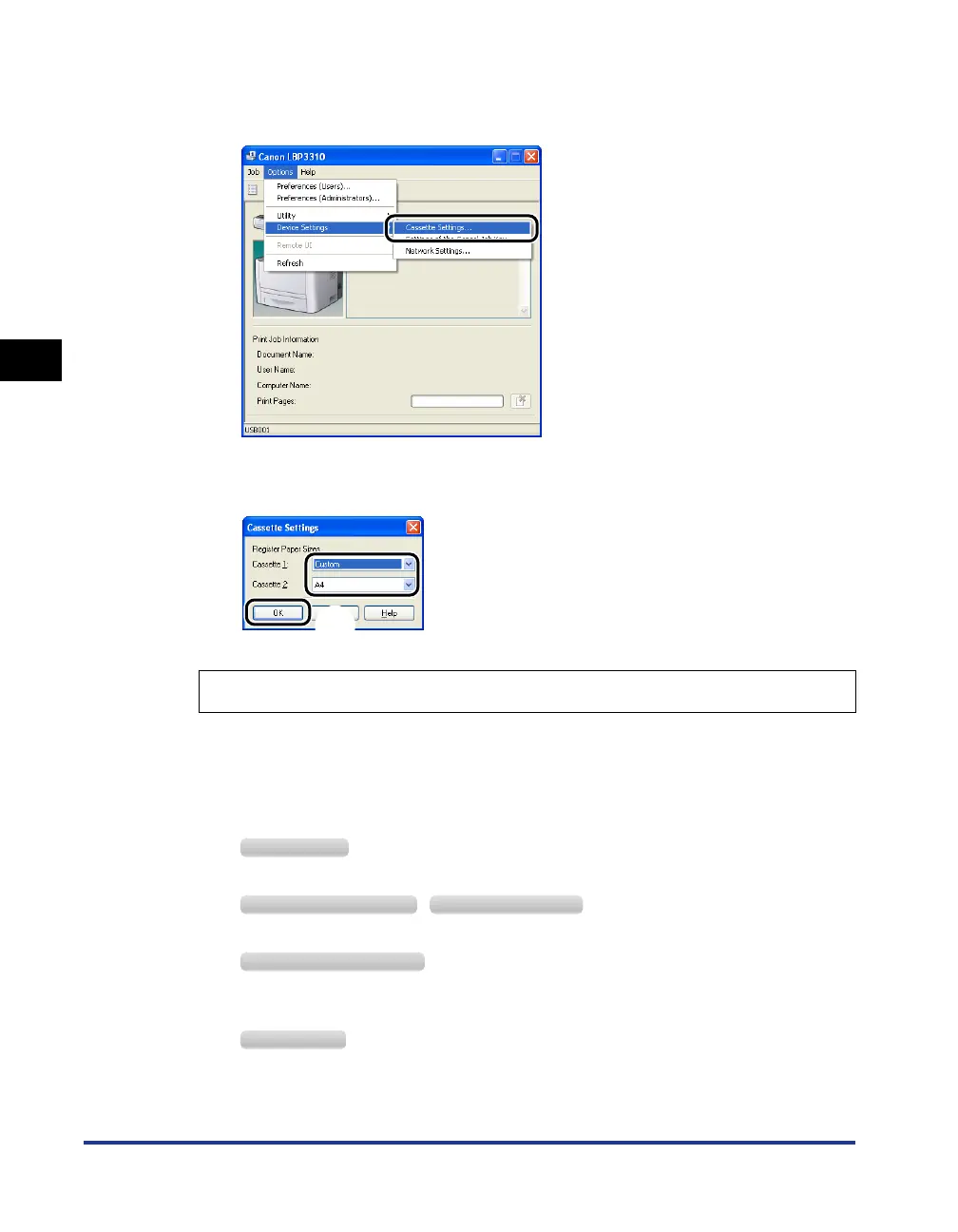
From the [Options] menu, select [Device Settings] ➞
[Cassette Settings].
8
Select [Custom] aa
aa
, then click [OK] bb
bb
.
If printing custom size paper, you need to register the custom paper size in the
printer driver previously.
9
Display the [Printers and Faxes] folder or the [Printers] folder.
From the [Start] menu, select [Settings] ➞ [Printers].
From the [Start] menu, select [Printers and Faxes].
From the [Start] menu, select [Control Panel], and then click [Printers and Other Hardware]
➞ [Printers and Faxes].
From the [Start] menu, select [Control Panel], and then click [Printer].
Register the size of the loaded custom size paper using the following procedure.
a
b
Windows 2000
Windows XP Professional Windows Server 2003
Windows XP Home Edition
Windows Vista



 To Next Page