1-8
Before You Start
1
Parts and Their Functions
hh
hh
Face-down Output Tray
Outputs paper with the printed side facing down.
(See p. 3-13)
ii
ii
Open Button
Press this button to open the front cover.
jj
jj
Control Panel
The control panel has the indicators which show the
printer status and the key which can cancel a job.
(See p. 1-10)
kk
kk
Ventilation Slots
Allows ventilation of the interior of the printer to
dissipate heat.
ll
ll
Power Switch (See p. 2-33)
mm
mm
Lift Handles (See p. 7-24)
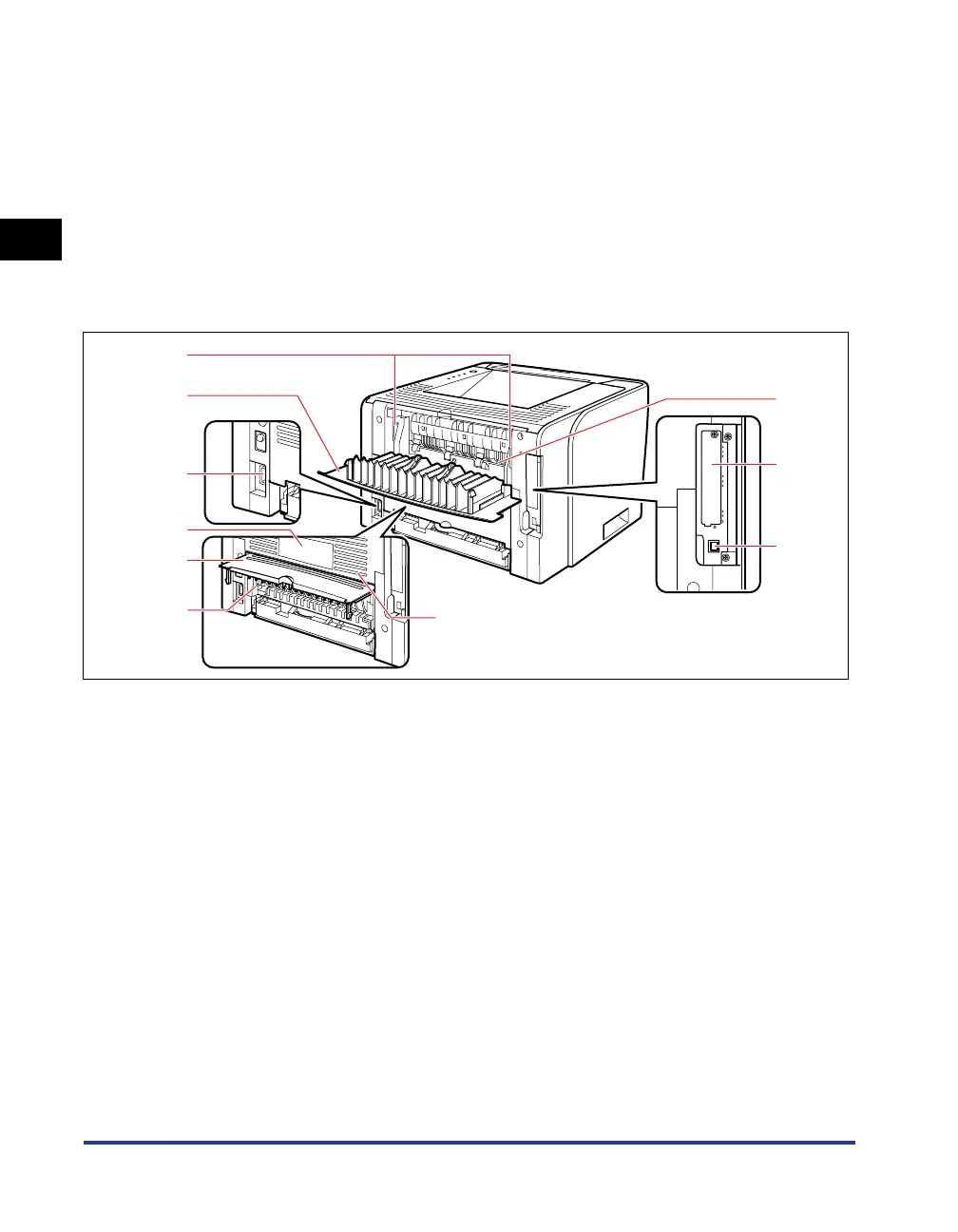
Rear View
aa
aa
Pressure Release Levers
Press down these levers when removing jammed
paper. (See p. 8-7)
bb
bb
Output Selection Cover
Open this cover when using the face-up output slot
or removing paper jammed in the output area.
(See p. 3-16)
cc
cc
Power Socket (See p. 2-26)
dd
dd
Rating Label
The current value indicated in this rating label shows
the average power current consumption.
ee
ee
Duplex Unit Cover
Open when specifying the size of the paper for
2-sided printing or removing paper jammed in the
duplex unit.
ff
ff
Paper Size Switch Lever
Switch the lever according to the paper size for
2-sided printing. (See p. 5-10)
gg
gg
Ventilation Slots
Allows ventilation of the interior of the printer to
dissipate heat.
hh
hh
Face-up Output Slot
Outputs paper with the printed side facing up.
(See p. 3-14)
ii
ii
Expansion Slot
The optional network board is installed in this slot.
(See p. 9-15)
jj
jj
USB Connector (See p. 2-29)
e
f
d
c
a
b
h
i
j
g



 To Next Page