6-45
Smoothing Out Rough-Textured Images
6
Using the Various Printing Functions
Smoothing Out Rough-Textured Images
If image data such as photographic images are enlarged in size in an application
and printed, the printed images may look rough or jagged. You can smooth out this
kind of low-resolution image data.
1
Select [Print] from the [File] menu in the application.
The [Print] dialog box is displayed.
NOTE
Printing procedures vary depending on the application you are using. For details on
the printing procedures, see the instruction manual supplied with the application.
2
Select the name of this printer, then click [Properties] or
[Preferences].
3
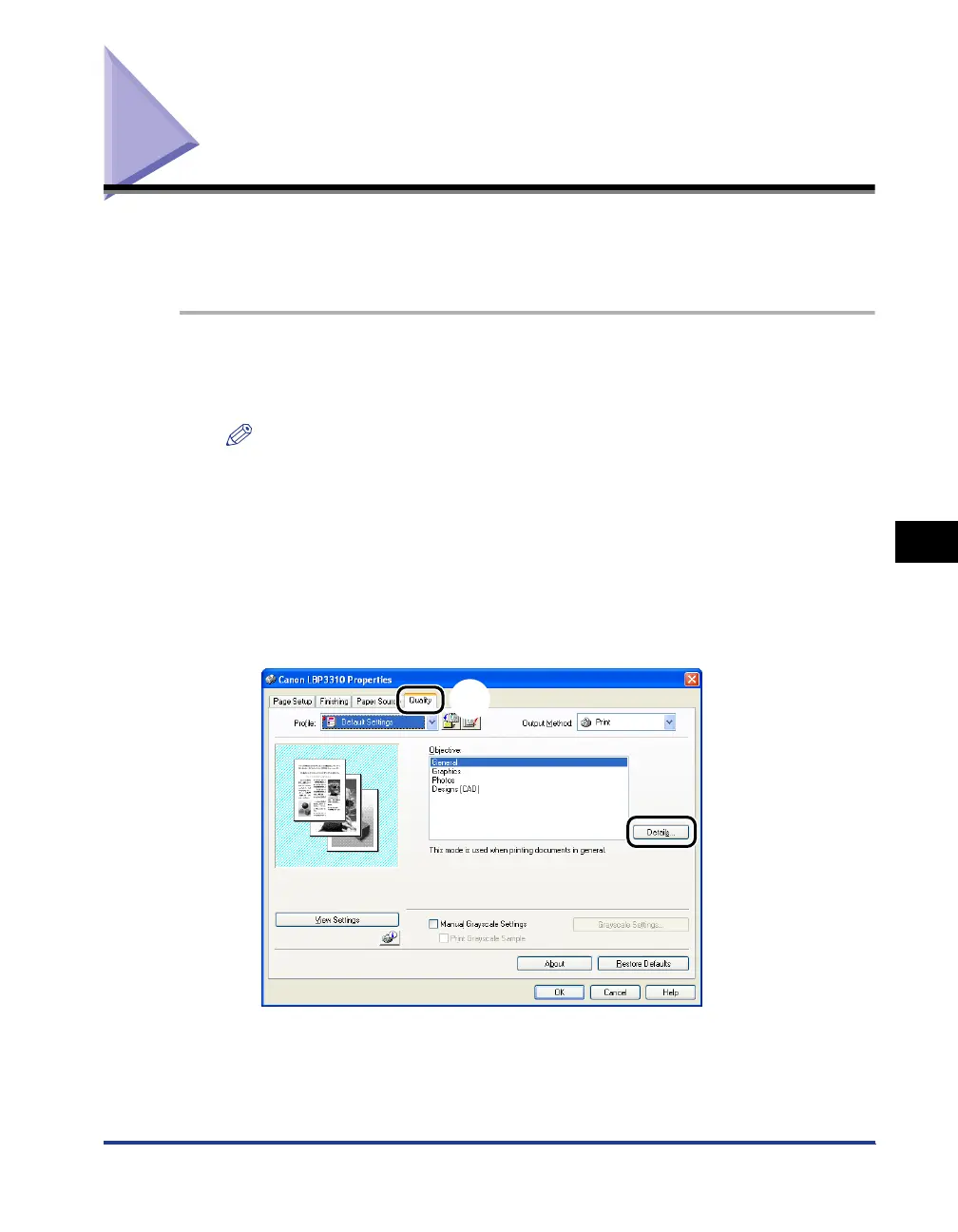
Display the [Quality] sheet aa
aa
, then click [Details] bb
bb
.
a
b



 To Next Page