9-18
Installing the Optional Accessories
9
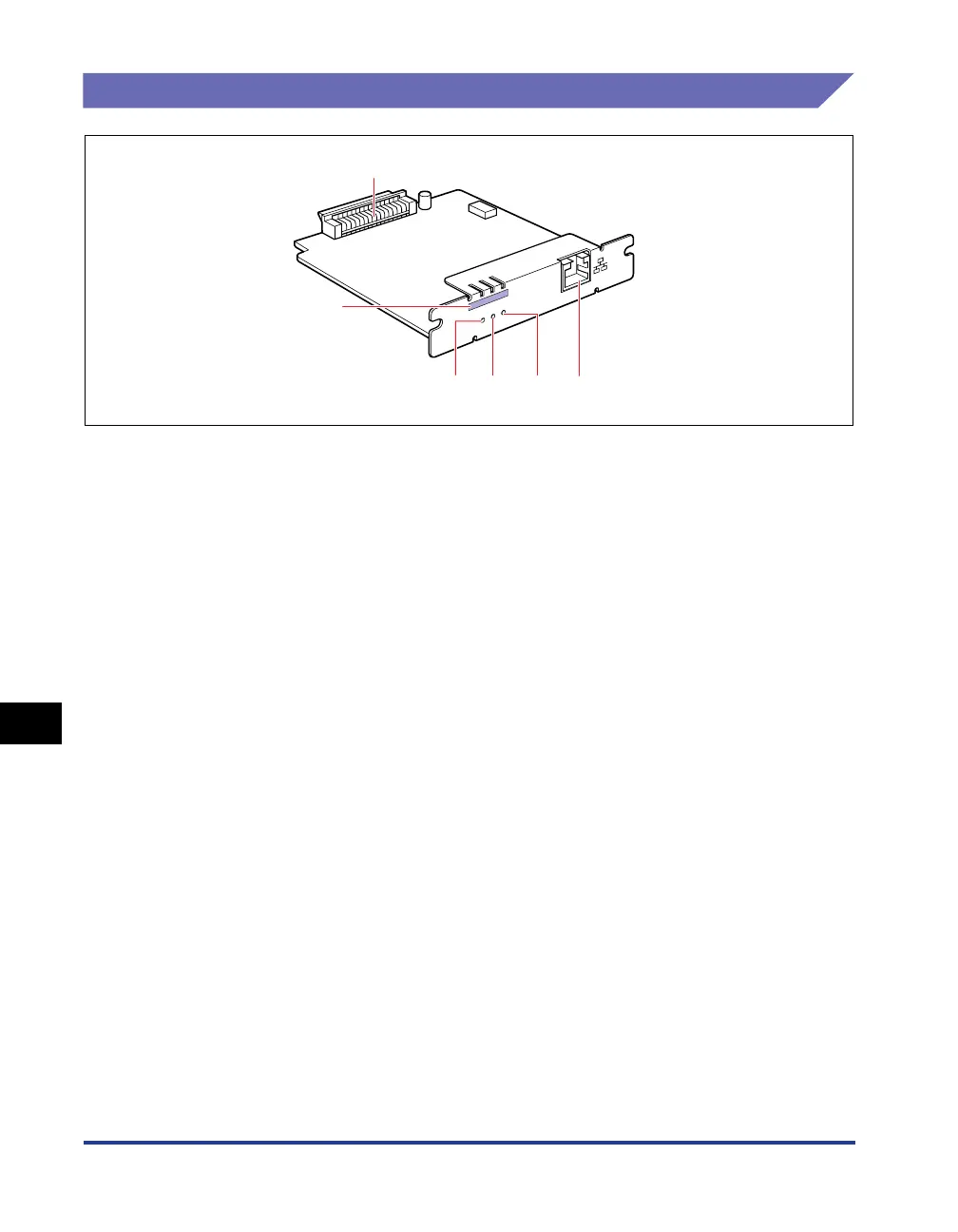
Network Board
Parts and Their Functions
aa
aa
Printer Connector
Connects to the printer. Do not touch the connector
directly with your hands.
bb
bb
LAN Connector
Connects to a 10BASE-T/100BASE-TX LAN cable.
cc
cc
100 Indicator (Green)
Comes on if the network board is connected to the
network by 100BASE-TX.
Does not come on when connected by 10BASE-T.
dd
dd
LNK Indicator (Green)
Comes on if the network board is connected to the
network properly.
ee
ee
ERR Indicator (Orange)
Comes on or blinks if the network board is not
working properly.
ff
ff
MAC Address
Required when setting the IP address using the
ARP/PING command. This may be also required
when installing the printer driver.
E
R
R
LN
K
100
a
cb
d
e
f



 To Next Page