Connecting to a Computer
2-32
Installing the Printer
2
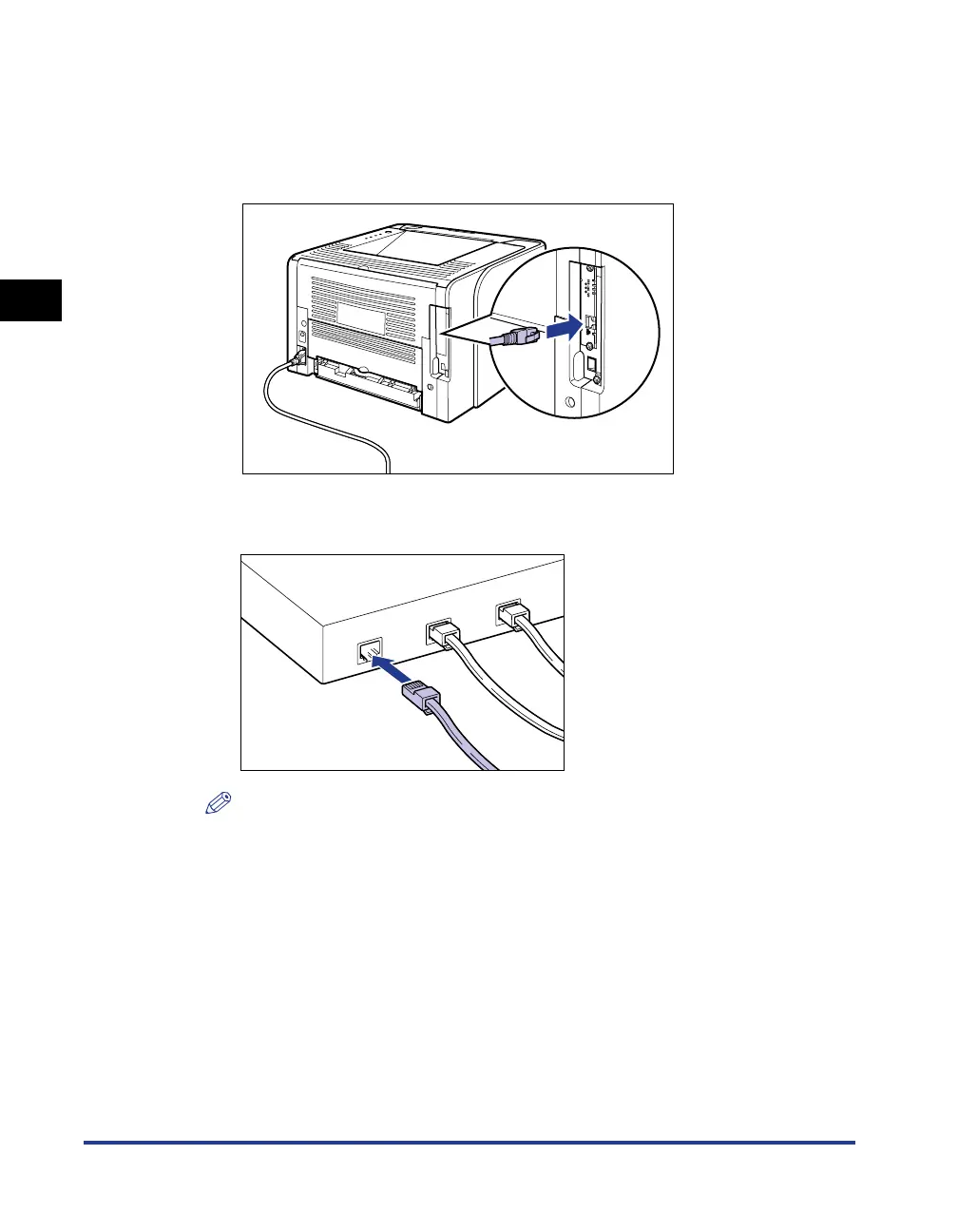
Connecting a LAN Cable
1
Connect the LAN cable to the LAN connector of the network
board.
2
Connect the other end of the LAN cable to the hub.
NOTE
If this printer is connected to a network, the following tasks are required.
- Specifying the network settings for the computer (See the instruction manual for
the computer)
-Performing the installation of and the network settings for the printer to use it on a
network (See Network Guide)
- Configure the print server. (See "Printing from a Network Computer by Sharing
the Printer on a Network," on p. 4-35)



 To Next Page