3-42
Loading Paper in the Multi-purpose Tray
Paper Loading and Output Tray
3
Loading Custom Size Paper (Non-Standard Paper)
You can load paper of the following custom paper sizes.
• Width 76.2 to 215.9 mm; Length 127.0 to 355.6 mm
1
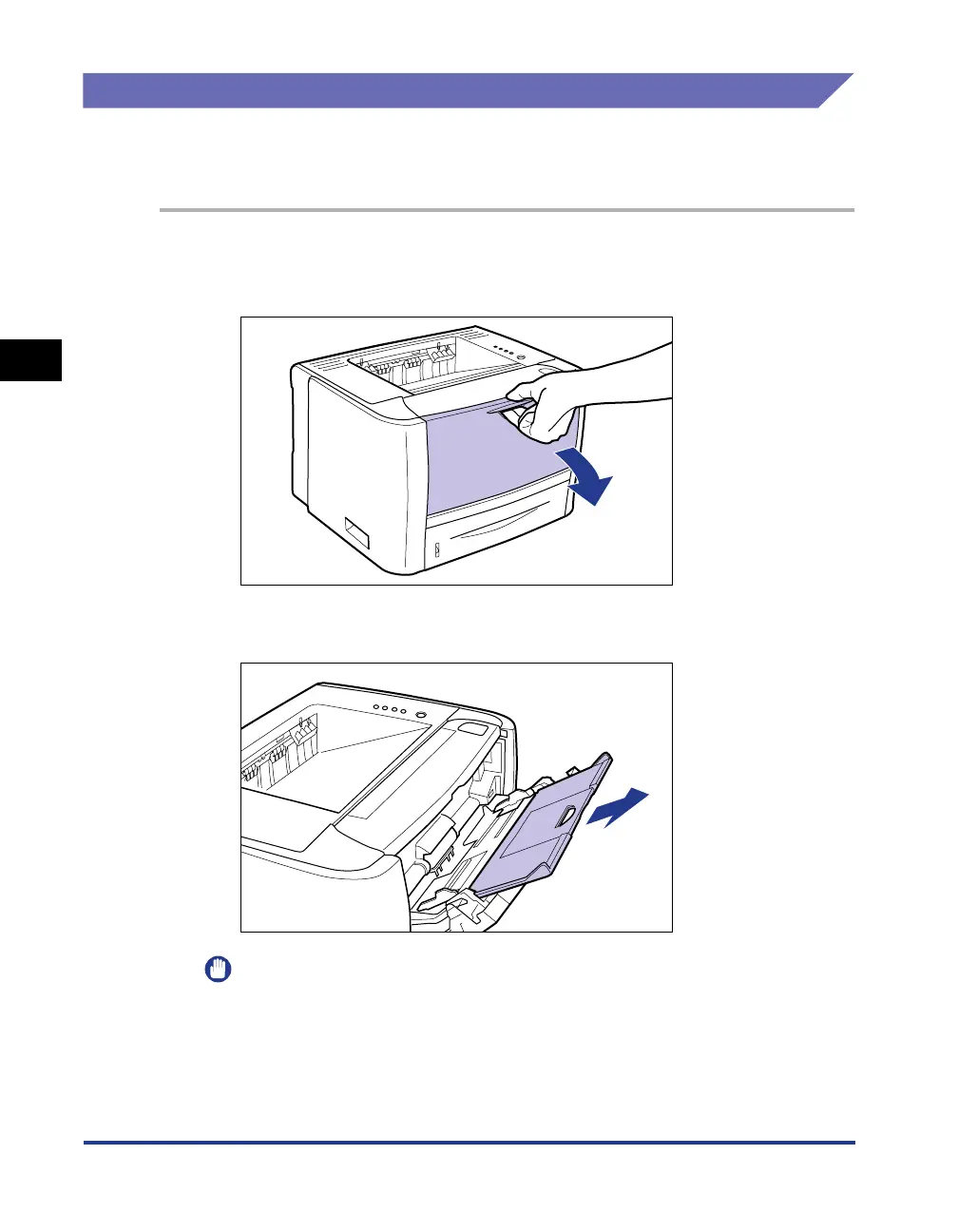
Open the multi-purpose tray.
Holding the opening at the center of the printer, open the multi-purpose tray.
2
Pull out the auxiliary tray.
IMPORTANT
Be sure to pull out the auxiliary tray when loading paper in the multi-purpose tray.



 To Next Page