3-6
Paper Requirements
Paper Loading and Output Tray
3
Printable Area
NOTE
Specify the following setting in the printer driver to extend the printable area to near the
edges of the paper.
1. Click [Finishing Details] in the [Finishing] sheet.
2.
Select the [Print with Upper Left of Sheet as Starting Point] check box.
However, the edges of the printout may be partly missing depending on the property of
the document to be printed. For more details, see Online Help in the printer driver.
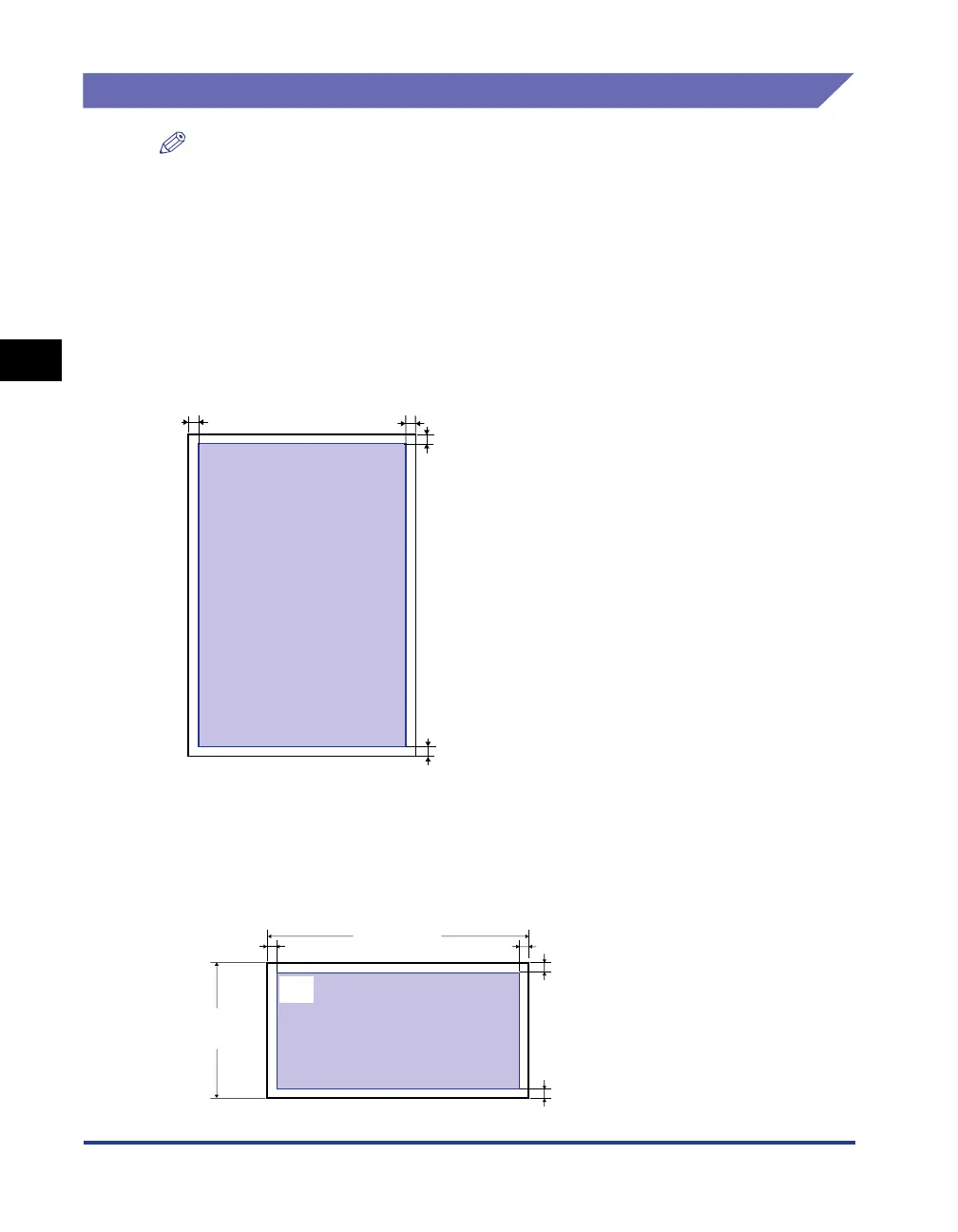
■ Plain Paper/Heavy Paper/Transparency/Label
You cannot print on any area within 5 mm of the edges of paper.
■ Envelope/Index Card
You cannot print on any area within 10 mm of the edges of paper.
You may have to change the printable area before printing, depending on the application
you use.
(Sample: Envelope COM10)
5 mm
5 mm
5 mm5 mm
10 mm
10 mm
10 mm
10 mm
104.9 mm
(4.13 in.)
241.3 mm
(9.50 in.)



 To Next Page