5-8
Changing the Default Values for Printing Preferences
Basic Usage of the Printer
5
Changing the Default Values for Printing Preferences
The printing preferences that are specified in "Printing from an Application" (See p.
5-2) apply only to jobs to be printed from the same application. Exiting the
application resets the changed settings to the default settings.
You can change the default values for printing preferences which apply to all jobs
using the following procedure.
1
Display the [Printers and Faxes] folder or the [Printers] folder.
From the [Start] menu, select [Settings] ➞ [Printers].
From the [Start] menu, select [Printers and Faxes].
From the [Start] menu, select [Control Panel], and then click [Printers and Other Hardware]
➞ [Printers and Faxes].
From the [Start] menu, select [Control Panel], and then click [Printer].
2
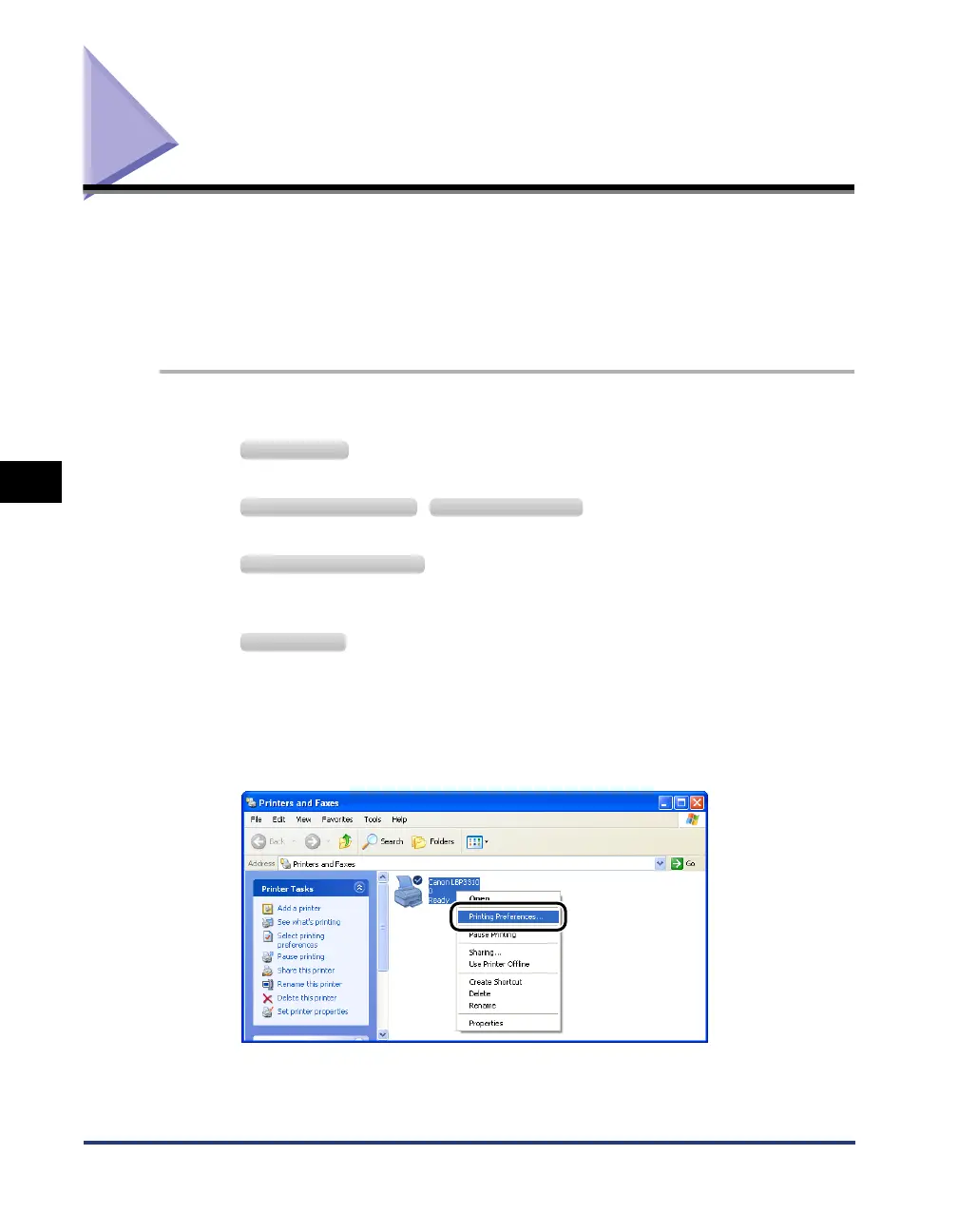
Right-click the icon for this printer, then select [Printing
Preferences] from the pop-up menu.
Windows 2000
Windows XP Professional Windows Server 2003
Windows XP Home Edition
Windows Vista



 To Next Page