7-24
Moving the Printer
Routine Maintenance
7
Moving the Printer
When changing the location of the printer or moving the printer for maintenance, be
sure to perform the following procedure.
CAUTION
Do not carry the printer with the paper cassette attached. If you do so, the paper
cassette may drop, resulting in personal injury.
IMPORTANT
Make sure that the front cover and multi-purpose tray are closed before carrying the
printer.
NOTE
For details on the installation site, see "Installation Site," on p. 2-3.
1
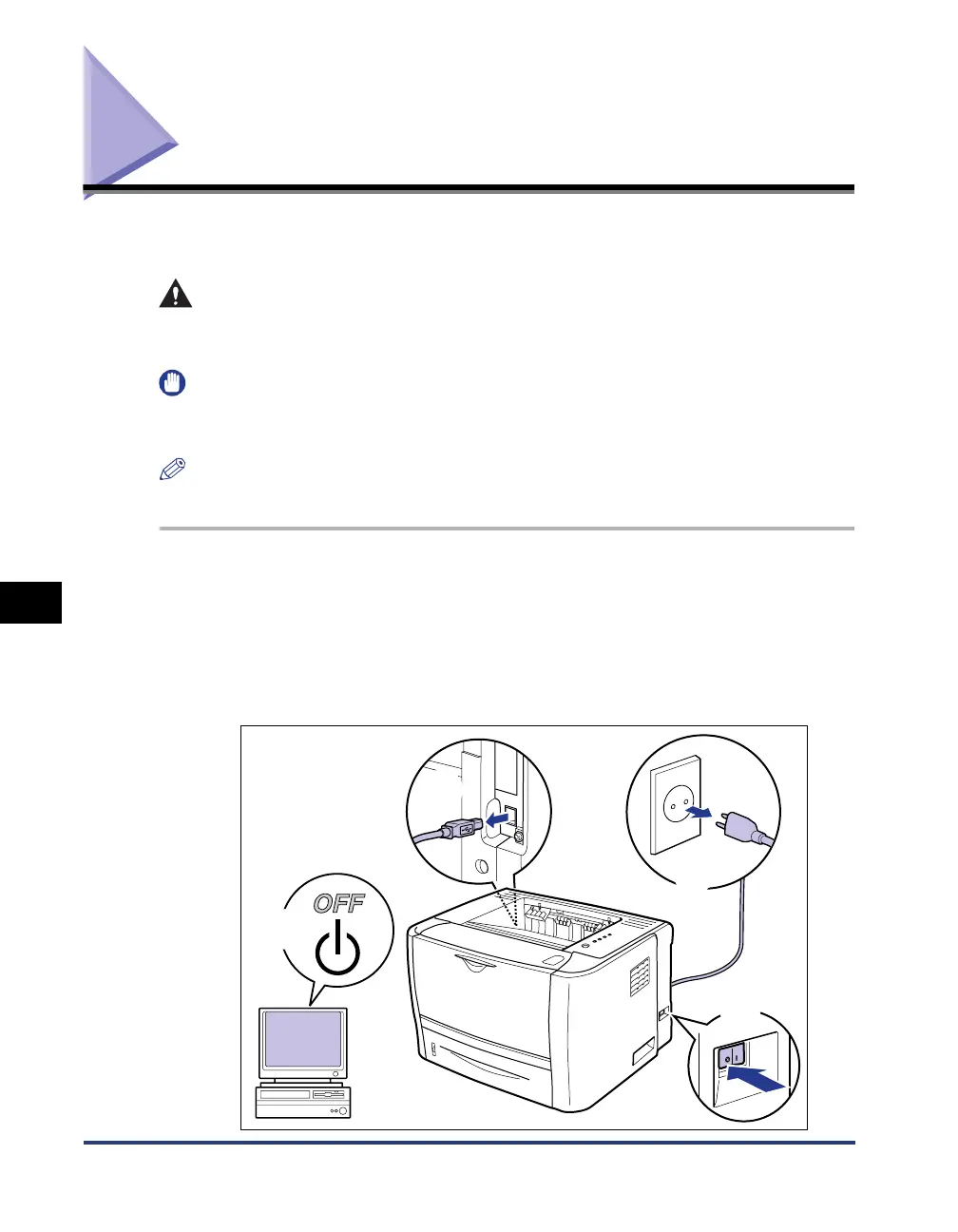
Turn the printer OFF, then disconnect the cables from the
printer.
Turn the printer OFF a.
If a USB cable is connected, turn the computer off b, and then disconnect the
USB cable from the printer c.
Disconnect the power plug from the AC power outlet d.
b
c
d
a



 To Next Page