6-22
Printing with Scaling
Using the Various Printing Functions
6
Printing with Scaling
You can print with automatic scaling or arbitrary scaling.
The scale factor from 25 to 200 % can be specified.
Printing with Automatic Scaling
1
Select [Print] from the [File] menu in the application.
The [Print] dialog box is displayed.
NOTE
Printing procedures vary depending on the application you are using. For details on
the printing procedures, see the instruction manual supplied with the application.
2
Select the name of this printer, then click [Properties] or
[Preferences].
3
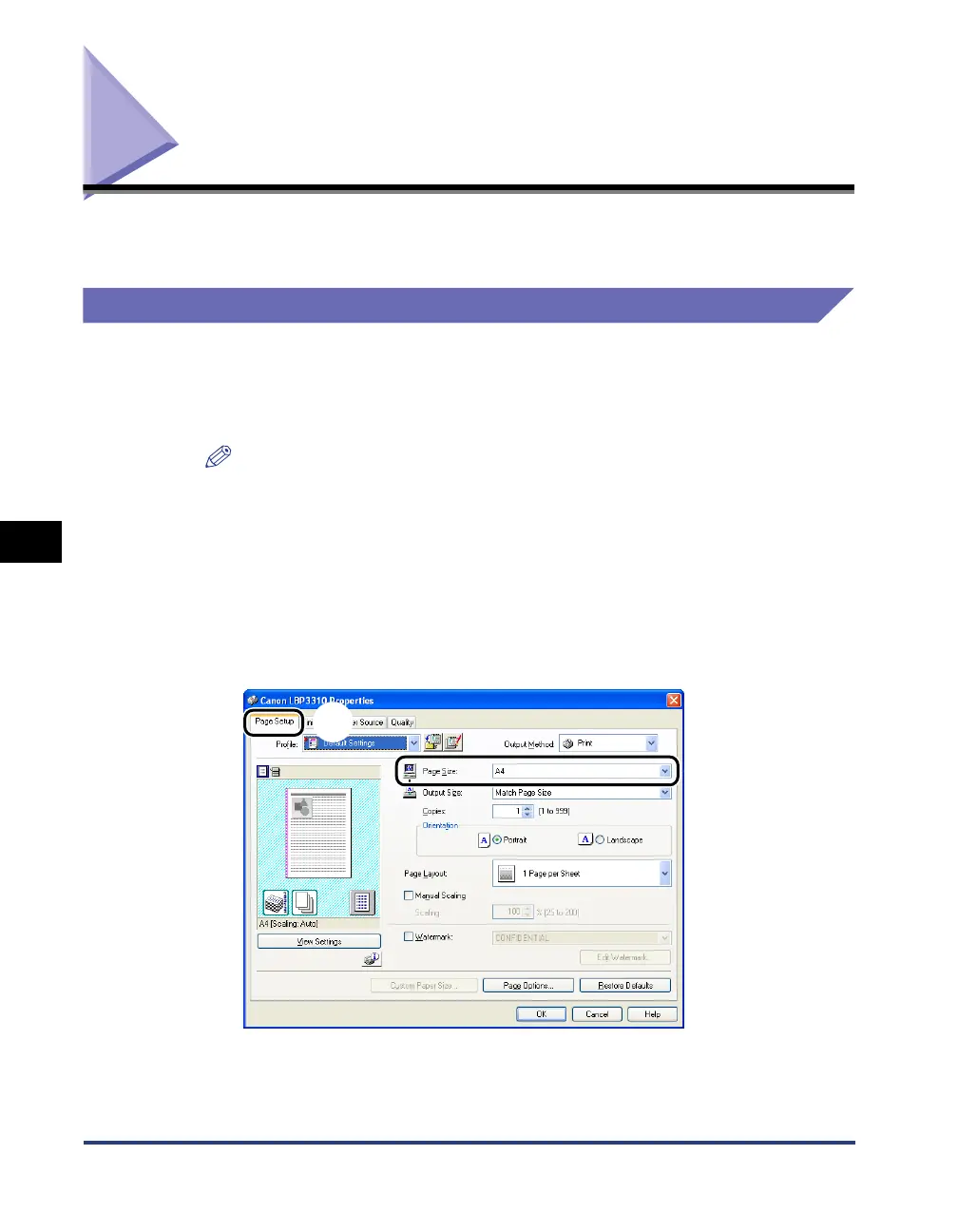
Display the [Page Setup] sheet aa
aa
, then select [Page Size] bb
bb
.
a
b



 To Next Page