5-34
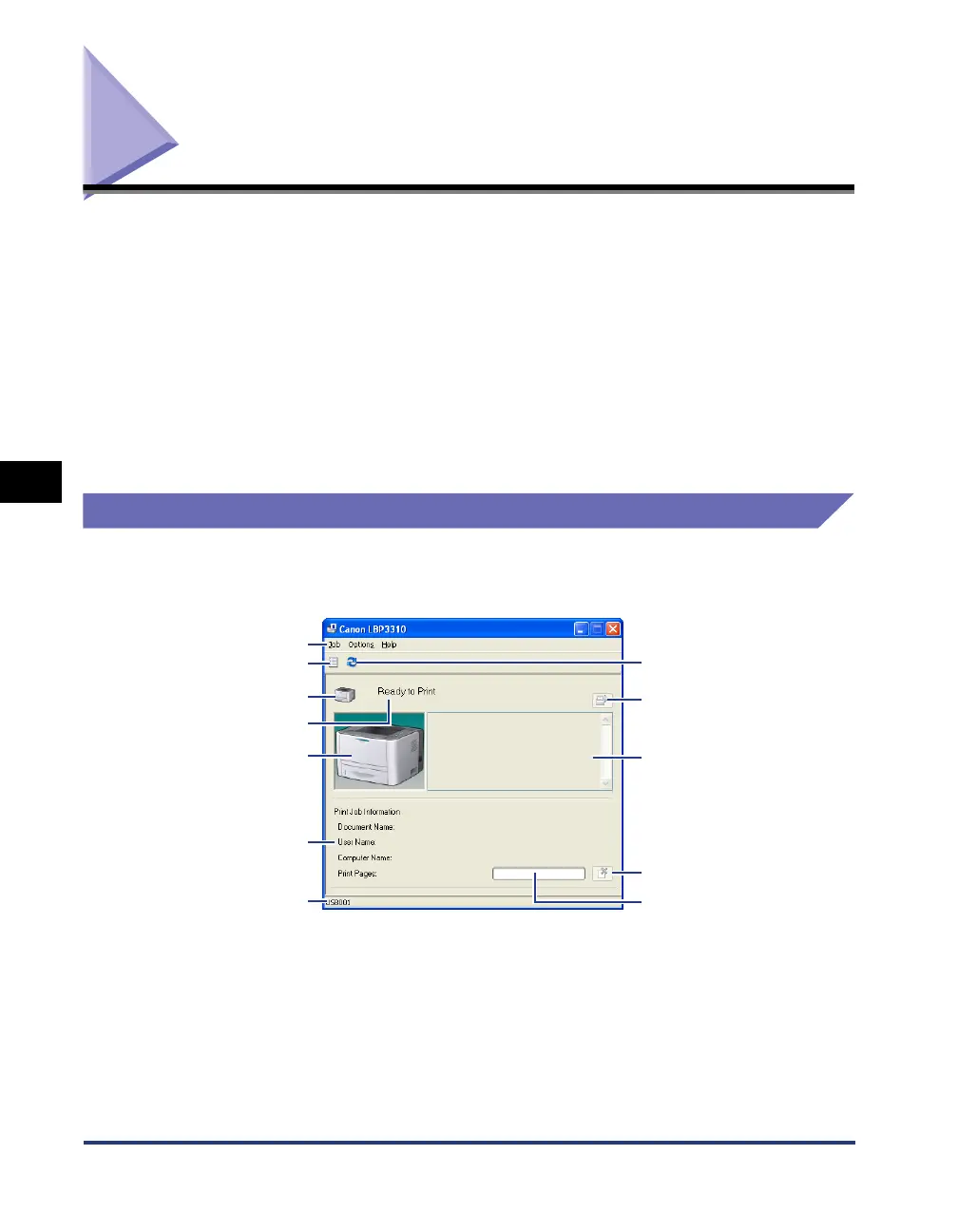
Printer Status Window
Basic Usage of the Printer
5
Printer Status Window
The Printer Status Window shows the printer status (such as the operation status
and job information) with messages, animations, and icons.
You can perform the following operations using the Printer Status Window. If you
find any problems with the printer, check the Printer Status Window.
• You can check the contents and remedies for the problem when an error has
occurred in the printer or while printing is not performed. (See p. 8-25)
• You can cancel a job. (See p. 5-22)
• You can check information (such as the user name and document name) about
the current print job.
Functions on the Printer Status Window
For more details on operations of the Printer Status Window, see Help. For details
on methods for displaying Help, see "How to Use Help," on p. 5-24.
■ Menu Bar
[Job] Menu You can cancel a job or resume a job which is paused during printing
for some reason.
[Options] Menu Allows you to change the preferences for the Printer Status Window
as well as clean the fixing roller of the printer.
[Help] Menu Allows you to search for the desired items using keywords and
displays [About] (the version information) of the Printer Status
Window.
[Refresh] Button
[Message Area] (Auxiliary)
[Resolve Error] Button
[Progress Bar]
[Cancel Job] Button
Menu Bar
[Icon]
[Print Queue] Button
[Message Area]
[Animation Area]
[Job Information Area]
[Status Bar]



 To Next Page