5-32
Basic Usage of the Printer
5
Manuals
You can take the CD-ROM out of the CD-ROM drive after the installation is
completed.
Uninstalling the Manuals
The procedure for uninstalling the manuals varies depending on your operating
system. See the following according to your operating system.
• For Windows 2000/XP/Server 2003/Vista (32-bit) (See p. 5-33)
• For Windows Vista (64-bit) (See p. 5-33)
IMPORTANT
If the manuals were installed with administrator rights, a user without administrator rights
cannot uninstall the manuals. Be sure to log on as a user with administrator rights before
the uninstallation.
If you are not sure about the permissions, ask your computer administrator.
NOTE
If you are not sure whether you are using 32-bit Windows Vista or 64-bit Windows Vista,
see "Checking the Processor Version of Windows Vista," on p. 10-8.
Procedures for displaying the manuals
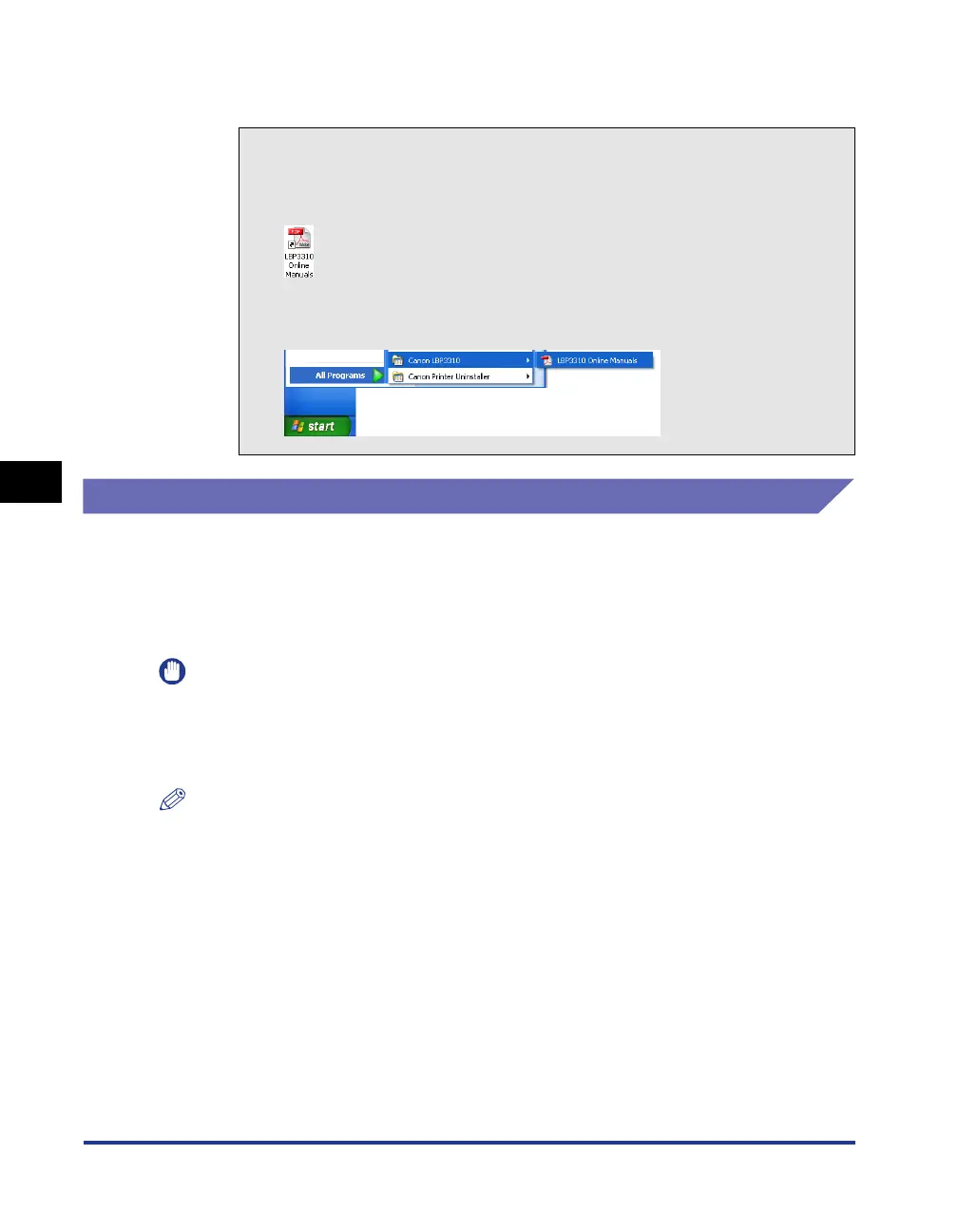
To see the installed manuals, perform either of the following procedures.
- Double-click [LBP3310 Online Manuals] created on the desktop.
- Select [Canon LBP3310] - [LBP3310 Online Manuals] added to [All
Programs] ([Programs] for Windows 2000) under the [Start] menu.



 To Next Page