3-19
Loading Paper in the Paper Cassette
Paper Loading and Output Tray
3
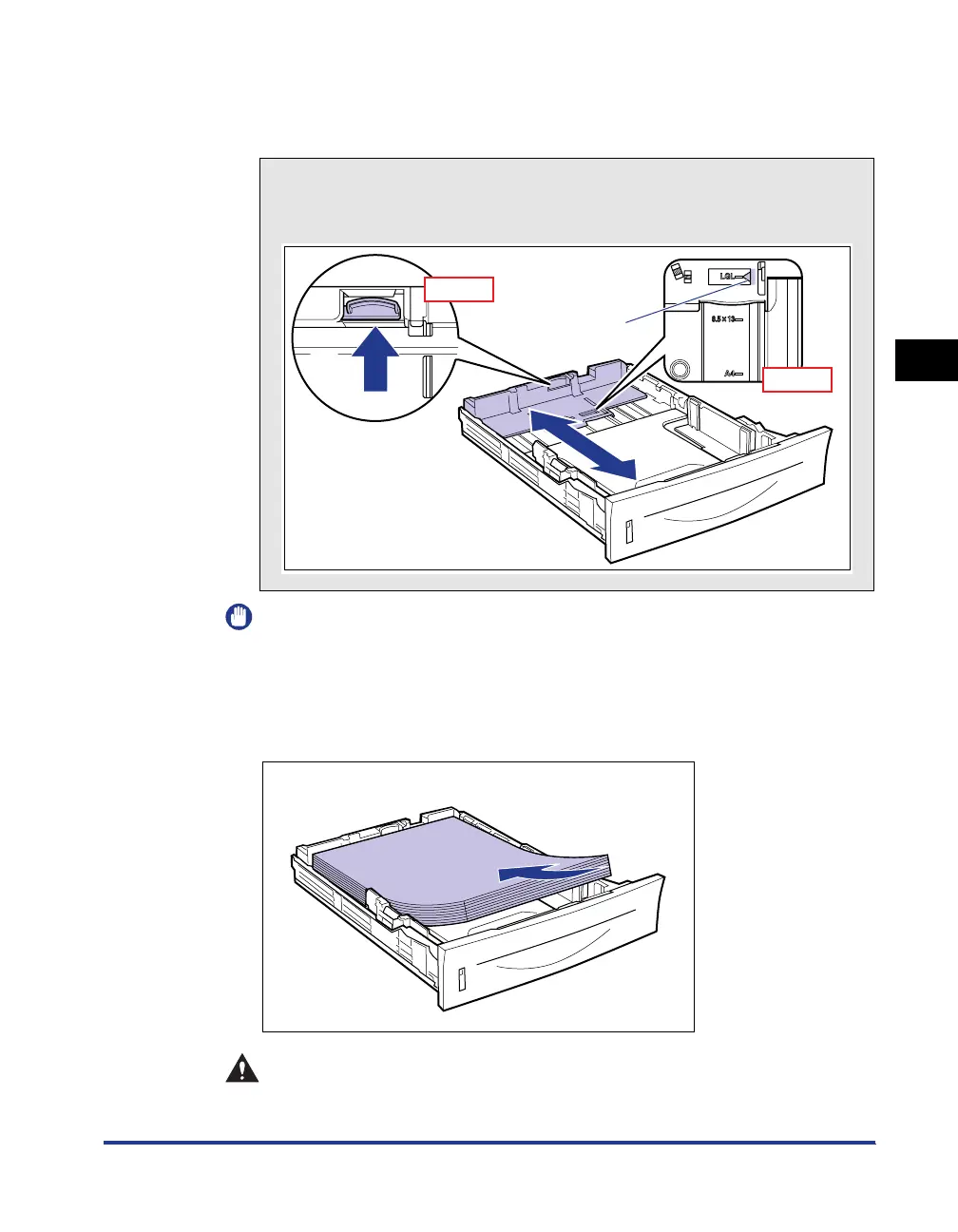
● Slide the rear paper guide to the size mark for the paper to be
loaded.
Align the position of (A) with the size mark of the paper to be loaded.
IMPORTANT
Do not use the "8.5 x 13" position.
3
Load the paper stack so that the rear edge is aligned with the
paper guide.
CAUTION
When loading paper, take care not to cut your hands with the edges of the
paper.
How to slide the rear paper guide
a Hold the lock release lever.
b Slide the paper guide to the size mark for the paper to be loaded.
(A)
a
b
Top View
Top View



 To Next Page