3-18
Loading Paper in the Paper Cassette
Paper Loading and Output Tray
3
CAUTION
Be sure to take the paper cassette out of the printer before loading paper.
If paper is loaded while the paper cassette is partially pulled out, the paper
cassette may drop or the printer may fall down, resulting in personal
injury.
2
When changing the size of the paper to be loaded, change the
positions of the paper guides.
The paper sizes indicated on the paper guides are abbreviated as follows.
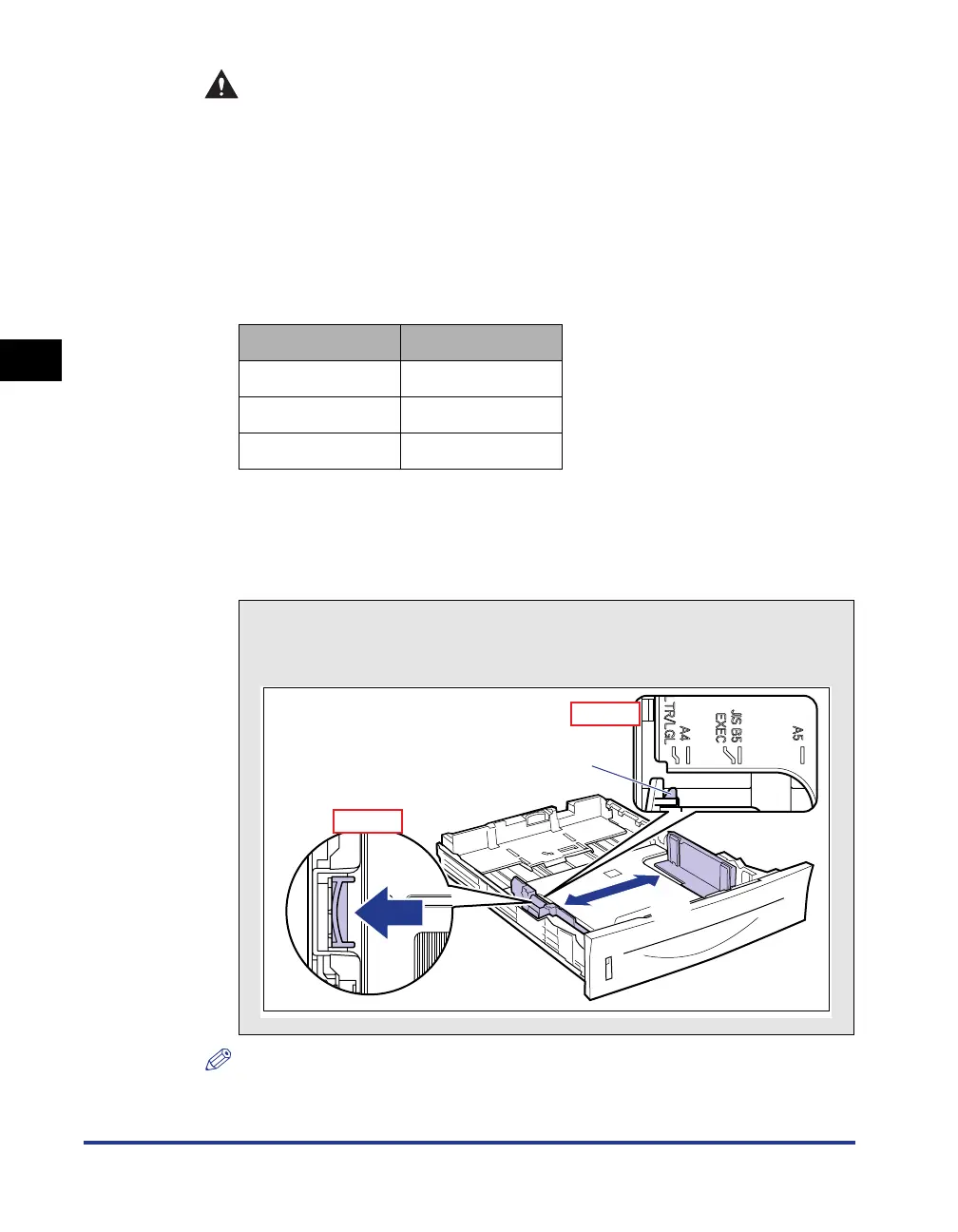
● Slide the side paper guides to the size mark for the paper to be
loaded.
The side paper guides move together. Align the position of (A) with the size mark
of the paper to be loaded.
NOTE
If you are using B5 size paper (182 mm x 257 mm), set the paper guide to "JIS B5".
Paper Size Paper Guide
Legal LGL
Letter LTR
Executive EXEC
How to slide the side paper guides
a Hold the lock release lever.
b Slide the paper guides to the size mark for the paper to be loaded.
a
b
(A)
Top View
Top View



 To Next Page