3-40
Loading Paper in the Multi-purpose Tray
Paper Loading and Output Tray
3
CAUTION
When loading paper, take care not to cut your hands with the edges of the
paper.
IMPORTANT
•
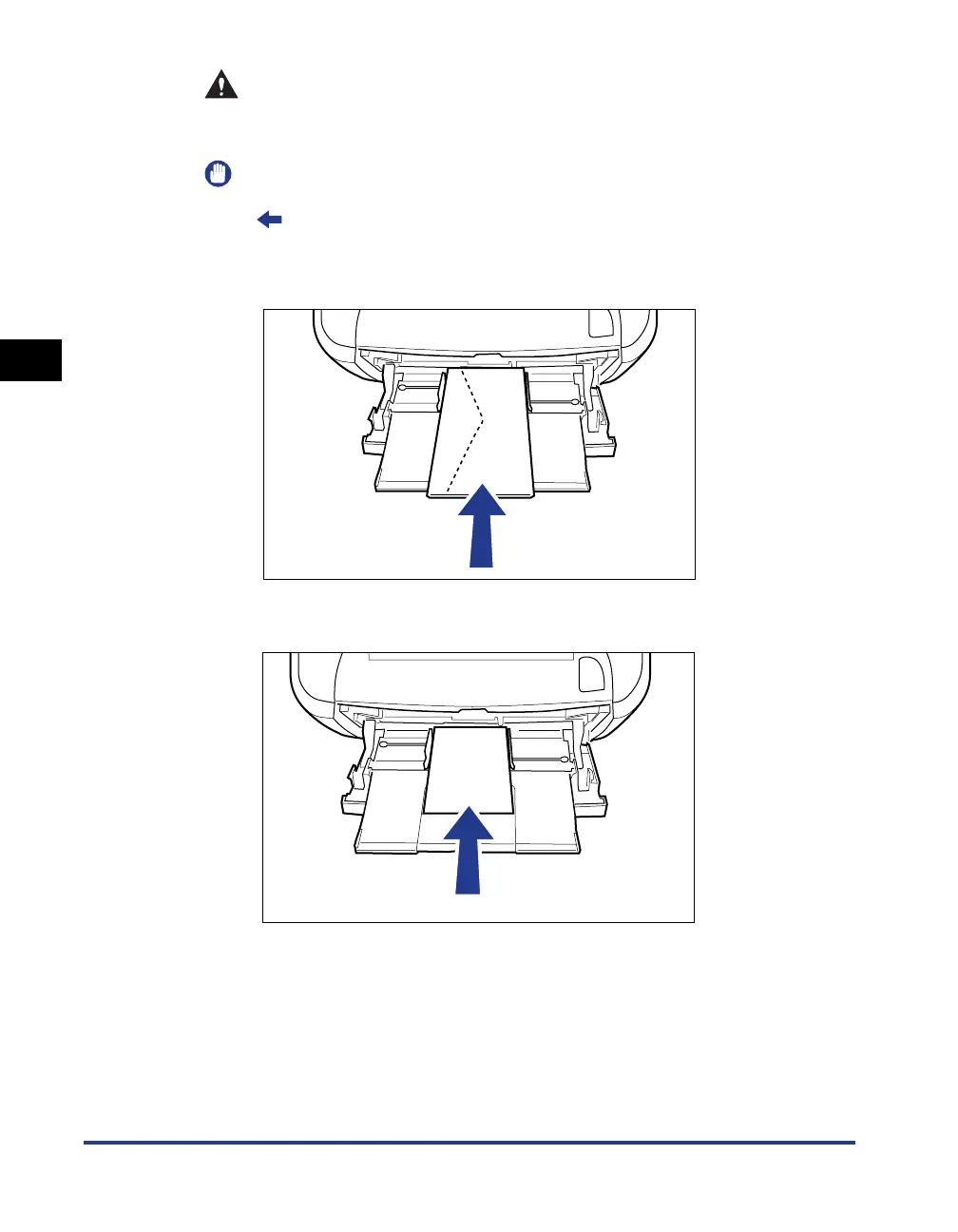
Load Index Card or envelopes with the printing side facing up as follows.
(
: Feeding direction)
-Envelope
Load the envelopes so that the flap is toward the left of the printer when viewed
from the front.
- Index Card
Load Index Card in portrait orientation.
•
The following shows the paper capacity of the multi-purpose tray.
- Index Card: Approx. 15 sheets
-Envelope: Approx. 5 sheets
Make sure that the paper stack does not exceed the load limit guides.
•
You cannot print on the reverse side (glued side) of envelopes.


 To Next Page