6-20
Using the Various Printing Functions
6
Printing Multiple Pages on One Sheet
3
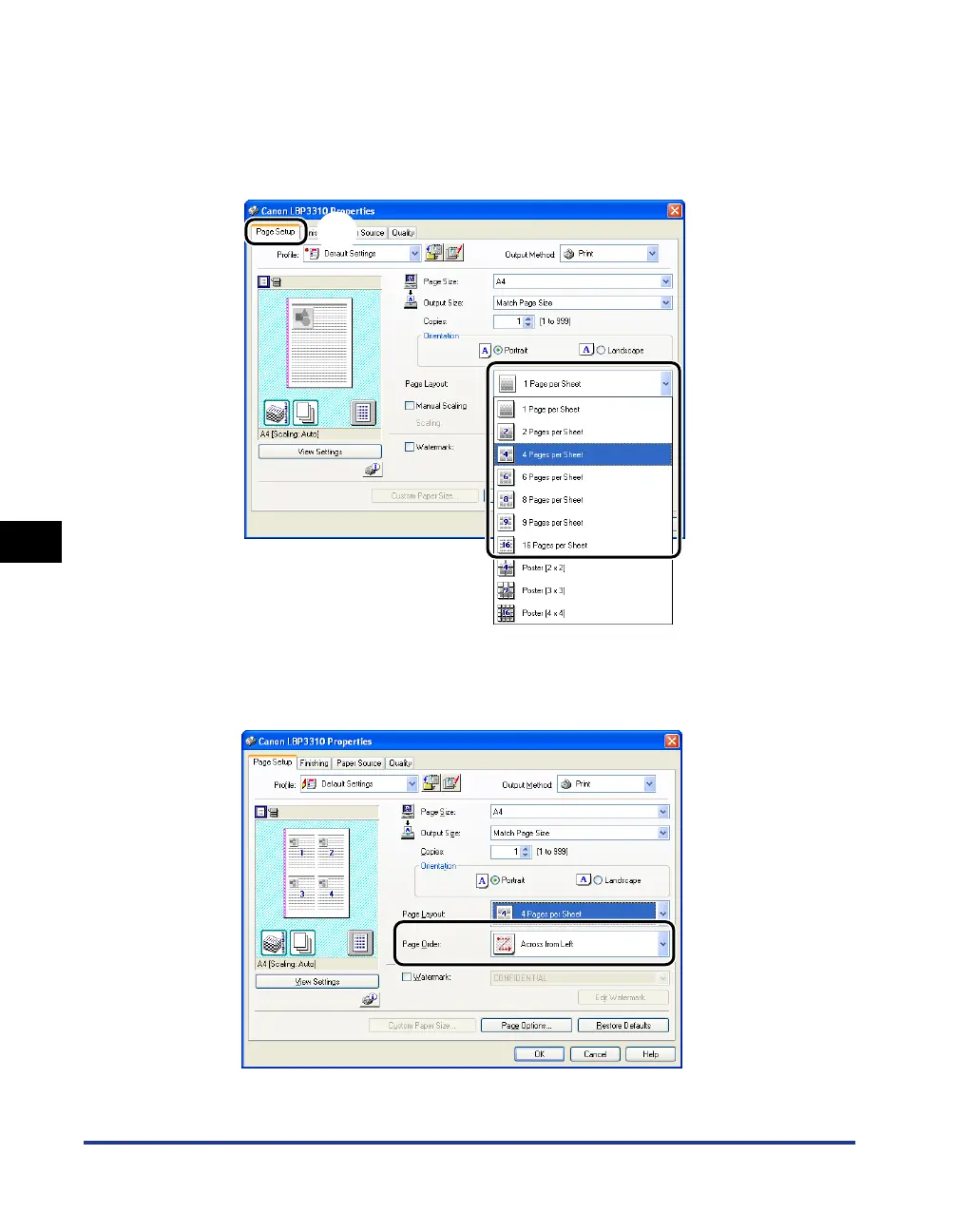
Display the [Page Setup] sheet aa
aa
, then select the number of
the pages to be printed on one sheet from [Page Layout]
bb
bb
.
The number of pages that can be selected is 1, 2, 4, 6, 8, 9, or 16 (Pages per
Sheet).
4
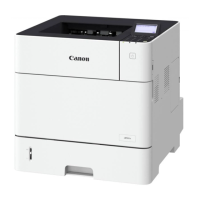
If you selected 2, 4, 6, 8, 9, or 16 (Pages per Sheet) in Step 3,
[Page Order] appears. Specify how the pages are aligned.
a
b


 To Next Page