6-42
Using the Various Printing Functions
6
Printing with the Data Rotated 180 Degrees
4
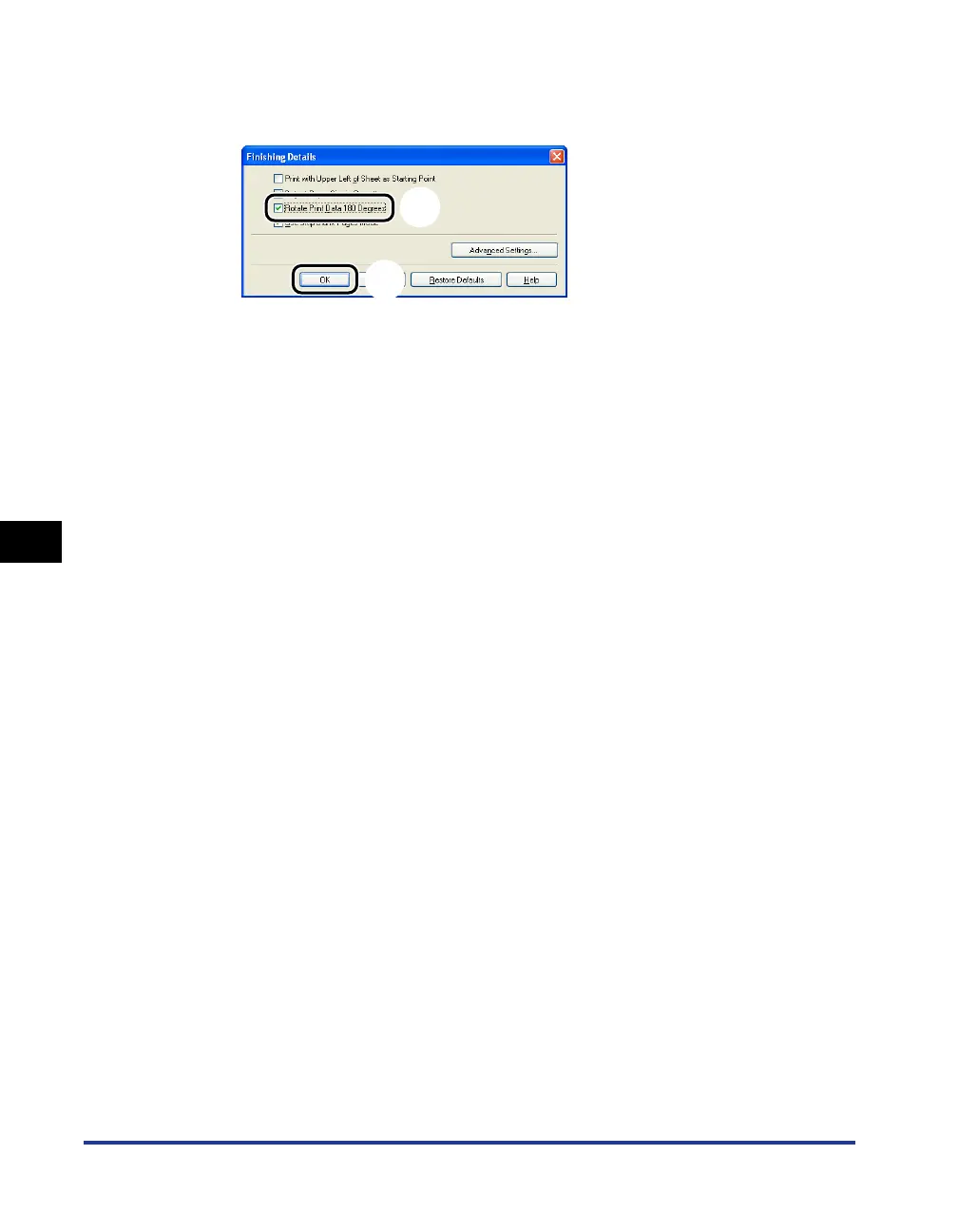
Select the [Rotate Print Data 180 Degrees] check box aa
aa
, then
click [OK]
bb
bb
.
The [Finishing] sheet reappears.
5
Click [OK].
The [Print] dialog box reappears.
6
Click [OK] or [Print].
The printer starts printing.
a
b


 To Next Page