8-40
Tr oubleshooting
8
Installation Problems
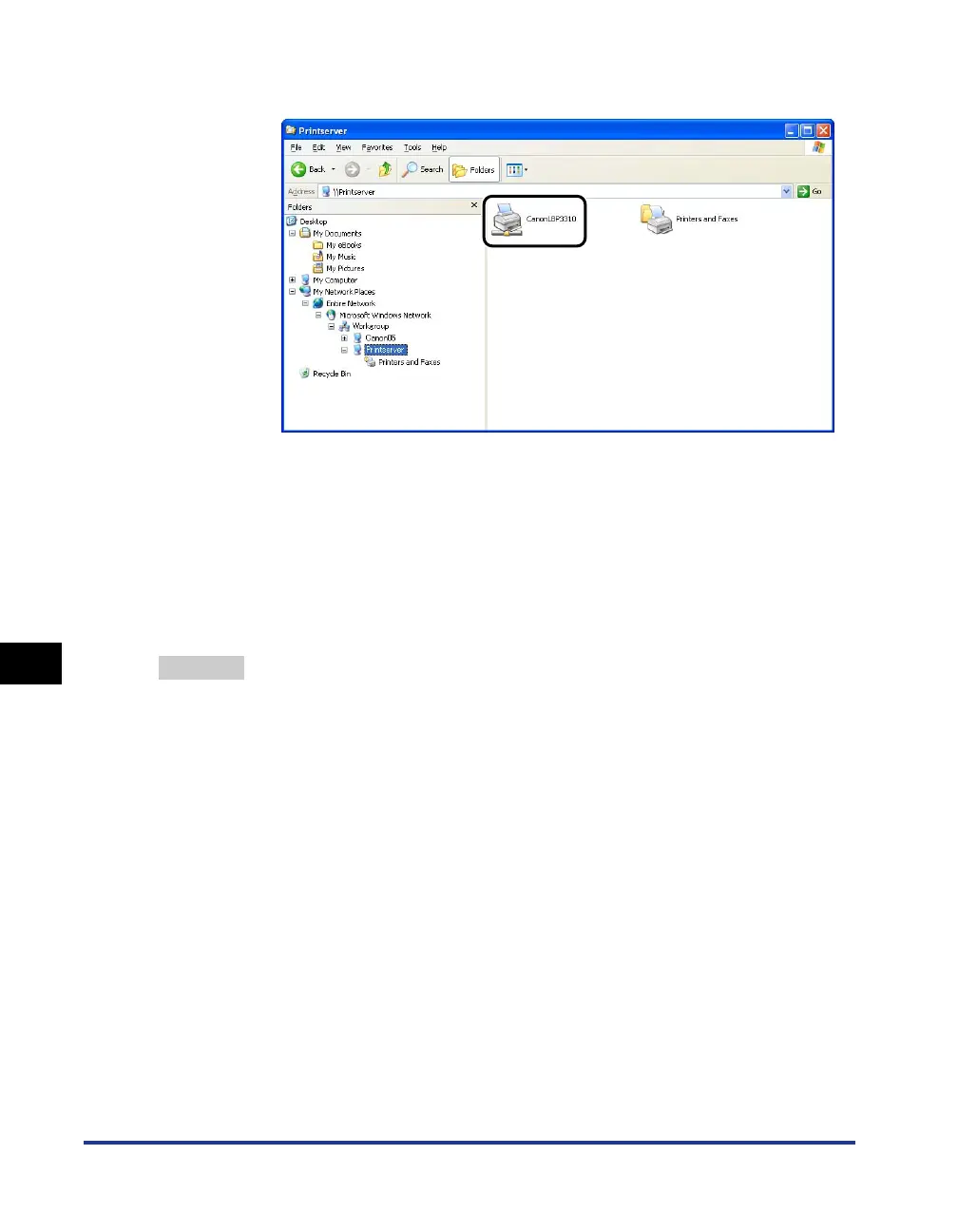
2. Select the print server from [My Network Places] (from [Network] for Windows Vista),
then confirm the icon for this printer.
• If you cannot find the icon for this printer
Ask your network administrator about the problem.
• If you can find the icon for this printer
You can install the printer driver by performing either of the following procedures and
following the instructions on the screen.
-Double-clicking the icon for this printer
-Dragging and dropping the icon for this printer into the [Printers and Faxes] folder or
[Printers] folder
Remedy 2 If you want to install the printer driver from the [Printers and Faxes] folder or the
[Printers] folder and specify the network path using "\" directly, check if the
correct path is specified as "\\the print sever name (the computer name of the
print server)\the printer name".


 To Next Page