9-23
Installing the Optional Accessories
9
Network Board
8
Connect the power cord to the printer.
9
Plug the power plug into the AC power outlet.
10
Connect the USB cable to the printer as needed.
11
Turn the printer ON.
IMPORTANT
If the printer does not operate properly, or an error message appears in the Printer
Status Window, see "Troubleshooting," on p. 8-1.
12
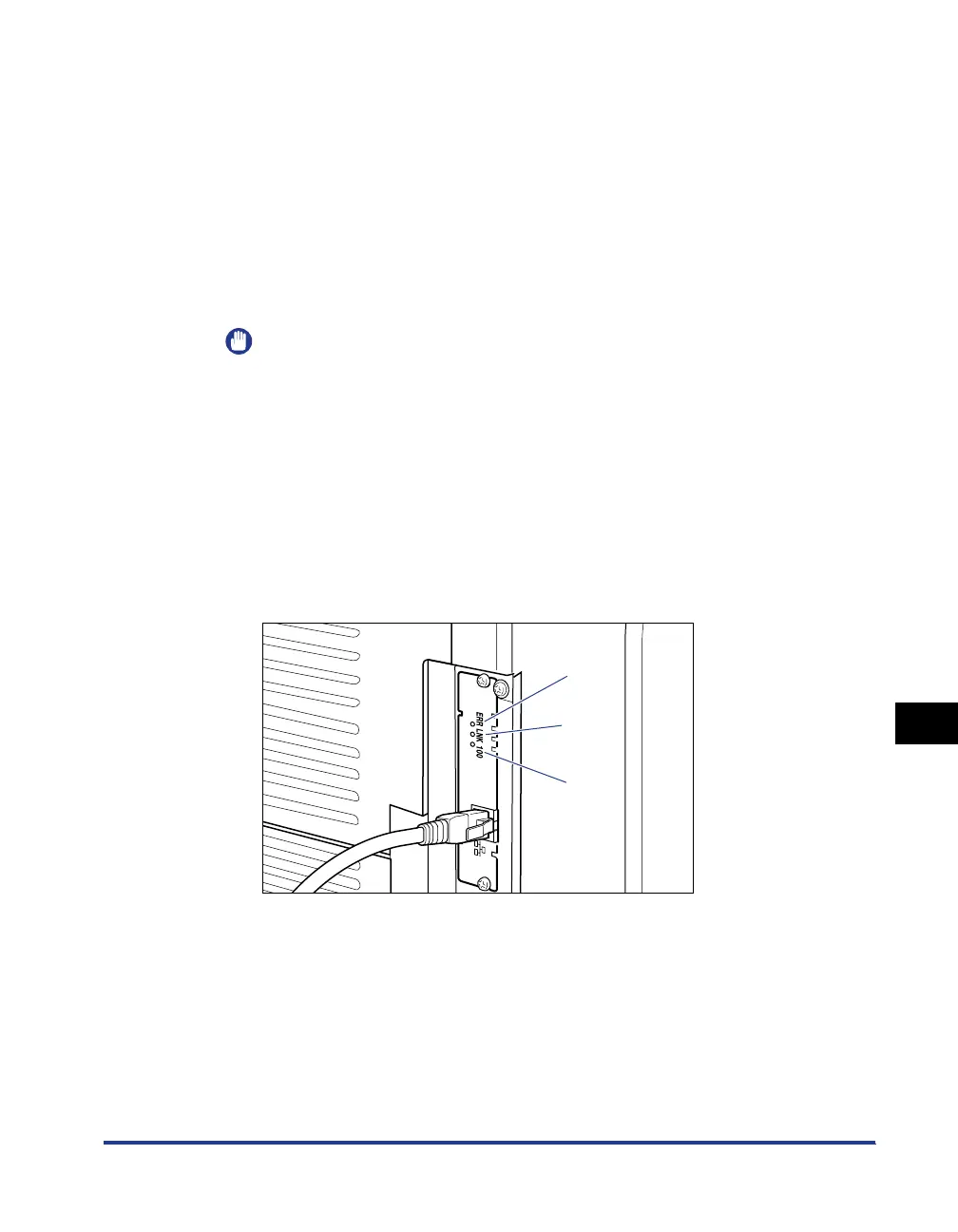
Make sure that the LNK indicator (green) on the network
board is on.
If the network board is connected by 10BASE-T, the board is working properly
when the LNK indicator is on.
If the network board is connected by 100BASE-TX, the board is working properly
when the LNK indicator and 100 indicator are on.
((A): ERR Indicator (B): LNK Indicator (C): 100 Indicator)
● If the network board is not working properly
Turn the printer OFF, then check the following.
• Whether the LAN cable is connected properly
• Whether the hub operates properly
• Whether the network board is installed properly
(A)
(B)
(C)



 To Next Page