Operations
Canrig Drilling Technology Ltd. 5-3
Switch to Control Console Mode
To switch the Catwalk to Control Console mode:
1. On the control console, press and hold the Pump START button (Figure 3-11, page 3-12) for
approximately five seconds. The pump will start automatically.
2. Press the RESET button (Figure 3-11, page 3-12). The Catwalk is now in Control Console mode. If no
errors exist, the message OK – No Errors is displayed on the HMI screen.
When the wireless terminal is OFF, this must be repeated every time power to the Catwalk is interrupted
and restored. When the wireless terminal is ON (enabled), the Catwalk can be operated using either the
control console or the wireless terminal.
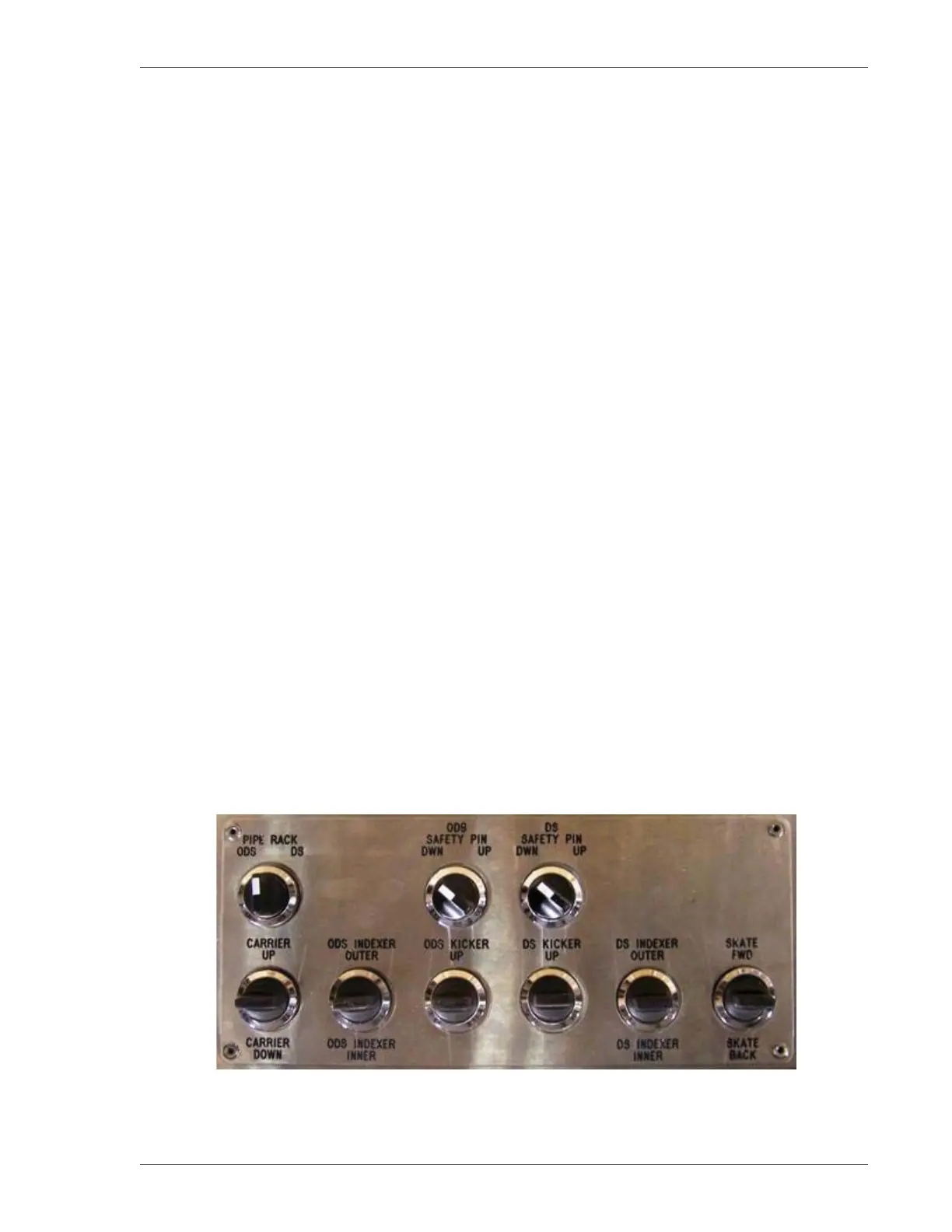
The control bank on top of the control console (Figure 5-2, page 5-3 and Figure 3-9, page 3-10) consists of
the following switches and levers:
• Pipe Rack ODS/DS switch – Use in combination with the three right-hand levers to raise or lower the
hydraulic legs of the pipe racks.
• ODS Safety Pin switch – Raise/lower the safety pins on the ODS.
• DS Safety Pin switch – Raise/lower the safety pins on the DS.
• Carrier UP/DOWN lever – Raise/lower the carrier.
• ODS Indexer lever – Raise the ODS indexers, outer side or inner side.
• ODS Kicker lever – Raise the ODS kickers.
• DS Kicker lever – Operate the DS kicker; or, with PIPE RACK switch enabled, operate the Ramp End
Pipe Rack UP/DOWN.
• DS Indexer lever – Operate the DS indexers; or, with PIPE RACK switch enabled, operate the Middle
Pipe Rack UP/DOWN.
• Skate lever – Move skate back and forth on the carrier; or, with PIPE RACK switch enabled, operate
the Flare End Pipe Rack UP/DOWN.
Figure 5-2: Control Bank, Top of Control Console
For more on the control console, see “Control Console,” page 3-10.



 To Next Page