Programmable DC Power Supply (with Solar Array Simulation) 62000H Series
Operating & Programming Manual
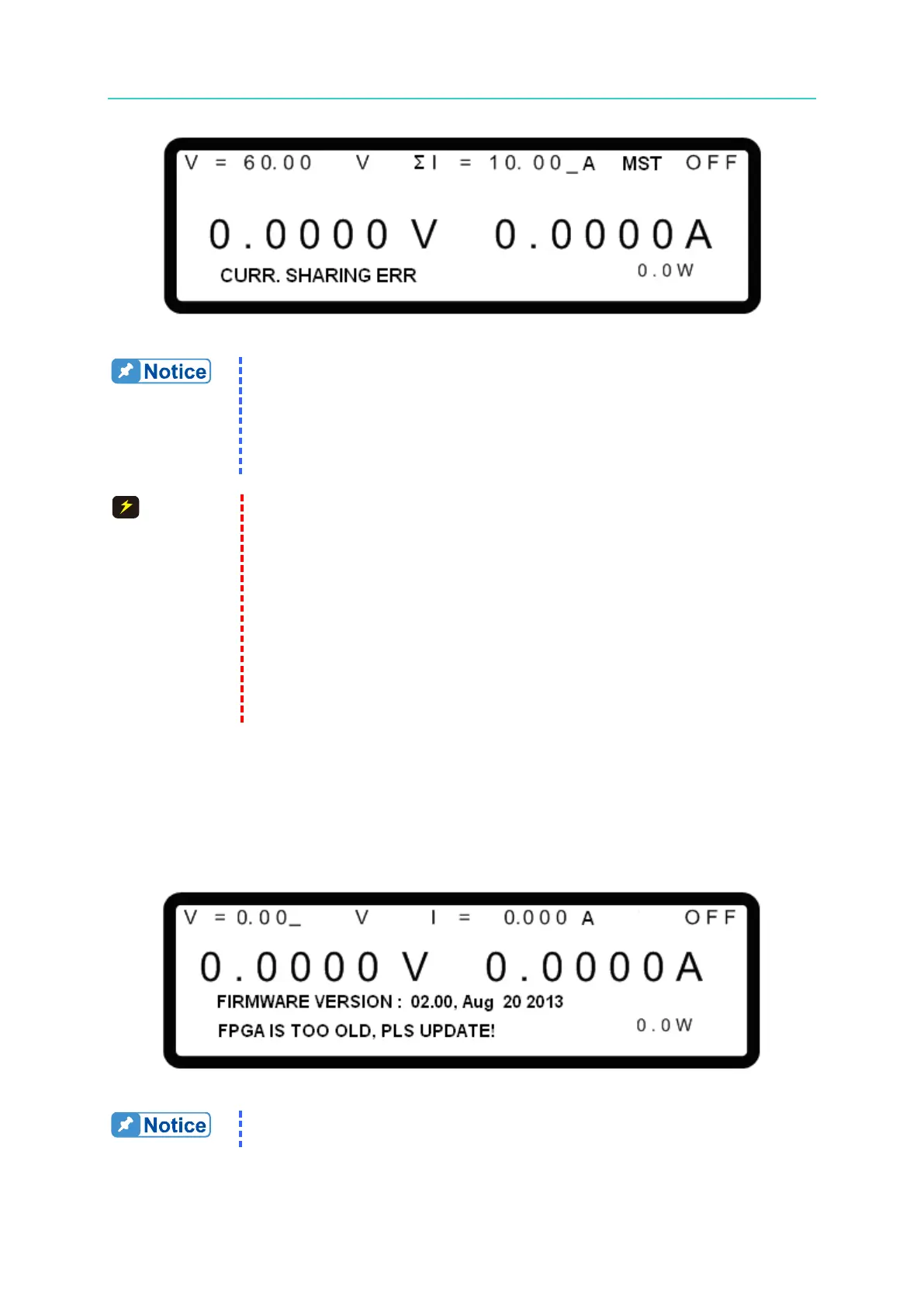
Figure 3-93
(1) If a CURR. SHARING ERR occurs, turn the power supply OFF and
remove the load. Check if the connections are correct and turn the
power supply ON again.
(2) If the CURR. SHARING ERR occurs again, contact a sales agent for
1. The DC Power Supply could malfunction or be damaged if the
CURRENT SHARING cable is connected incorrectly when in
parallel mode.
2. DO NOT connect the CURRENT SHARING cable during series
operation. Connecting the cable may cause damage to the supply.
3. DO NOT connect the CURRENT SHARING cable during
standalone operation. Connecting the cable may cause damage to
the supply.
4. Remove the SYSTEM BUS and CURRENT SHARING signal
cables when returning to standalone operation. Leaving the cables
connected may cause damage to the supply.
3.3.5.14 FPGA UPDATE! Protection
This protection occurs when the device firmware has been upgraded to 2.00 but the FPGA is
not upgraded to version 1.11 or above. When FPGA UPDATE! occurs, the main screen will
display the message as shown in Figure 3-94.
Figure 3-94
Troubleshooting: Contact a local Chroma agent if an FPGA UPDATE!
occurs.








 To Next Page