ETHERNET Functions (62020H-150S Only)
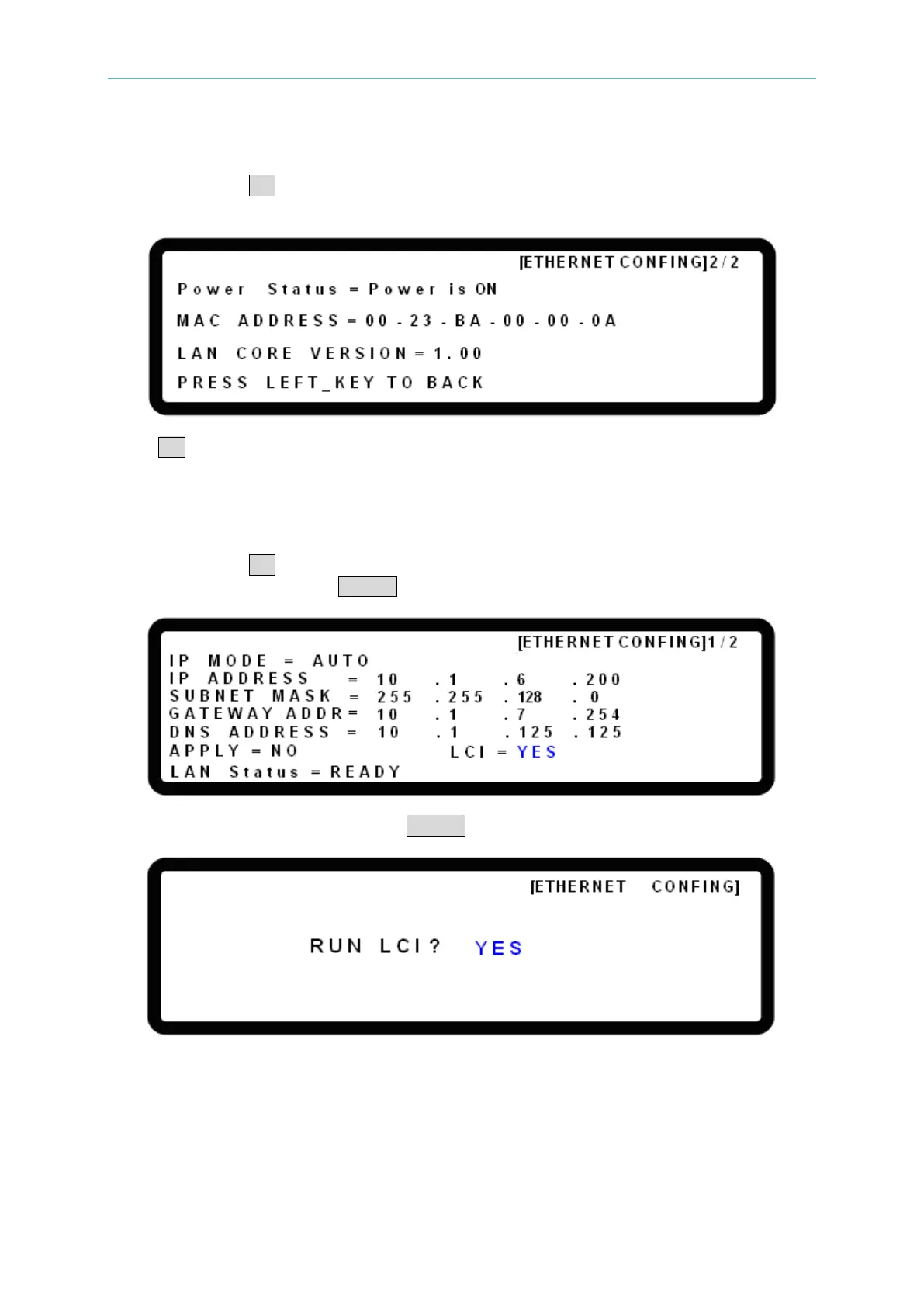
7.2.2 Power Indicator & MAC Address Display
Continue to press ↓→ in the [ETHERNET CONFIG] 1/2 page to go to the [ETHERNET
CONFIG] 2/2 page. This page shows the Power Status and MAC address.
Press ←↑ to return to the [ETHERNET CONFIG] 1/2 page.
7.3 LAN Configuration Initialize (LCI) Function
Continue to press ↓→ in the [ETHERNET CONFIG] 1/2 page until it reaches LCI, turn the
rotary knob to YES and press ENTER. The RUN LCI? page will appear.
Turn the rotary knob to YES and press ENTER to execute the LCI function.
While the network is initializing the display will show LAN Status = SETTING. Once the
settings are completed, the display will return to LAN Status = READY.








 To Next Page