Programmable DC Power Supply (with Solar Array Simulation) 62000H Series
Operating & Programming Manual
[S Y S T E M S E T U P
]
A P G V S E T
=
N O N E
A P G I S E T
=
N O N E
A P G V M E A S = N O N E
A P G I M E A S
= N O N E
B U Z Z E R
= O N
P O W E R O N S T A T E S
=
U S E R D E F I N I T I O N
_
V = 6 0
.
0 0 V
=
1 0
.
0 0 A O U T P U T
= O F F
Figure 3-14
3. Press “ ” to confirm.
4. Press “
” to return to the MAIN PAGE.
3.3.2 OUTPUT SETUP
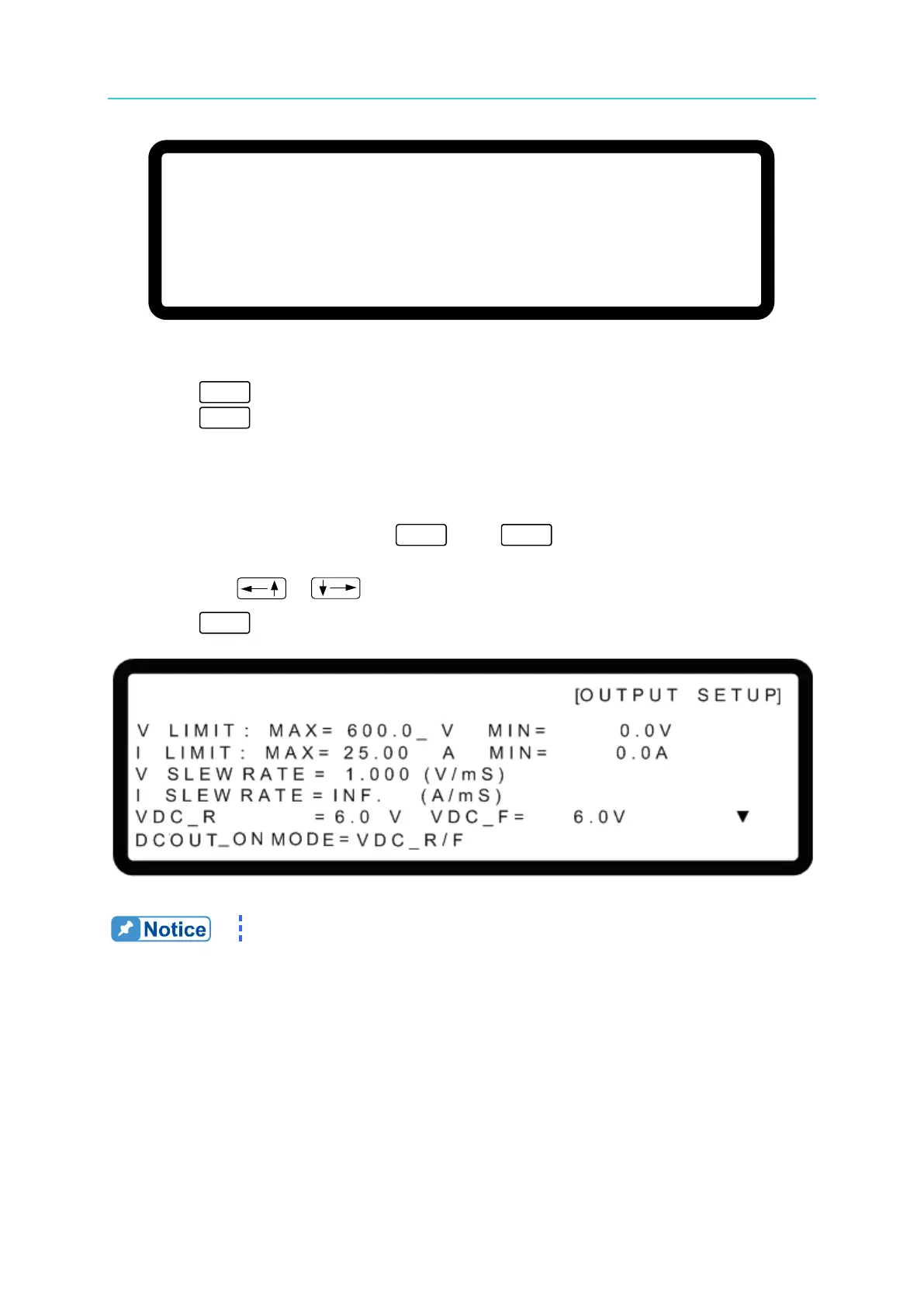
1. In the Config Setup page, press “ ” then “ ” to enter into the Output Setup
screen as shown in Figure 3-15.
2. Press the “
”, “ ” keys to move the cursor to the column to be set.
3. Press “
” to return to the MAIN PAGE.
Figure 3-15
The values in Figure 3-15 are the default settings of the 62150H-600S.








 To Next Page