Manual Operation
[S Y S T E M S E T U P
]
A P G V S E T
=
N O N E
A P G I S E T
=
N O N E
A P G V M E A S
= N O N E
A P G I M E A S
= N O N E
B U Z Z E R
= O N _
P O W E R O N S T A T U S
=
D E F A U L T
Figure 3-12
2.
Press “ ” or “ ” or use the ““Rotary” ( ) knob to set the value.
POWER ON STATUS has three options: DEFAULT / LAST TURN OFF STATUS / USER
DEFINITION.
When set to DEFAULT, the output state is set to: V = 0.00V ; I = 0.00A ; OUTPUT = OFF.
When set to LAST TURN OFF STATUS, the instrument will store the last voltage, current
and output state settings before powering off and they will be restored on power ON.
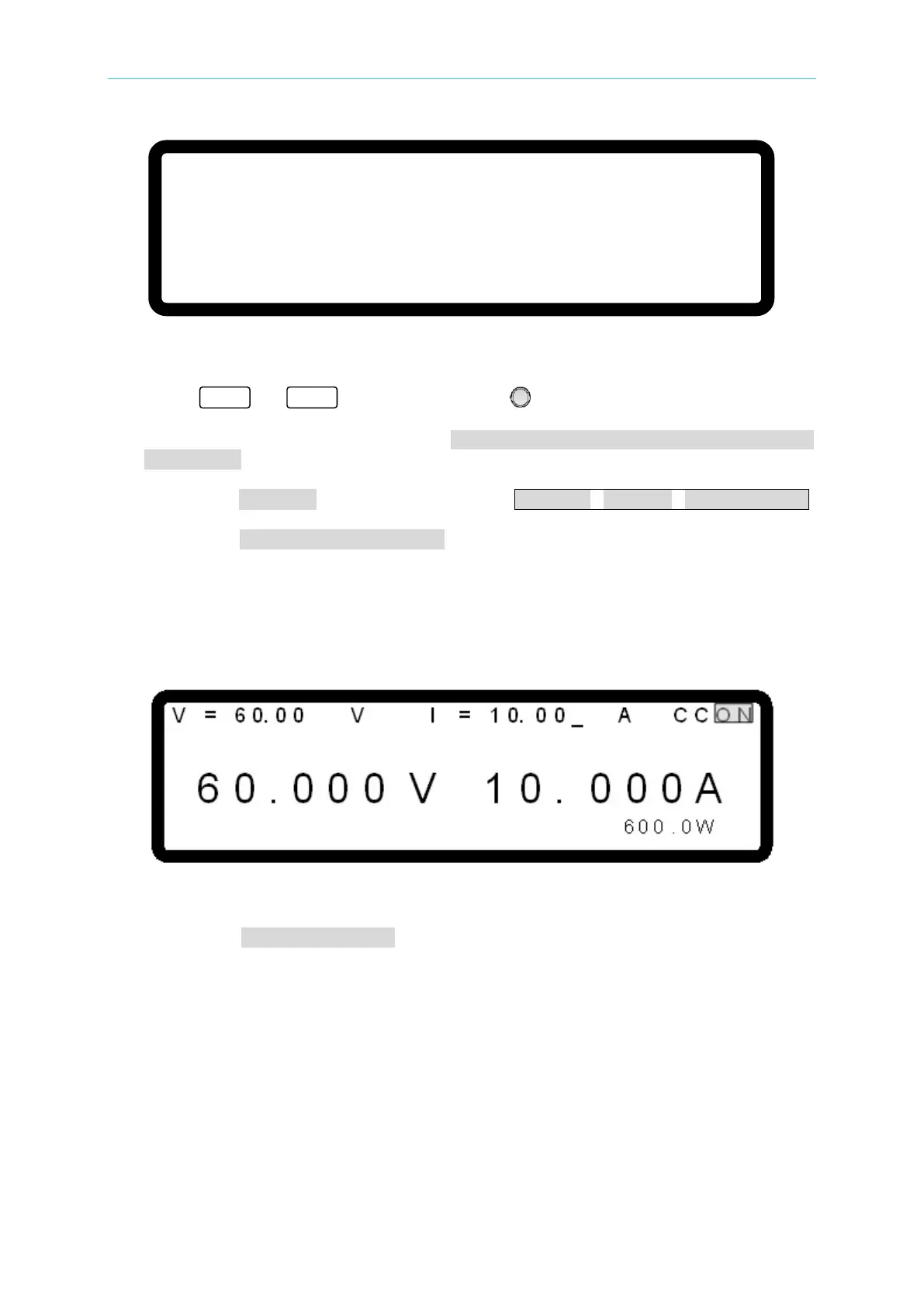
Ex.: In Figure 3-13, the voltage setting is 60.00V, current setting is 10.00A and output
setting is ON. When it powers on again, the instrument will restore the previous state by
setting the voltage to 60.00V, current to 10.00A and output to ON.
Figure 3-13
When set to USER DEFINITION, a line will display beneath the POWER ON STATUS
line as shown in
Figure 3-14 for the user to set the default power-on state including
voltage (V_SET), current (I_SET) and OUTPUT=ON/OFF.








 To Next Page