Programmable DC Power Supply (with Solar Array Simulation) 62000H Series
Operating & Programming Manual
3.3.7.1 Voltage Output & Measurement Calibration
3.3.7.1.1 Hardware Requirement
The hardware requirement is shown in Table 3-6.
Table 3-6
Suggested Model or Capacity
HP 34401A or equivalent DVM
3.3.7.1.2 SETUP
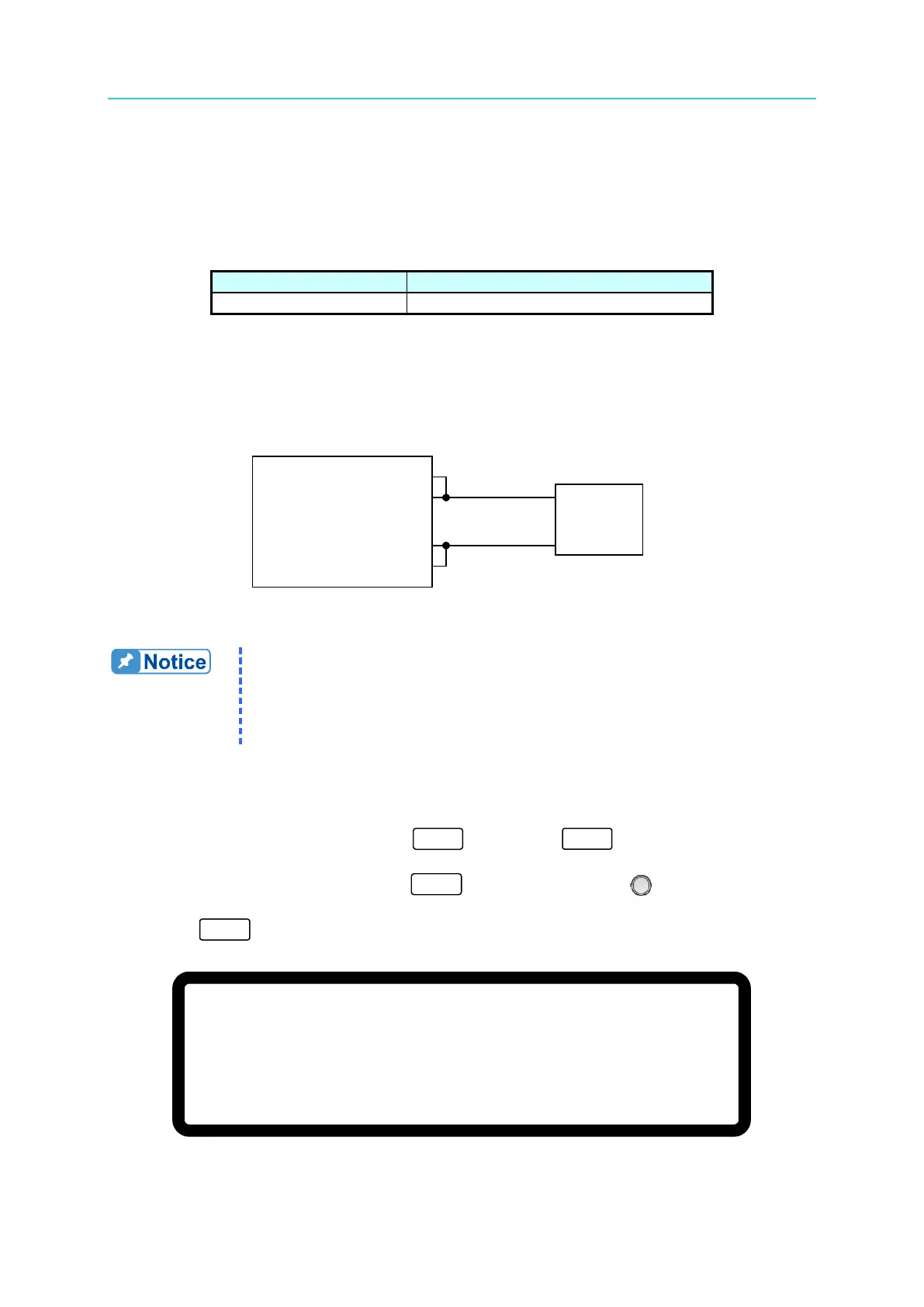
The setup is shown in
Figure 3-105.
Figure 3-105
1. The accuracy of the instrument that performs the calibration must be
greater than the accuracy of the power supply specification.
2. Set the Resolution parameter of the HP34401 to SLOW 6 digit.
3. Key in at least 5 digits for each calibration point to ensure the Power
Supply accuracy after calibration.
3.3.7.1.3 Calibration Procedure (Example: Model 62150H-600S)
1. In the CONFIG Setup page, press “ ” then press to enter the
CALIBRATION option (see section 3.3.7 above).
2. In the CALIBRATION page, press “ ” or turn the “Rotary” ( ) knob to set
CHOICE=1.
3. Press “ ” to display the voltage calibration options as shown in Figure 3-106.
[ V O L T A G E C A L I B R A T I O N
]
R E M O V E E X T E R N A L L O A D A N D P R E S S [ E N T E R ] _
S E T T I N G O U T P U T V O L T A G E 8 .
0 0 V
A C T U A L
O U T P U T V O L T A G E = 0 . 0 0 0 0 V
S E T T I N G O U T P U T V O L T A G E 1 1 5 . 0 0 V
A C T U A L O U T P U T V O L T A G E = 0 . 0 0 0 0 V
Figure 3-106








 To Next Page