Manual Operation
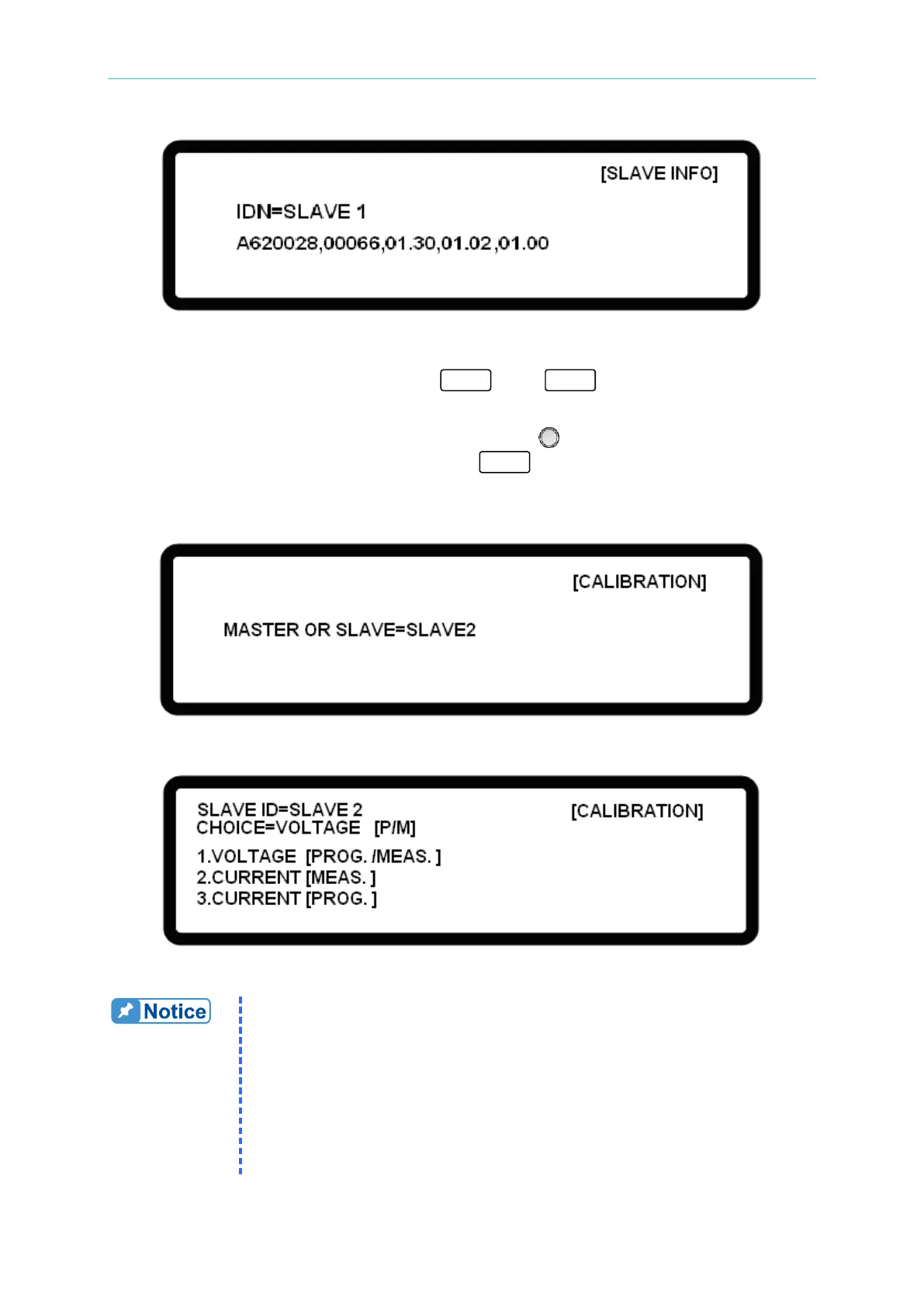
Figure 3-102
2. When the address of the SLAVE to be calibrated is confirmed, stay in parallel mode and
go to the CONFIG setting page, press “ ” then “ ” to enter into CALIBRATION
for password input as shown in Figure 3-100.
3. Select MASTER OR SLAVE via the “Rotary Knob” (
) and select the SLAVE to be
calibrated as shown in Figure 3-103. Press “ ” to enter into the calibration screen
as shown in Figure 3-104. For the calibration procedure for each item, see the
descriptions in sections 3.3.7.1 to 3.3.7.3.
Figure 3-103
Figure 3-104
1. A password is required for CALIBRATION. The password is “3636”.
2. A SLAVE model can only be calibrated via the MASTER. First
remove the output cable and then disconnect the current sharing
cable. Leave the ANALOG and SYSTEM BUS cables on the device.
3. The MASTER provides the panel output for the SLAVE. The load
and measurement cables for the actual calibration need to be
installed on the SLAVE.
4. The DC Power Supply should be calibrated every year. Contact
Chroma for further information.








 To Next Page