Programmable DC Power Supply (with Solar Array Simulation) 62000H Series
Operating & Programming Manual
3. Press “ ” to confirm.
4. Press “ ” to return to the MAIN PAGE.
The valid address range is 1-30.
3.3.8.6 RS485 TERMINATOR
The terminator status needs to be set when using the RS485 remote operation function.
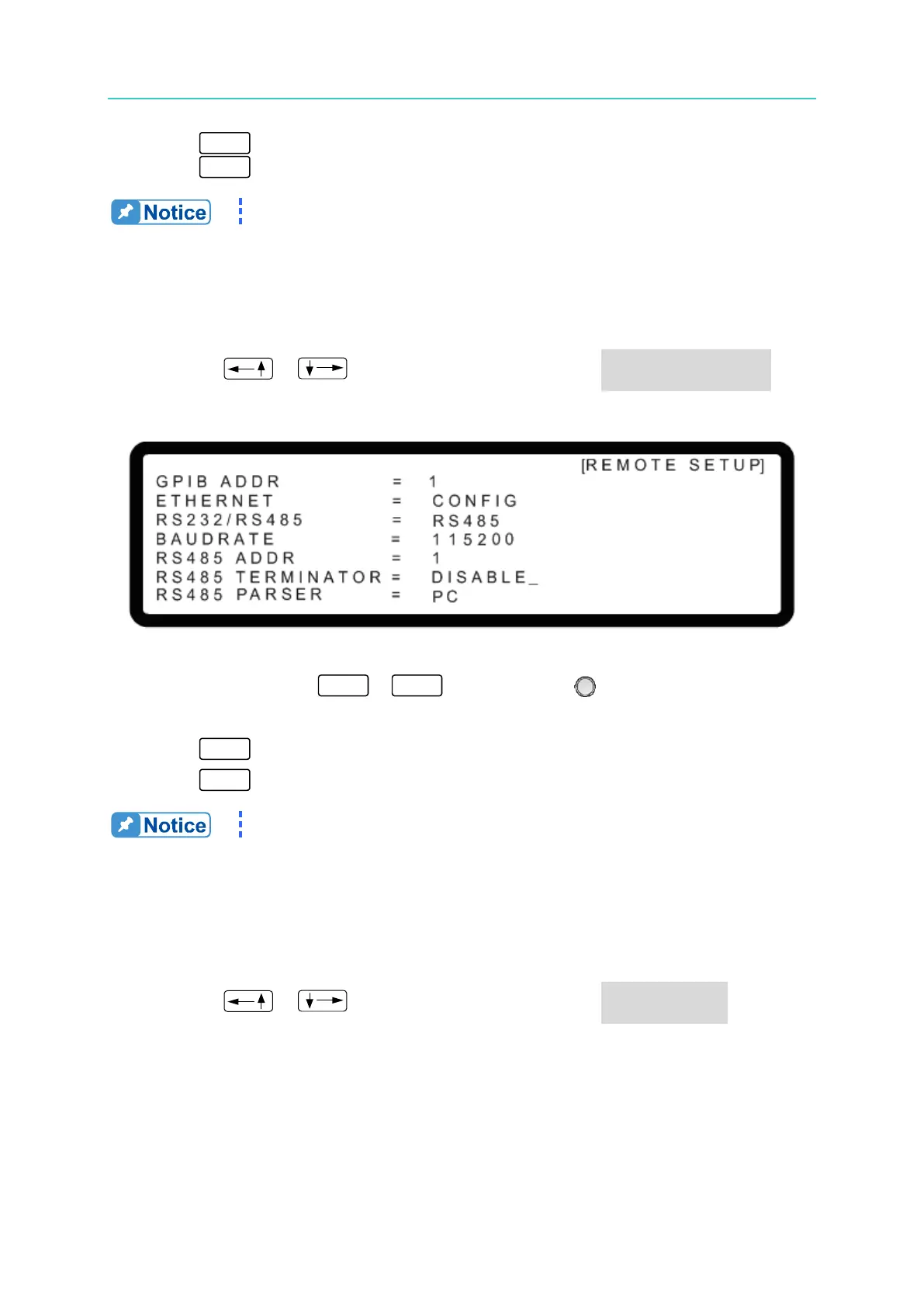
1. Use the “ ”, “ ” keys to move the cursor to the RS485 TERMINATOR
column as shown in Figure 3-154.
Figure 3-154
2. Use the numeric keys
-
or the “Rotary” ( ) knob to enable or disable
the RS485 TERMINATOR.
3. Press “ ” to confirm.
4. Press “ ” to return to the MAIN PAGE.
The RS485 TERMINATOR internal resistance is 120Ω.
3.3.8.7 RS485 PARSER
The RS485 interface can be used in standalone mode or with the A620029 (option) for online
use.
1. Use the “ ”, “ ” keys to move the cursor to the RS485 PARSER column as
shown in Figure 3-155.








 To Next Page