67
Chapter 4 Using 802.11 Radio
Import/Export
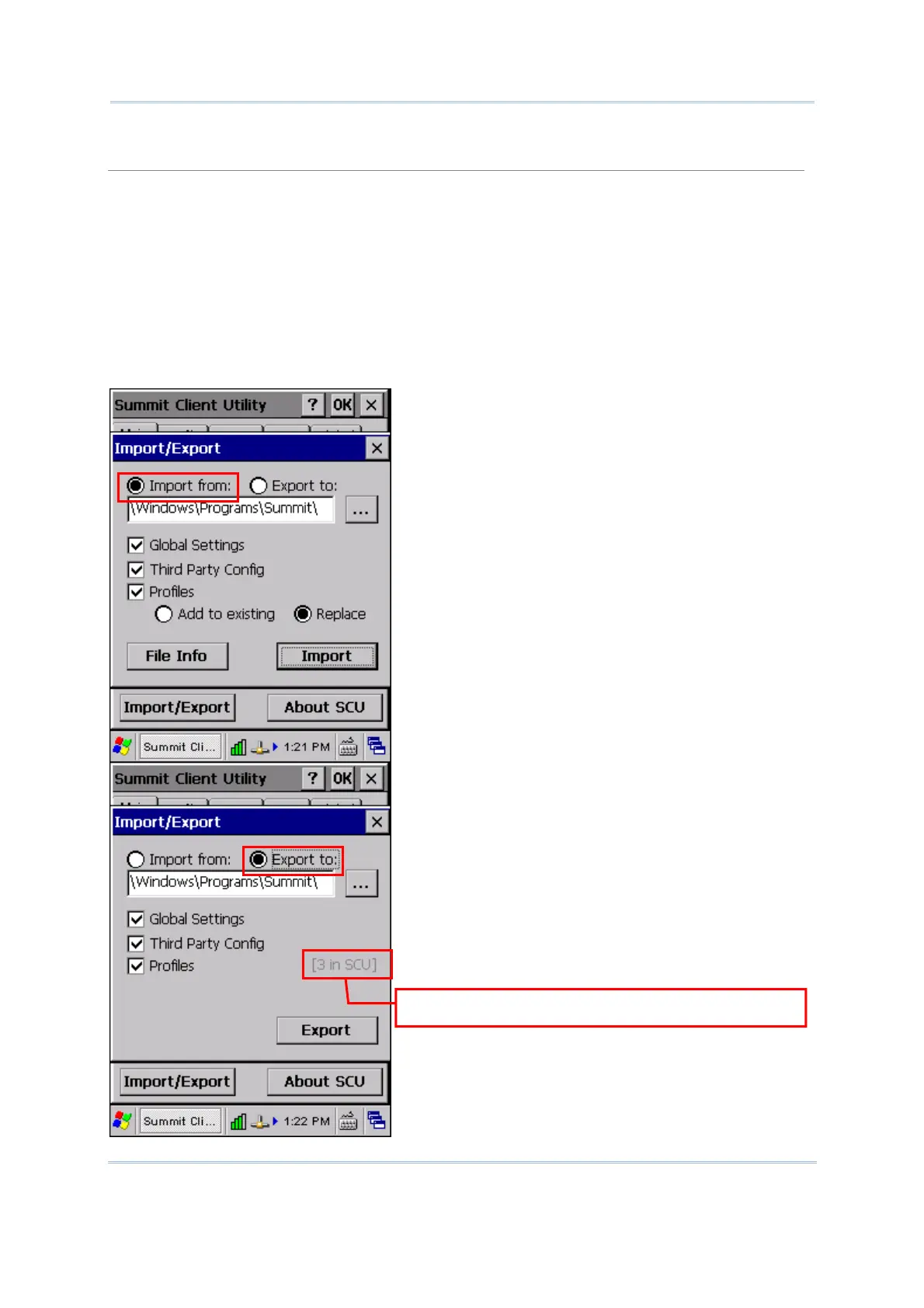
It is made easy to clone the profile(s) and global settings from a master mobile computer to
others. Tap [Import/Export] and select the task to perform: “Import from” or “Export to”.
By default, the file name is “SummitSettings.sdc”.
Export to: Export global settings, all standard SCU profiles, and the special profile
“ThirdPartyConfig” from the SCU area of the registry to a file.
Import from: Import global settings, all standard SCU profiles, and the special profile
“ThirdPartyConfig” from a file (created using the Export facility above) to the SCU area of
registry. If you are importing a file and select [Add to existing], then the imported
information will be merged with the information that was in the registry previously. If you
select [Replace] instead, then the imported information will overwrite the information that
was in the registry previously.
efault and custom profiles are included.



 To Next Page