EasyManua.ls Logo

Codan 9390 - Page 47

Codan 9390
218 pages
Print Icon
To Next Page IconTo Next Page
To Previous Page IconTo Previous Page
Loading...
Channel and scan table setup
9390 Reference manual 3-17
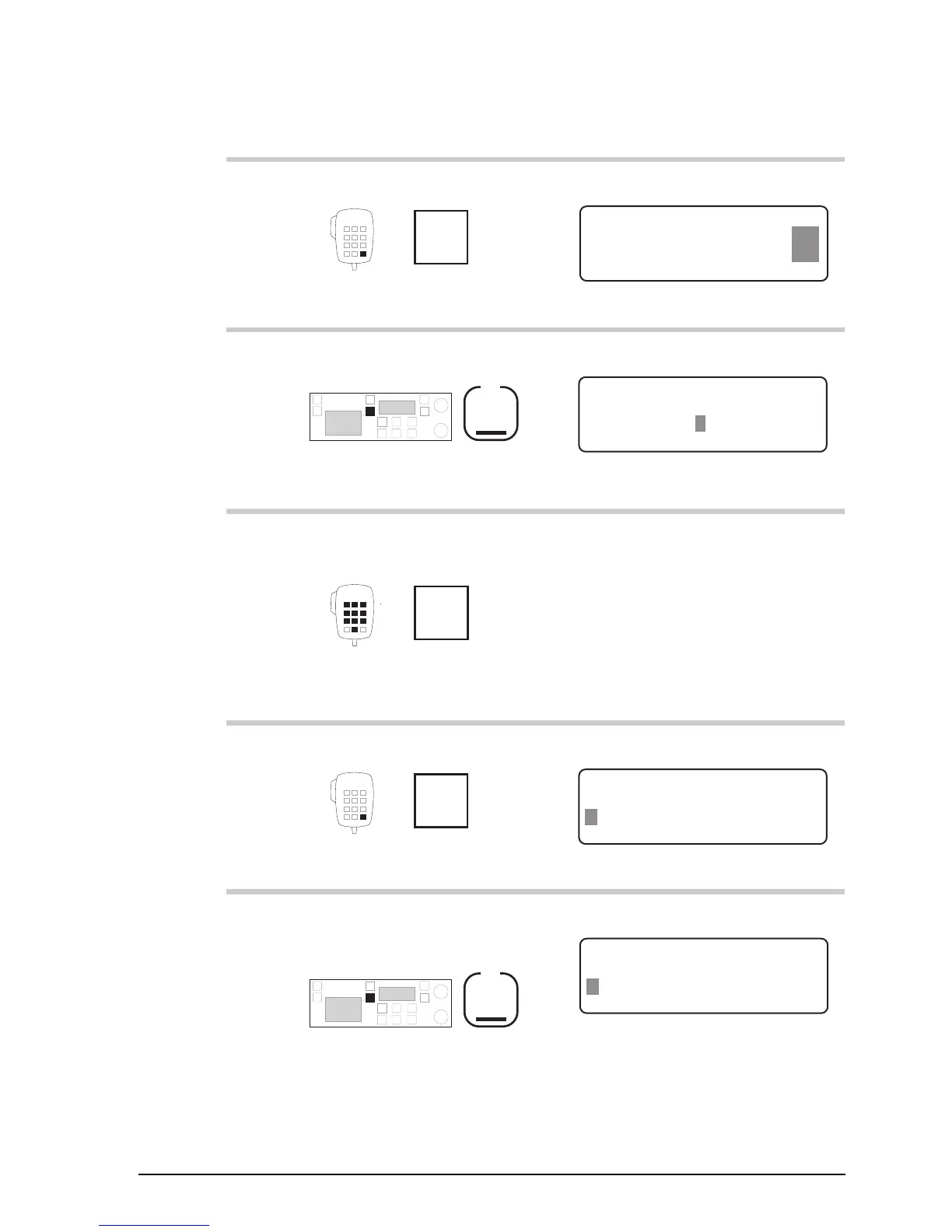
Action Notes
3.
Press
Enter
R'call
Example of the display:
USB
HI
Rx.
Free Tune Receiver
PROG
ENTER
4,835.00
4.
Press
F1
Example of the display:
DELETE
ENTER
Enter Channel No.
–804
5.
Enter the number of a
new, unused channel
numeral
buttons
For example, enter 9808.
If you do not enter a number,
you will edit the displayed
channel instead of creating a
new one.
6.
Press twice
Enter
R'call
Example of the display:
CLEAR ENTER
Enter channel text
Radphone––––––––––––
7.
To clear any existing
channel comment, press
F1
Example of the display:
CLEAR ENTER
Enter channel text
–––––––––––––––––––

Table of Contents

Related product manuals