Installation – RF Path Elements P/N 709C011801 Page 110
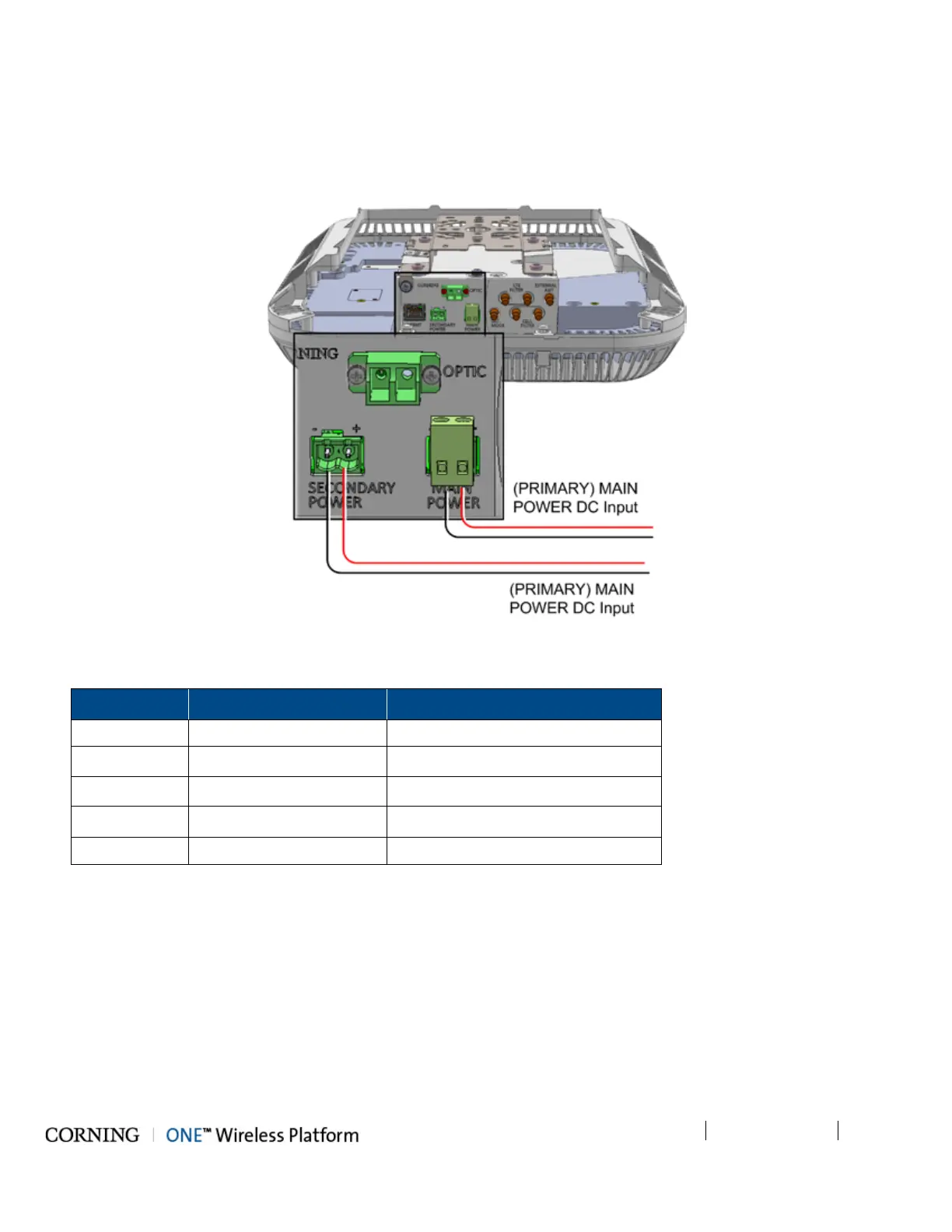
B. Connect DC wire pair to the RAU SECONDARY POWER DC input connector:
o Wire size: 12-30 AWG
o For 2 PoE ports of 802.3af: 43V; 30 W (Input range: 43 - 57 V DC)
o For 2 PoE ports of 802.3at: 52V; 62 W (Input range: 52 - 57 V DC)
Figure 5-69. RAU MAIN and SECONDARY POWER DC Input Connections
C. After SECONDARY POWER is connected, wait 1-2 seconds and verify GEM LEDs:
LED
Behavior
Indication
(GEM) RUN Flashing Green (10/Sec) SW and CPU running normally
Ethernet LINK Off Link
Ethernet ACT Off Activity
(SFP) LINK Off Link\Activity
PoE Off POE status



 To Next Page