V1108, 7.3
7.c
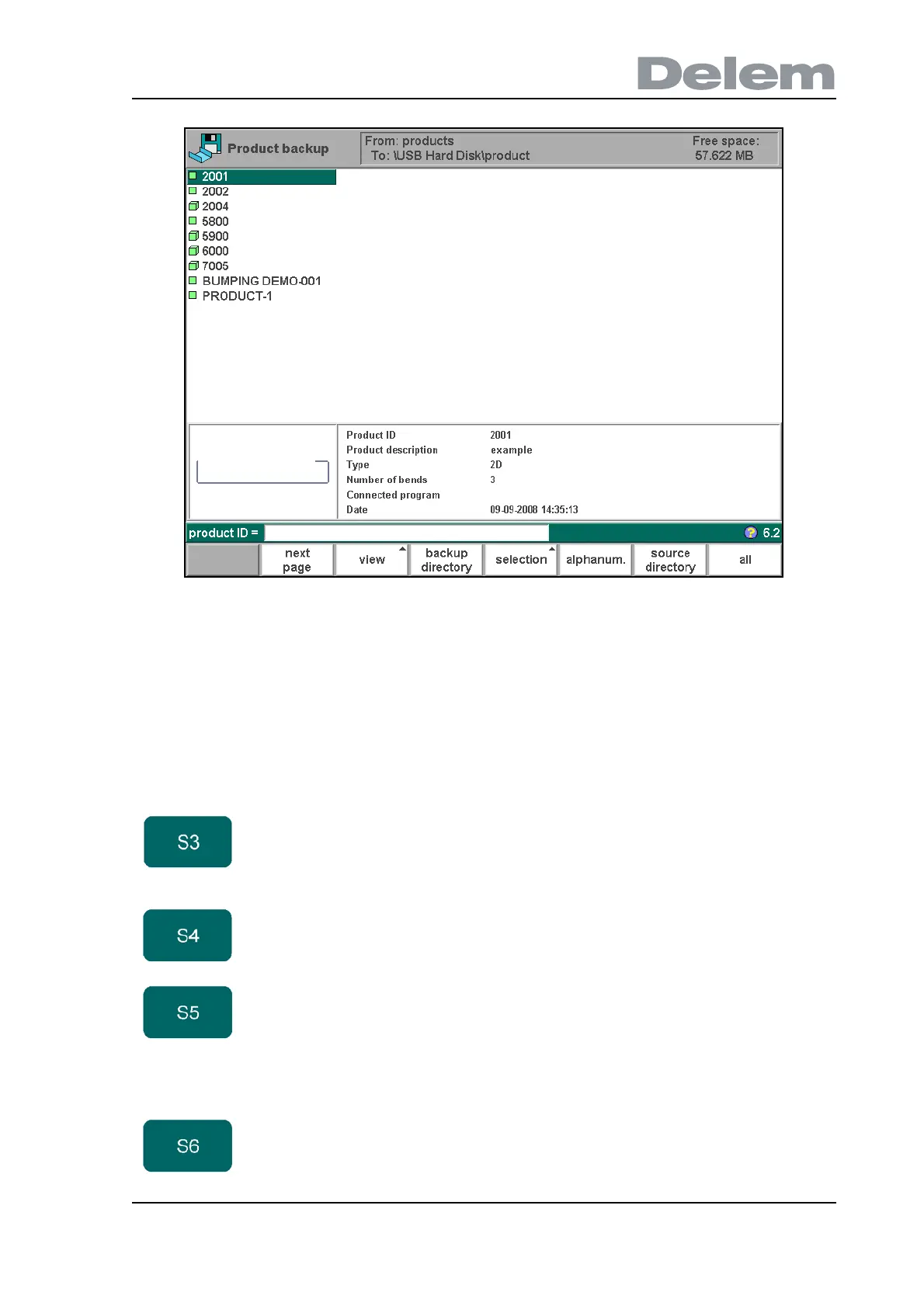
At the top of the screen, the back-up location is shown. If this location is not correct you can
change the subdirectory with the function key ‘backup directory’ or you should go to the
program constants menu to change the device where products are saved to.
To save a product, select its number from the list and press ‘enter’. If a product file with the
same name is present on the back-up location, a question is offered whether or not to replace
that file.
Function keys:
view Button to select one out of two possible viewing
modes:
- normal dir.
- graphical dir.
backup
directory
Change, make or remove backup directory
selection Function key to open a new button bar with extra
function keys for product selection functions:
- product ID
- product description
- type
- date
alphanum. Select alphanumeric character during typing.



 To Next Page