V1108, 8.4
Key sound . . . . . . . . . . . . . . . . . . . . . . . . . . . . . . . . . . . . . . . . . . . . . . .KS
Switch the sound function of the input panel on or off.
0 = off: no sound when a front panel key is pressed.
1 = on: a sound is issued when a front panel key is pressed. This is the default setting.
Press the key to select the required setting.
Multi-tap text entry . . . . . . . . . . . . . . . . . . . . . . . . . . . . . . . . . . . . . . . .MT
Choose the manner of text entry through the front panel.
0 = off: text can be entered by pressing a front panel key and the function key
‘alphanum.’ for character selection. This is the default setting.
1 = on: text can be entered by pressing a frontpanel key repeatedly until the correct
character appears. This works similar to a cell phone.
Press the key to select the required setting.
8.3. Materials
8.d
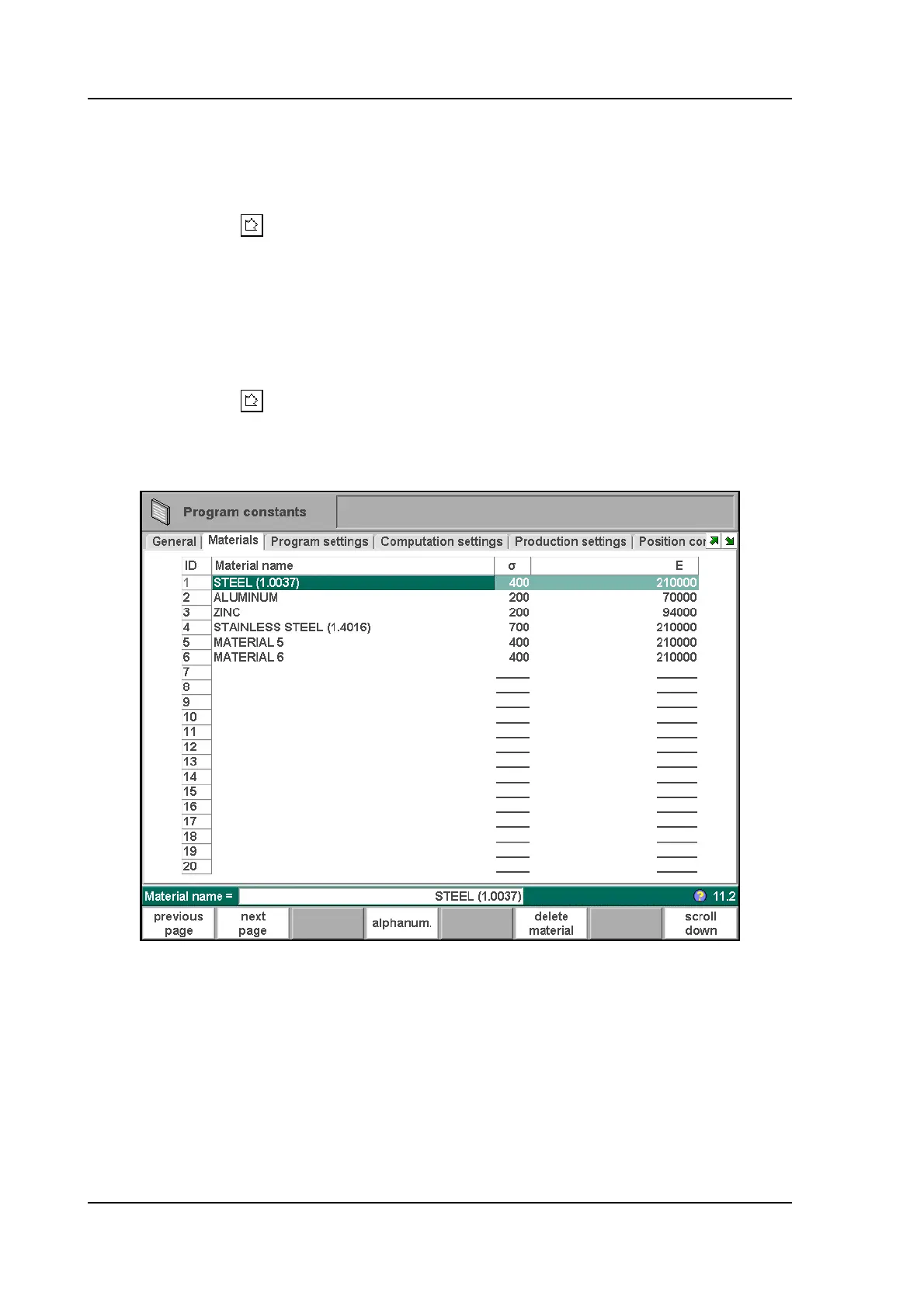
In this window, material properties can be programmed. You can edit existing materials,
program new materials or delete existing materials. A maximum of 99 materials can be
programmed on the control.
For each material, three properties are present and can be viewed and edited.
Material name . . . . . . . . . . . . . . . . . . . . . . . . . . . . . . . . . . . . . . . . . . . .NA
Name of the material. The maximum allowed length of the material name is 25
characters, the name must begin with a character (not a numeral).



 To Next Page