V1108, 2.10
Preferred radius . . . . . . . . . . . . . . . . . . . . . . . . . . . . . . . . . . . . . . . . . .PR
The intended radius which is programmed.
Computed radius . . . . . . . . . . . . . . . . . . . . . . . . . . . . . . . . . . . . . . . . .CR
The resulting radius as computed from the current control settings.
A large radius is meant to be bent with a special punch with large radius. If such a punch is not
available, the bumping method can be selected.
2.4.2. Large Radius: Bumping
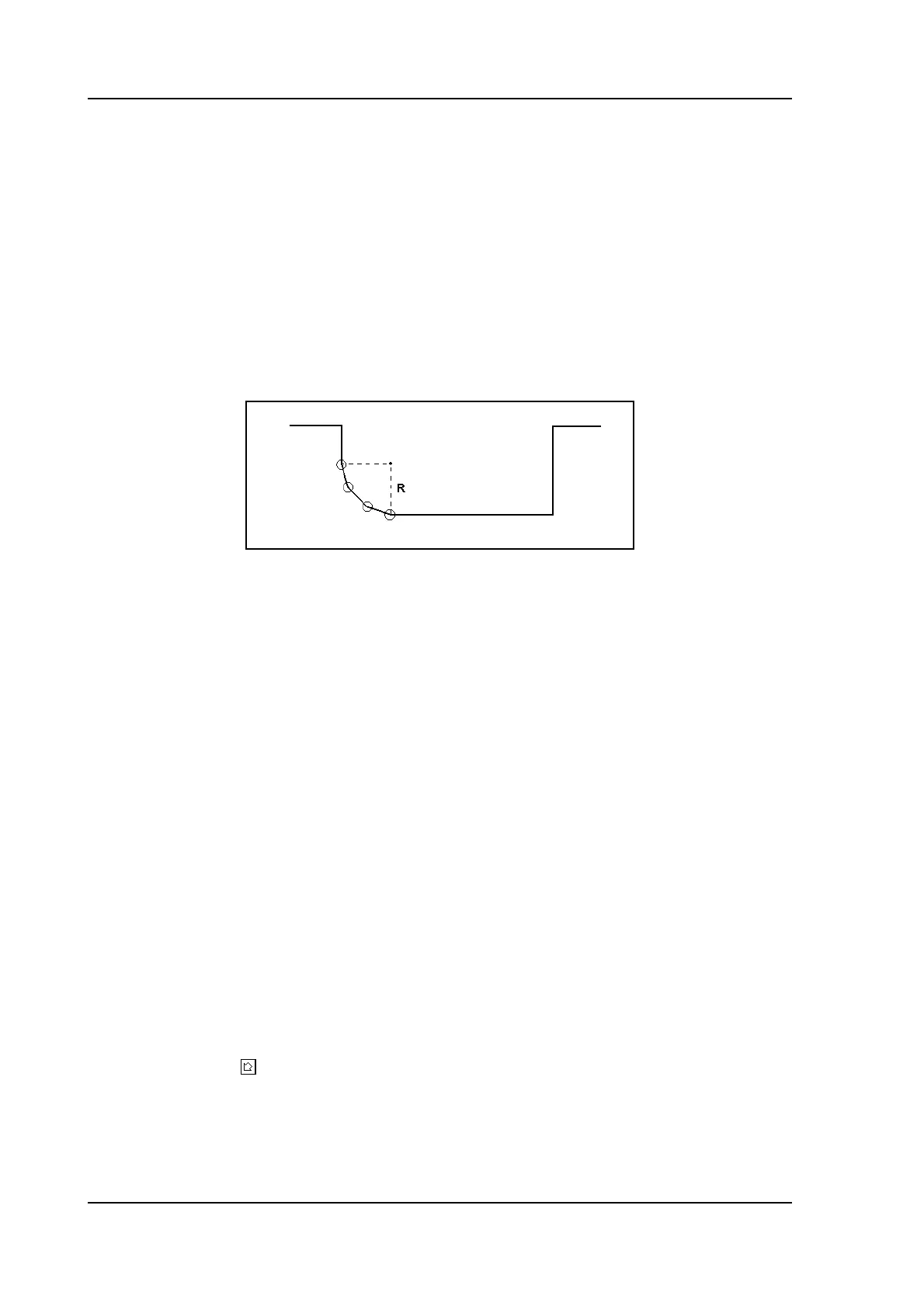
If a tool with large radius is not available, the bumping method can be chosen. With this
method, a large radius in a product is obtained by a series of slight bends in succession.
2.k
To apply the bumping method, the following parameters must be programmed:
Enable bumping . . . . . . . . . . . . . . . . . . . . . . . . . . . . . . . . . . . . . . . . . .BU
Switch the bumping method on or off.
Number of segments . . . . . . . . . . . . . . . . . . . . . . . . . . . . . . . . . . . . . .NS
The number of segments in which the radius will be divided. The number of bends in this
radius is the number of segments plus 1.
The more segments you select, the more bends will be used to create the programmed
radius within a smaller tolerance. With a high number of segments you will need a
smaller V-die opening to be able to bend in a proper way.
Which value is acceptable as maximum for the V-opening of the die is calculated and
displayed on the screen.
Equal bumping-segments . . . . . . . . . . . . . . . . . . . . . . . . . . . . . . . . . .EB
When a product has a radius bend, the segment size is computed from the number of
segments, which has been defined by the user. Standard the first and last segment are
calculated half the size of the mid segments to obtain a better result. However, it can be
a problem selecting a die suitable to bend these small segments. Therefore the control
can calculate an equal size for all segments. This can be defined with this parameter.
0 = disabled (no equal sizes).
1 = enabled (equal sizes).
Press the key to select the required setting.
When this parameter is set to 1, all segments will have an equal size.
If it is set to 0 the calculation is as before, including half size segments. If in this case a
problem with the size of the V die is detected in the bend sequence menu, the user is
asked whether or not to select a re-calculation with equally sized segments.



 To Next Page