V1108, 8.6
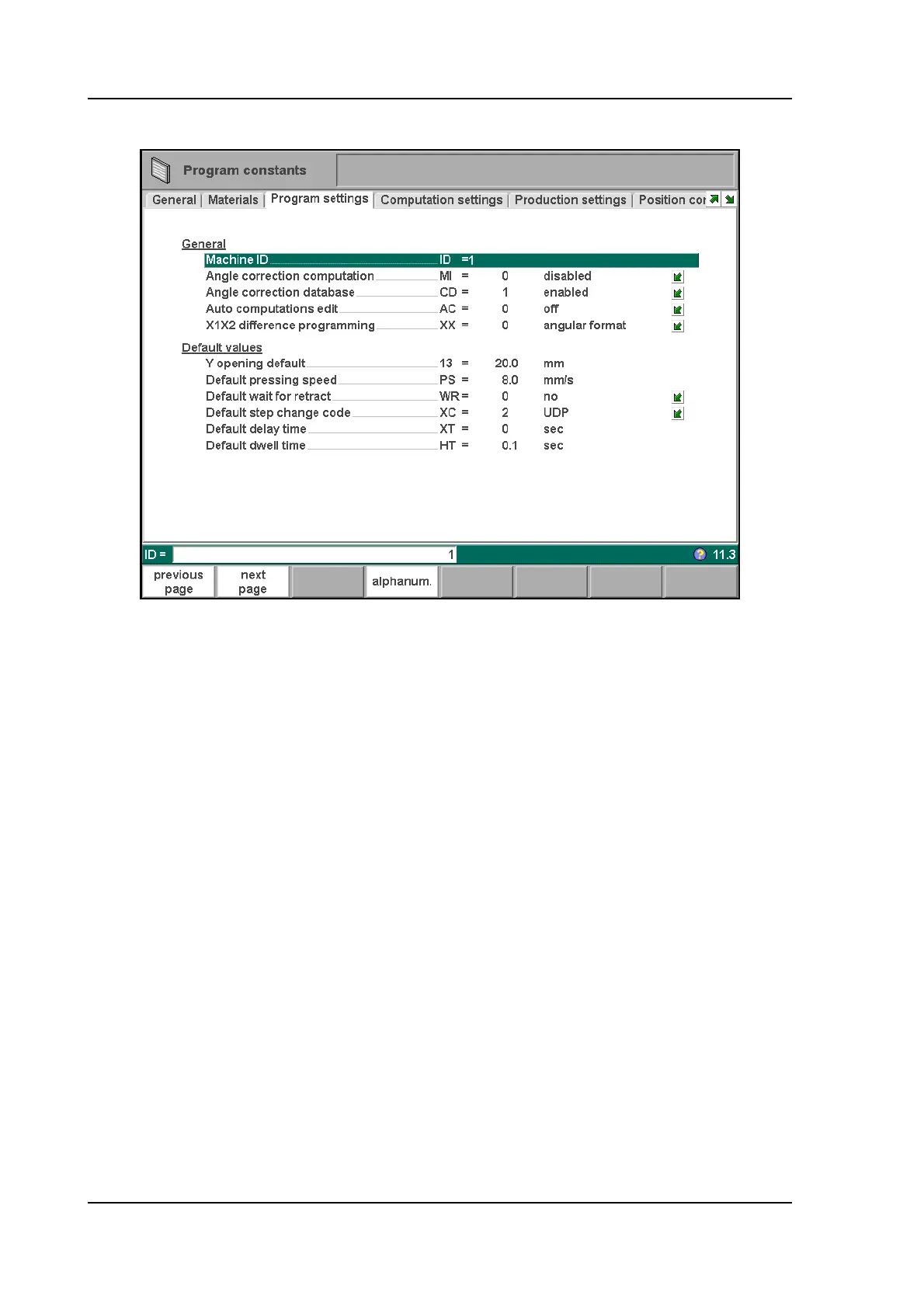
8.4. Program settings
8.e
Machine ID . . . . . . . . . . . . . . . . . . . . . . . . . . . . . . . . . . . . . . . . . . . . . . .ID
When there are several bending machines in a factory, it can be useful to give the
control on each machine a unique machine ID.
The selected machine ID will be stored with the bending program. This ID will be
checked when a program is read from a back-up medium. When the machine ID does
not match you must confirm to read it anyway or not. If you do not confirm the question
the action will be aborted.
Angle correction computation . . . . . . . . . . . . . . . . . . . . . . . . . . . . . . .MI
Parameter to switch computation of angle corrections on or off.
0 = disabled: no correction computation from measured angles.
1 = enabled: the operator can enter the measured angle of a bend and have angle
corrections calculated.
With this parameter is set whether or not the field 'measured angle' is available in the
corrections window. See chapter 10 for more information about the corrections window.
Angle correction database. . . . . . . . . . . . . . . . . . . . . . . . . . . . . . . . . .CD
Toggle function, to switch the database with angle corrections on or off.
Angle corrections are entered in production mode (automatic/step by step). These
corrections are stored in the product program. Beside this, it is also possible to store
these corrections in a general database with angle corrections. This way corrections
that have once been entered for certain bends remain available for future use in other
products.
When this setting is switched on, the control checks during production whether
corrections for similar bends are present in the database. If corrections for certain bends
are available, then they will be offered. On other occasions, corrections can be



 To Next Page