V1108, 5.1
5. Product library
5.1. Introduction
5.1.1. The main view
5.a
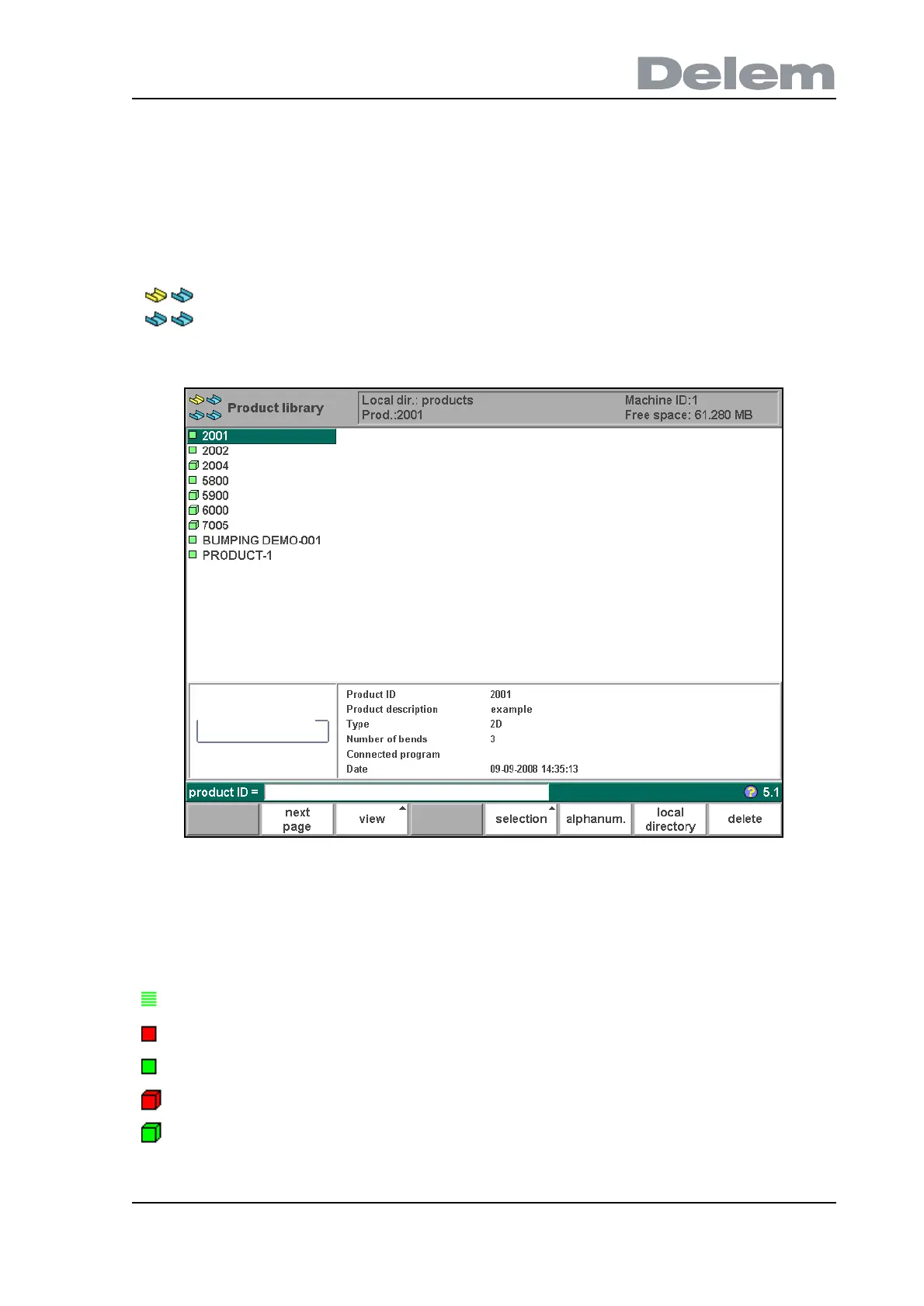
The "product library" menu gives an overview of the program library on the control. In this
menu a product program can be selected (loaded). A program can be modified or executed.
Each item in the list consists of a symbol and an ID. The ID is simply the product ID, the
symbol can have the following meanings:
If a product program is already active its ID is shown in the top of the screen. A program can
In this chapter the menu product library is described.
the product has a CNC program, there is no drawing
(red)
the product consists of a 2D drawing, there is no CNC program
(green)
the product has a 2D drawing and a CNC program
(red)
the product consists of a 3D drawing, there is no CNC program
(green)
the product has a 3D drawing and a CNC program



 To Next Page