V1108, 3.5
The tool set-up can be modified with the available function keys. Punches and dies can be
added or deleted, the existing tools can be moved to a different position or their length can be
modified.
3.2.2. Tool selection
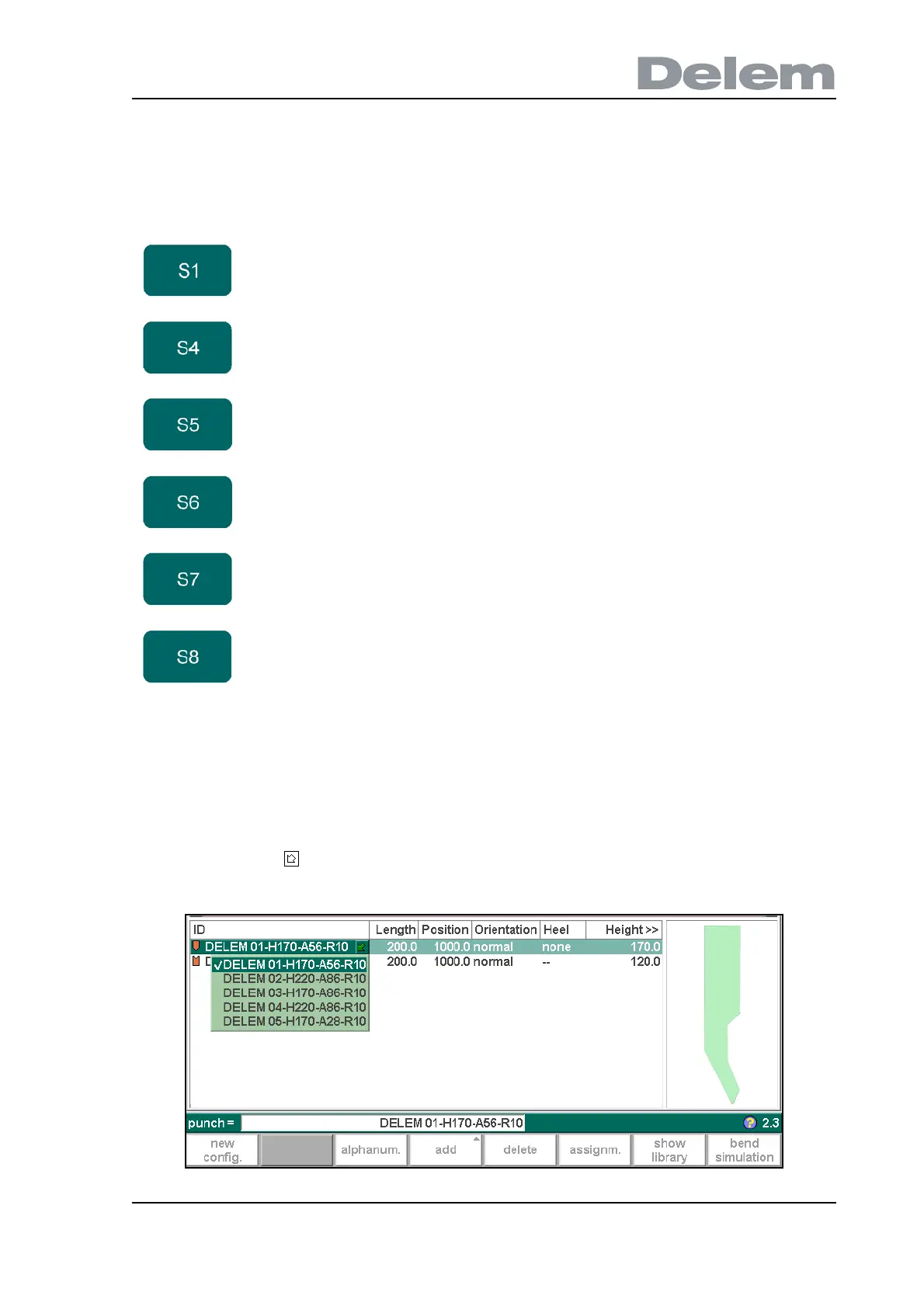
When the control prompts for a tool (or when the cursor is placed on one), there are several
ways to select one.
• If the ID is known, type the ID of the required tool.
• Press the key to open a pop-up with available tool IDs. Then move to the required ID
and press ‘enter’.
3.g
Function keys:
new
config.
Start a new tool configuration; the existing configuration
is deleted.
add Add a new tool to the tool configuration. When pressed,
some new functions keys are offered to choose the tool:
punch, die or adapter (if enabled).
delete Delete the currently selected tool.
assignm. Open a screen with parameters for bend sequence
computation.
show
library
Open a window with an overview of the tool library.
bend
simulation
Start bend simulation.



 To Next Page