V1108, 8.22
8.12. Event logging
8.12.1. Parameters
With this feature it is possible to register certain events on the control. These events are
stored in text files that can be examined afterwards. The log files that are created with this
feature can be used for production management.
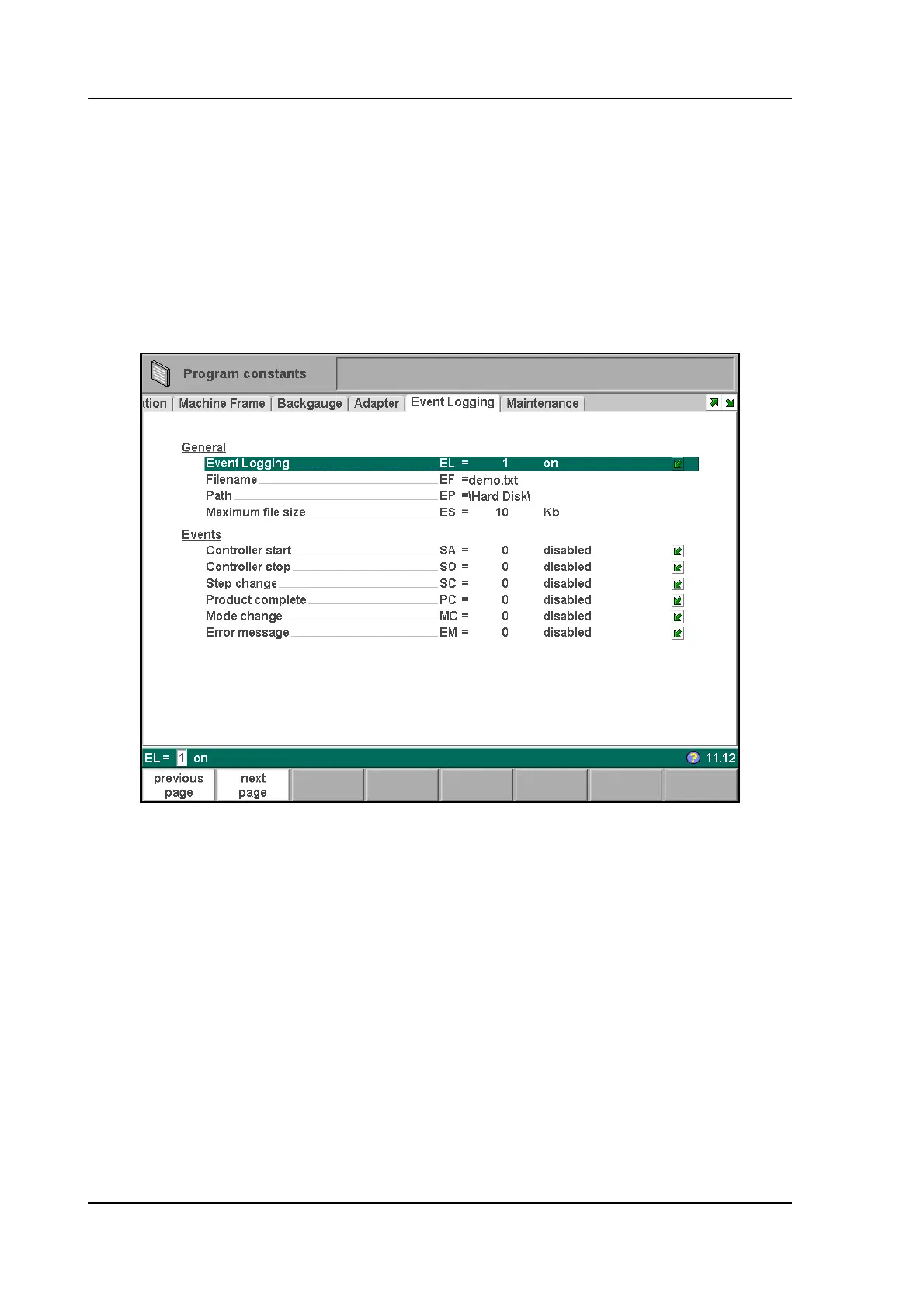
This page contains all parameters for the event logging function. The events that are logged
can be assigned with the parameters on this page.
8.v
Event logging . . . . . . . . . . . . . . . . . . . . . . . . . . . . . . . . . . . . . . . . . . . .EL
To switch the event logging function on or off.
Filename . . . . . . . . . . . . . . . . . . . . . . . . . . . . . . . . . . . . . . . . . . . . . . . .EF
The name for the log file. Enter the required name, the extension '.txt' will be added to
the filename automatically.
Path . . . . . . . . . . . . . . . . . . . . . . . . . . . . . . . . . . . . . . . . . . . . . . . . . . . .EP
The folder (directory) where the log file will be stored. This path can be on the internal
memory of the DA-control (\Hard disk), a USB memory stick or even a network drive, if
connected.
When the cursor is on this parameter, use the function key ‘select path’ to select the
desired location for the log file.
Maximum file size . . . . . . . . . . . . . . . . . . . . . . . . . . . . . . . . . . . . . . . . .ES
The maximum size of the log file in Kilobytes. If the current log file reaches this size it
will be closed and renamed automatically. Immediately a new file with the programmed



 To Next Page