V1108, 5.5
5.2. Directories
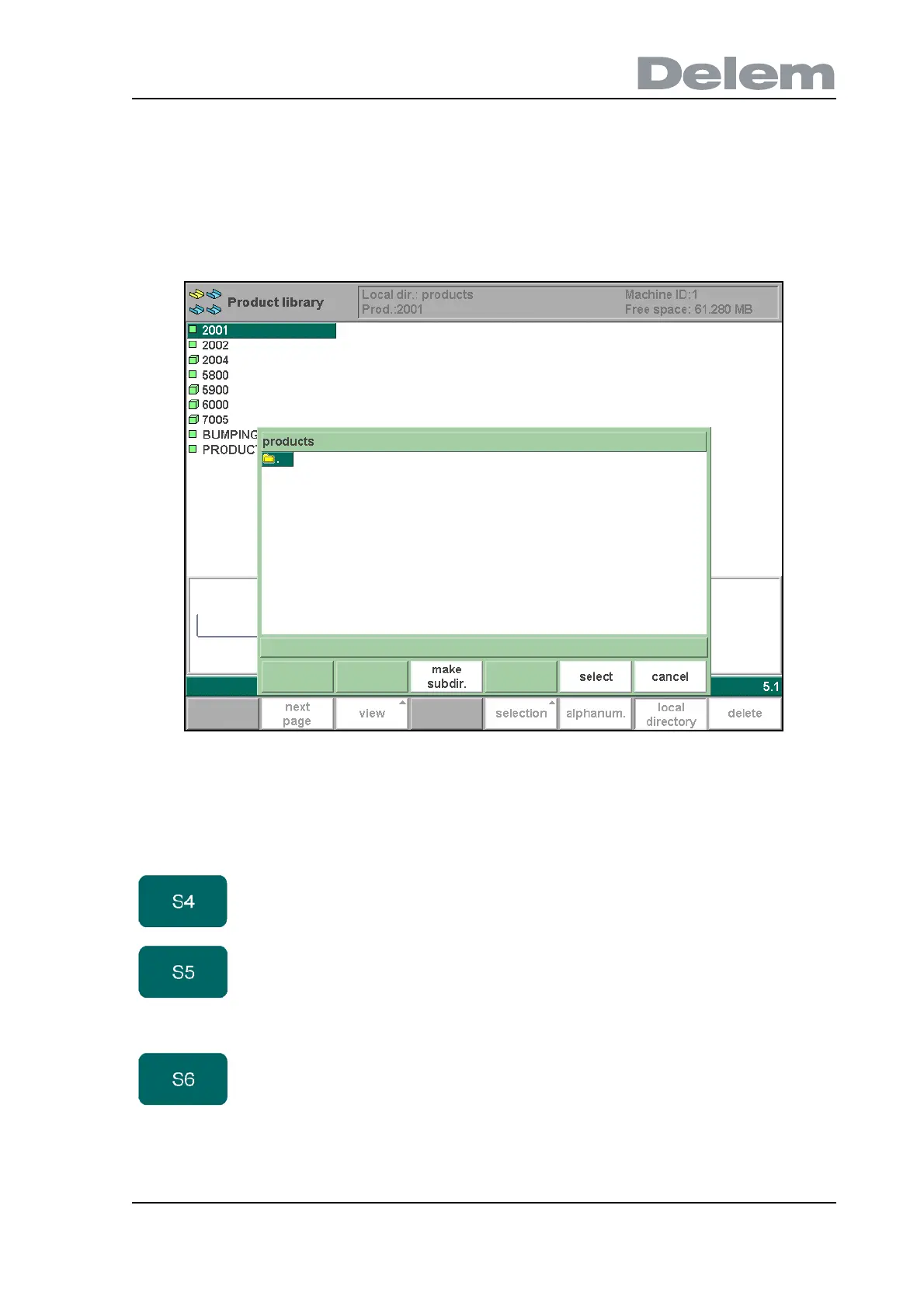
Bend programs on the control can be stored in different directories. The active local directory
name is displayed in the header.
When the function key ‘local directory’ has been pressed in the product menu, a new window
appears with an overview of directories on the control.
5.e
Use the arrow keys to move to a directory. Depending on the cursor position, several functions
are available.
Use the function key 'select' to make a subdirectory active. Press ENTER to look inside a
subdirectory. To move up, go to the (PARENT) map and press ENTER. To select the directory
Function keys:
make subdir Add a new subdirectory. The name of the subdirectory can
be any alphanumeric string of maximal 24 characters.
(Avoid the use of slashes ‘/’).
remove
subdir
Delete a subdirectory. If the subdirectory is not empty, the
control returns the message ‘UNABLE TO REMOVE
DIRECTORY’. An empty subdirectory is deleted without
warning. The default directory “PRODUCTS” cannot be
deleted.
select To select the directory on which the cursor is placed.



 To Next Page