V1108, 6.8
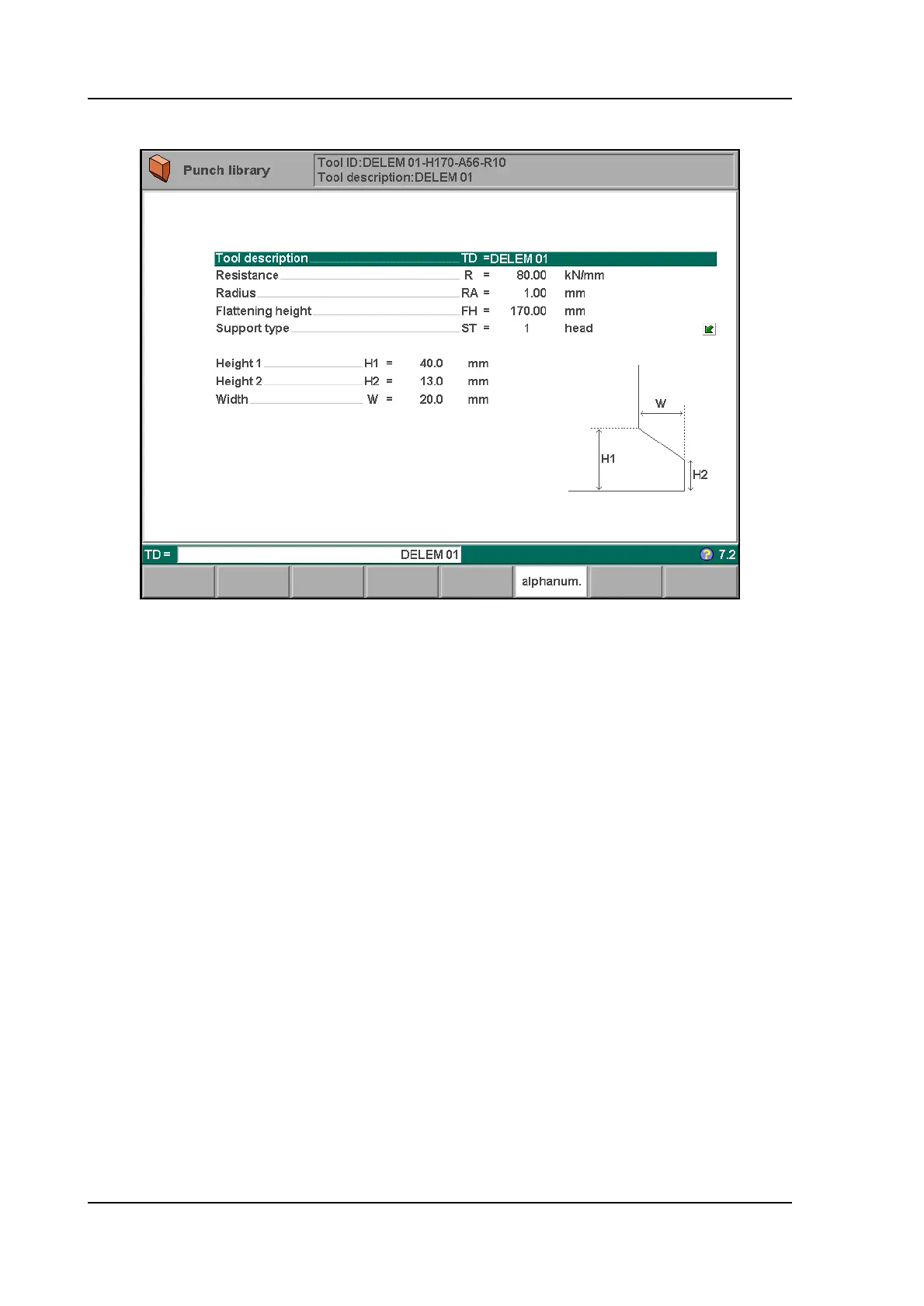
6.2.3. Specific Punch Data
6.j
Tool description . . . . . . . . . . . . . . . . . . . . . . . . . . . . . . . . . . . . . . . . . .TD
A name or description of this tool. The maximum length is 25 characters.
Resistance . . . . . . . . . . . . . . . . . . . . . . . . . . . . . . . . . . . . . . . . . . . . . . .R
Maximum allowable force on punch in kN/mm.
Radius . . . . . . . . . . . . . . . . . . . . . . . . . . . . . . . . . . . . . . . . . . . . . . . . . .RA
The radius of the punch.
Flattening height . . . . . . . . . . . . . . . . . . . . . . . . . . . . . . . . . . . . . . . . . .FH
The flattening height needs to be programmed when you make use of a special
flattening punch to flatten your product.
The programmable height is used to calculate the Y-axis value in case of "flattening". The
default-value for this parameter is the standard tool height, which is already programmed.
Every time that this standard height is changed, the flattening height will be made equal to this
tool height (for safety reasons). See figure 6.j.
The total tool height will be used to calculate the speed change point (mute) and the flattening
height will be used to calculate the end position of the Y-axis beam to flatten the product. The
calculation will take twice the sheet thickness into account. Also you can program a flattening
offset in the menu ‘Program constants’. This value will be added to the value of twice the sheet
thickness.



 To Next Page