V1108, 8.16
For a relative small product (in Z-direction) a top-bottom turn can be done quickly.
But a relative small product which is long (in x-direction) needs some longer time to turn from
front to back or in a combination turn.
The turn time can be set in a table in seconds. For this purpose there are 4 length intervals (3
boundaries) each with a specific turn time depending on the type of turn. Like the turn times
you also can set the length limit boundaries.
Boundary 1/2/3 . . . . . . . . . . . . . . . . . . . . . . . . . . . . . . . . . . . . . . . . . . .B1/2/3
Threshold values for product size. For values between these boundary values different
product turn times can be programmed.
8.9. Machine frame
8.o
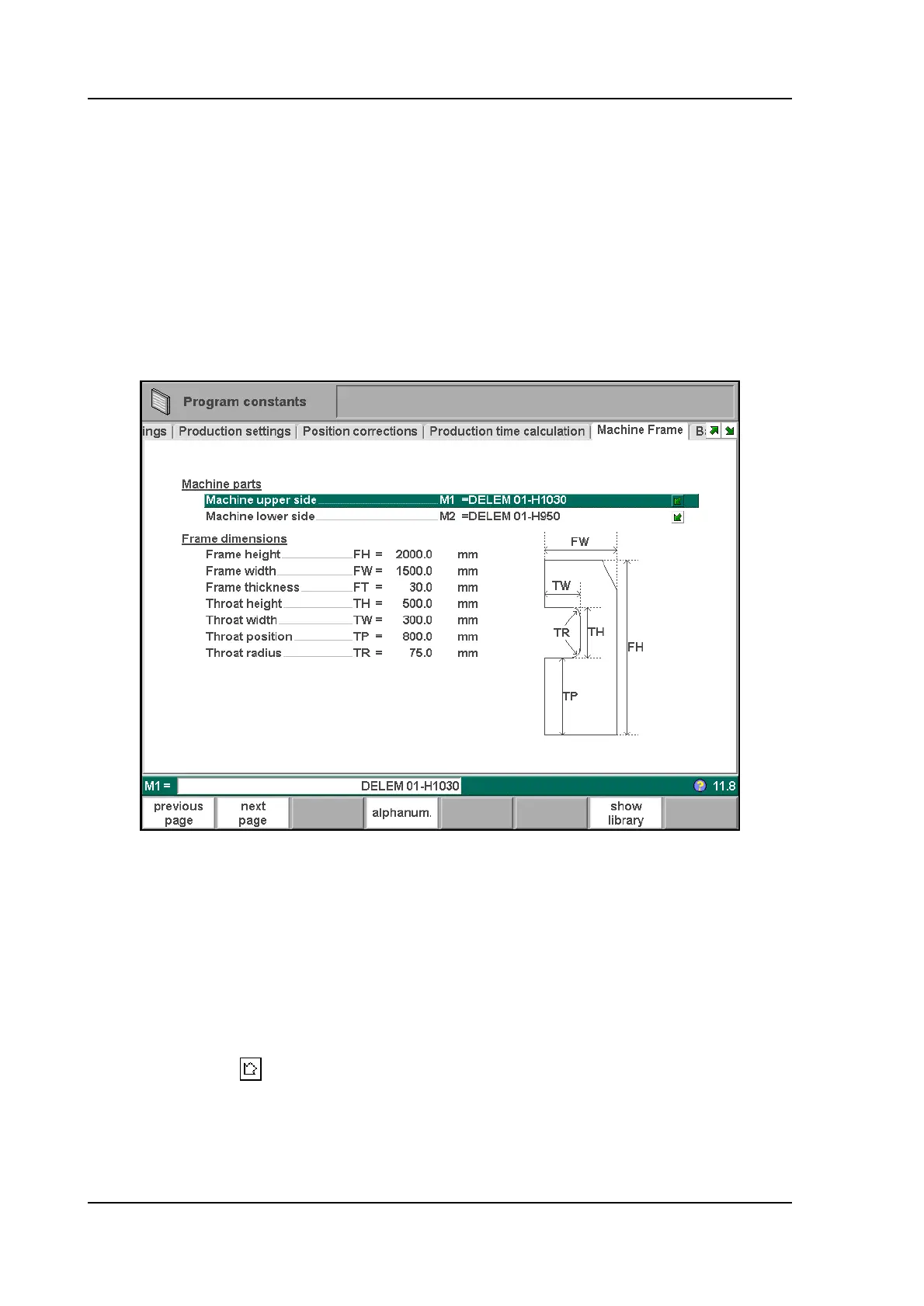
On this page the dimensions of the side frame of the machine are programmed. The
programmed machine will be used in the simulation screen during graphical programming.
Watch the on-screen picture for the parameter meaning.
At the top of the screen the possible machine parts can be selected. The selected machine
parts are used when a new tool configuration is programmed in the graphical programming
menu. See chapter 3 for more information about the tool configuration.
Machine upper side . . . . . . . . . . . . . . . . . . . . . . . . . . . . . . . . . . . . . . .M1
Select the relevant machine upper side.
Press the key to select the required setting. To search for the correct machine parts,
press the function key ‘show library’.



 To Next Page