V1108, 7.5
7.e
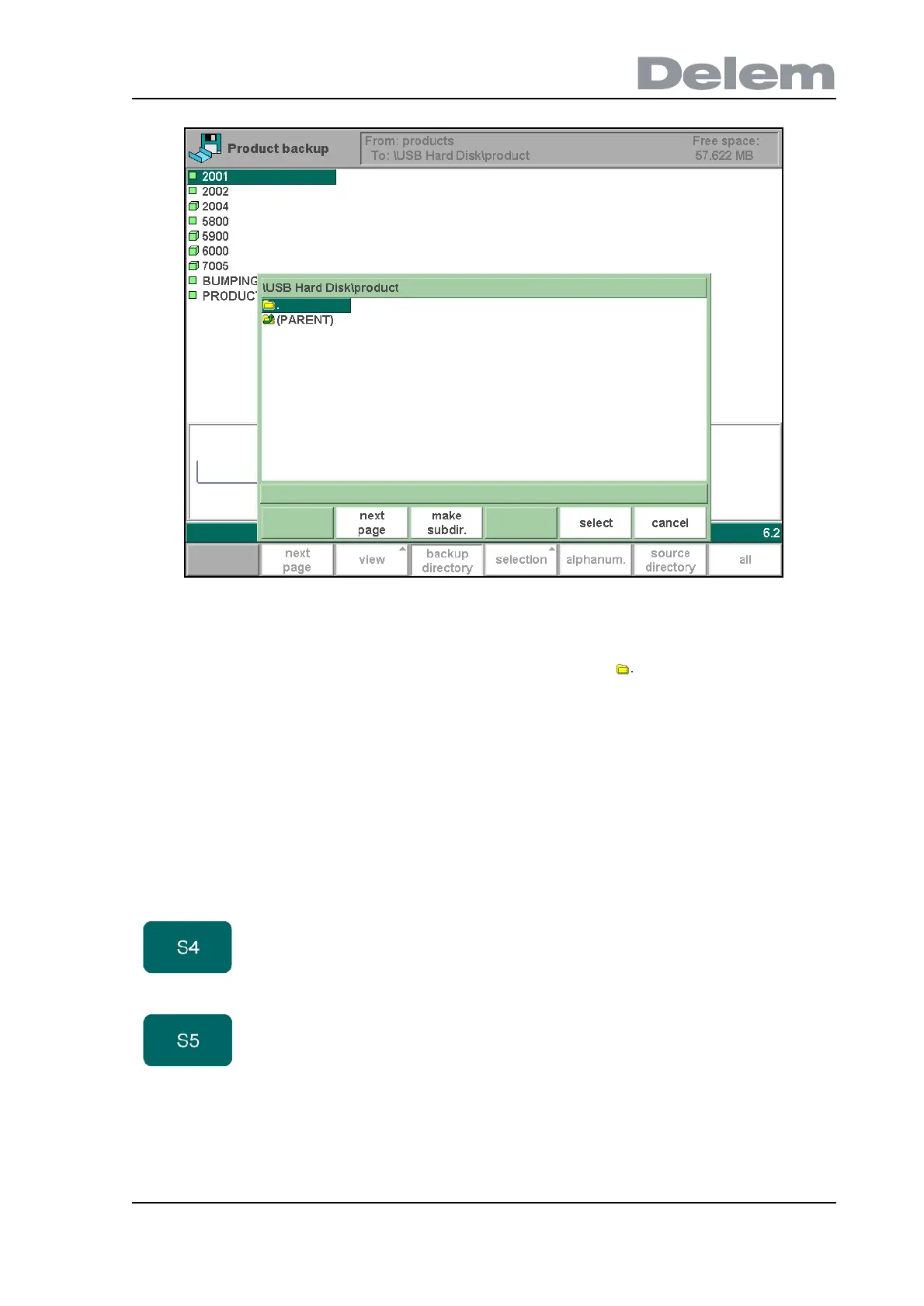
In this window you can browse through the directory structure of your back-up device. Press
ENTER to look inside a subdirectory. To move one level up, go to the (PARENT) map and
press ENTER. To select the directory you are currently in, go to and press 'select'.
To change from one device to another, press ENTER on the (PARENT) symbol a number of
times until the highest level is reached. From there, select the proper device and choose the
correct subdirectory.
If a network connection is available you must first select 'network' and subsequently one of the
offered network volumes. After that it works similar to other devices.
You can make new subdirectories or delete existing ones with the function keys ‘make subdir’
and ‘remove subdir’. If there are subdirectories present, use the arrow keys to move to the
required directory and press ‘select’ to select it.
Function keys:
make
subdir
Add a new subdirectory. The name of the
subdirectory can be any alpha numeric string of
maximal 24 characters. Avoid the use of slashes
(‘/’).
remove
subdir
Delete a subdirectory. If the subdirectory is not
empty the controller returns the message
‘UNABLE TO REMOVE DIRECTORY’.



 To Next Page