V1108, 4.7
Method . . . . . . . . . . . . . . . . . . . . . . . . . . . . . . . . . . . . . . . . . . . . . . . . ..BM
Select the required bending method. The control supports 4 methods:
Air bend
Bottoming
Flattening
Flattening & bottoming.
Press the key to select the required setting.
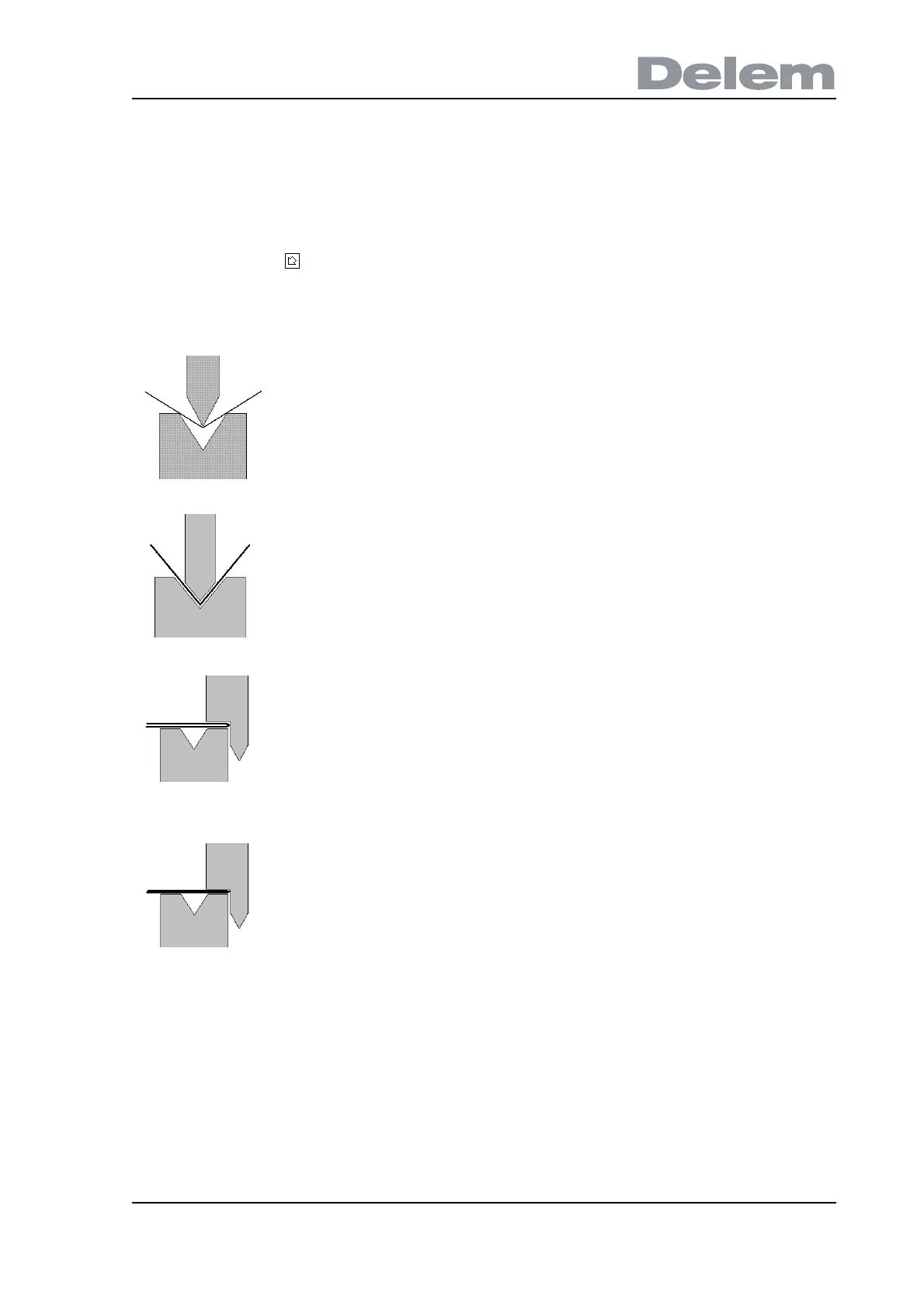
Bend methods:
Note 1:
The flattening bends are shown here with a special flattening punch, but this is not required.
Note 2:
When bottoming operation is selected, the end of bend position of the Y-axis beam depends
on the working force. If however the force is sufficient for the beam to go to the calculated Y-
axis end of bend position, the beam stroke will be limited by the position value.
air bend The sheet is bent to the programmed angle
by bringing the punch to the required depth.
The control calculates the required Y-axis
position to obtain the programmed angle.
bottoming The sheet is bent by squeezing the sheet
between the punch and the die. The control
assumes the bottom of the die as required Y-
axis position.
flattening The sheet is folded in two. This is possible
after the sheet has been bent into a sharp
angle in a previous bend. The control
calculates the precise Y-axis position for this
action: the surface of the die plus twice the
sheet thickness.
Y-axis positioning can be adjusted by
programming a 'flattening offset'.
flattening and
bottoming
The same as flattening, but now the control
assumes the top of the die as required Y-axis
position. The folded sheet is squeezed
between punch and die.



 To Next Page