I
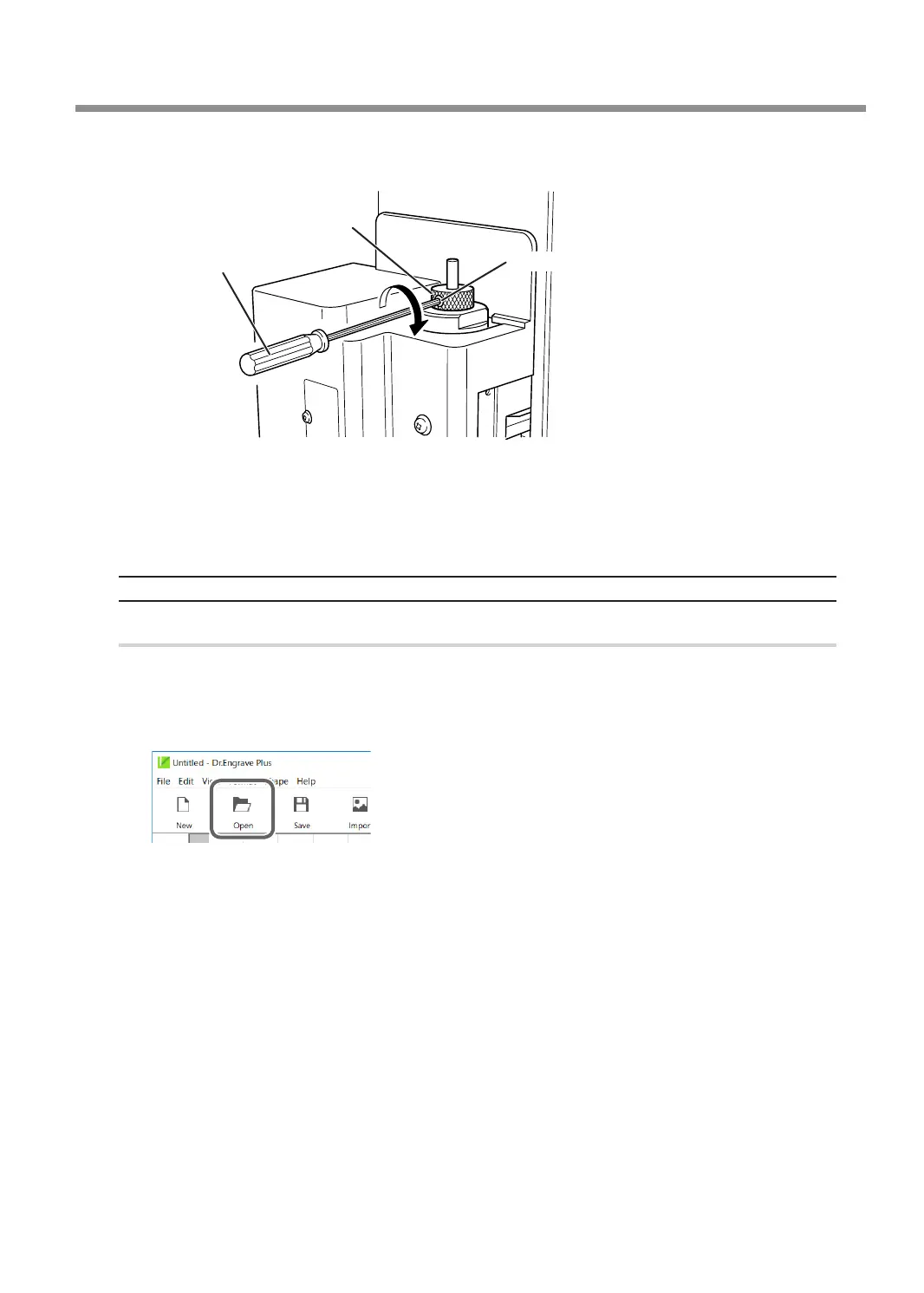
Secure the cutter in place.
Tighten the mounting screw for the cutter holder.
Cutter holder
Mounting screw
Hexagonal screwdriver
J
Close the front cover.
K
Press [ENTER/PAUSE].
This completes the installation of the cutter.
Setting the Engraving Parameters
Procedure
A
Start Dr. Engrave Plus.
If engraving data is already opened, proceed to step
E
.
B
Click [Open].
Using Various Tools
111
Chapter 5 Various Engraving Methods



 To Next Page